The new Raspberry Pi 4 is amazing! You can read our Raspberry Pi 4 review and how the Raspberry Pi 4 is amazing for digital signage. We started supporting the Raspberry Pi 4 within a week after it was announced with our Beta SD card software image. On this page, you will find the status of this ongoing support effort.
The Raspberry Pi 4 runs almost every Yodeck feature. Check these three limitations before you plan your screens.
At a glance
| Feature | Status | What it means |
|---|---|---|
| Video subtitles | ❌ Not supported | Subtitle files don’t display. If you need captions, burn them into the video before uploading. |
| 4K video | ⚠️ 2GB RAM or more | 4K playback works on Pi 4 models with 2GB, 4GB or 8GB of RAM. On 1GB models, use 1080p video. |
| Dual screens | ❌ Not supported | You can’t mirror or extend content across both HDMI ports. Use one screen per player. |
Use the correct HDMI port
The Raspberry Pi 4 has two micro-HDMI ports, but Yodeck only outputs to HDMI 0. That’s the port closest to the USB-C power input, marked in green below.
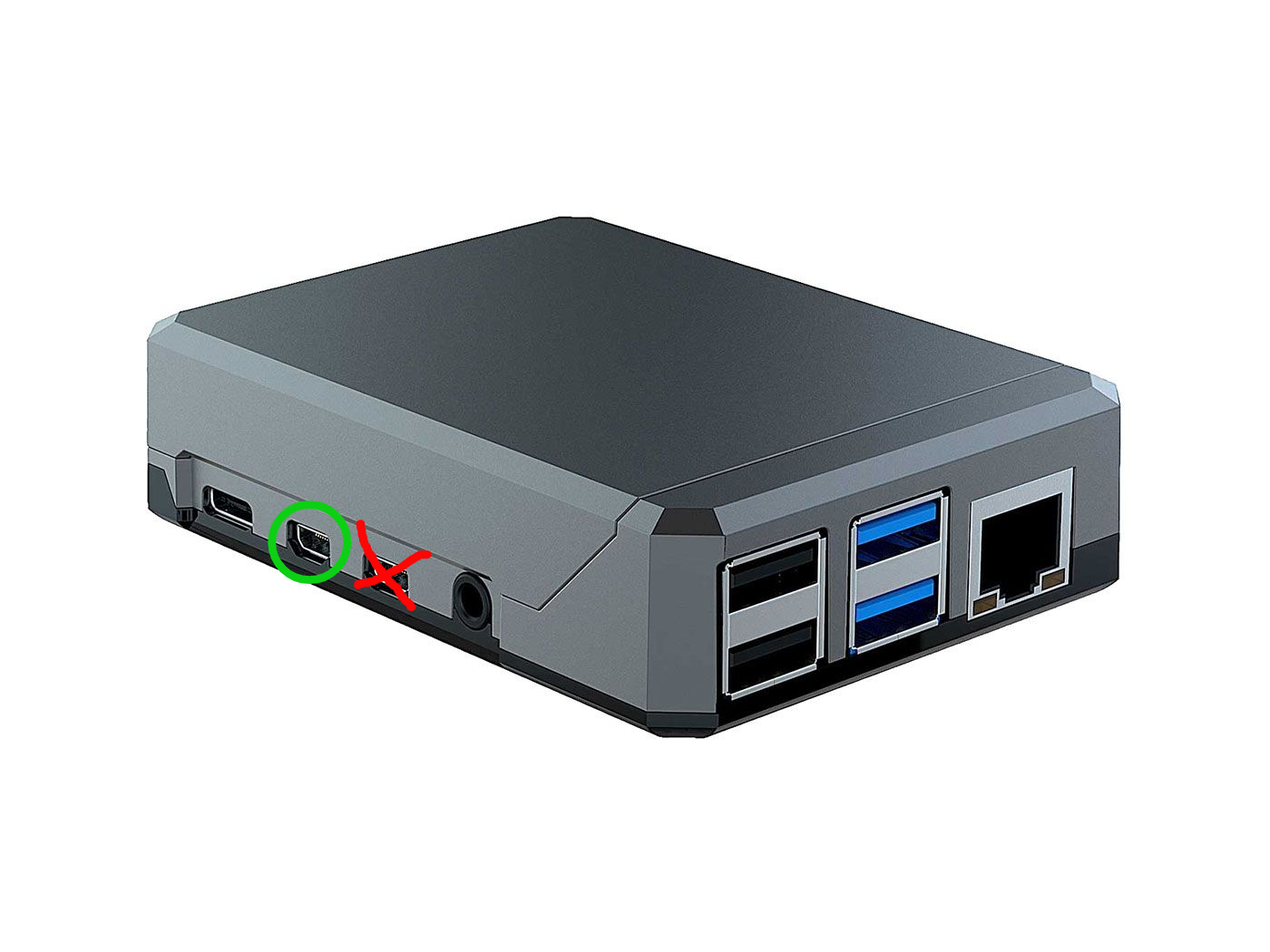
💡 Blank screen? If the player powers on but nothing shows on your TV, check that the cable is in HDMI 0. The other port stays blank.
For more on dual-screen setups, see Does Yodeck support dual screens using the two HDMI ports?

