Overview

The Daily Feed app is a built-in Yodeck app that displays a rotating mix of curated, workplace-safe content, including quotes, facts, trivia, jokes, and word definitions. It updates daily, requires no external integration, and gives you an easy way to make static screens more engaging with minimal effort. You can use it on shared-space screens such as break rooms, lobbies, reception areas, hallways, and waiting rooms, or place it inside a layout alongside announcements, dashboards, schedules, or branding. With simple setup and flexible styling options, Daily Feed is a practical choice for teams that want active, low-maintenance screens.
Create a Daily Feed app
To display Daily Feed content on your Yodeck screens, click on the Daily Feed app within your app gallery to set it up, and complete the app details as follows:
- Enter a Name.
- Add an optional Description.
- In Feeds, select one or more content categories:
- Quotes & Inspiration
- Facts
- Word Definitions
- Jokes & Humor
- Trivia
- Set the Slide Duration to control how long each card stays on screen. The default value is 10 seconds.
- Adjust the options under Style Settings, such as Theme, Animated Transitions, Logo, and Date & Time Display. Specifically:
- Theme: Daily Feed includes these theme options:
- Playful
- Elegant
- Custom
💡Choose Playful or Elegant for a ready-made design, or choose Custom if you want more control over the app’s appearance.
- Animated Transitions: Enable or disable Animated Transitions depending on the effect you want between cards.
- Logo: Use this option to upload your company logo and give the app a more branded look.
- Display Date & Time: You can enable this option to display the current date and time on each slide.
- Theme: Daily Feed includes these theme options:
- Tags: You can also provide a tag for this app to manage it better.
- Default Duration: You can configure this option so that the App will appear in a playlist for a specific duration.
- You can also set the Availability. You can find more details in the Media Availability guide.
- Click “Save,” and your App is ready to use and assign it to a screen or playlist.
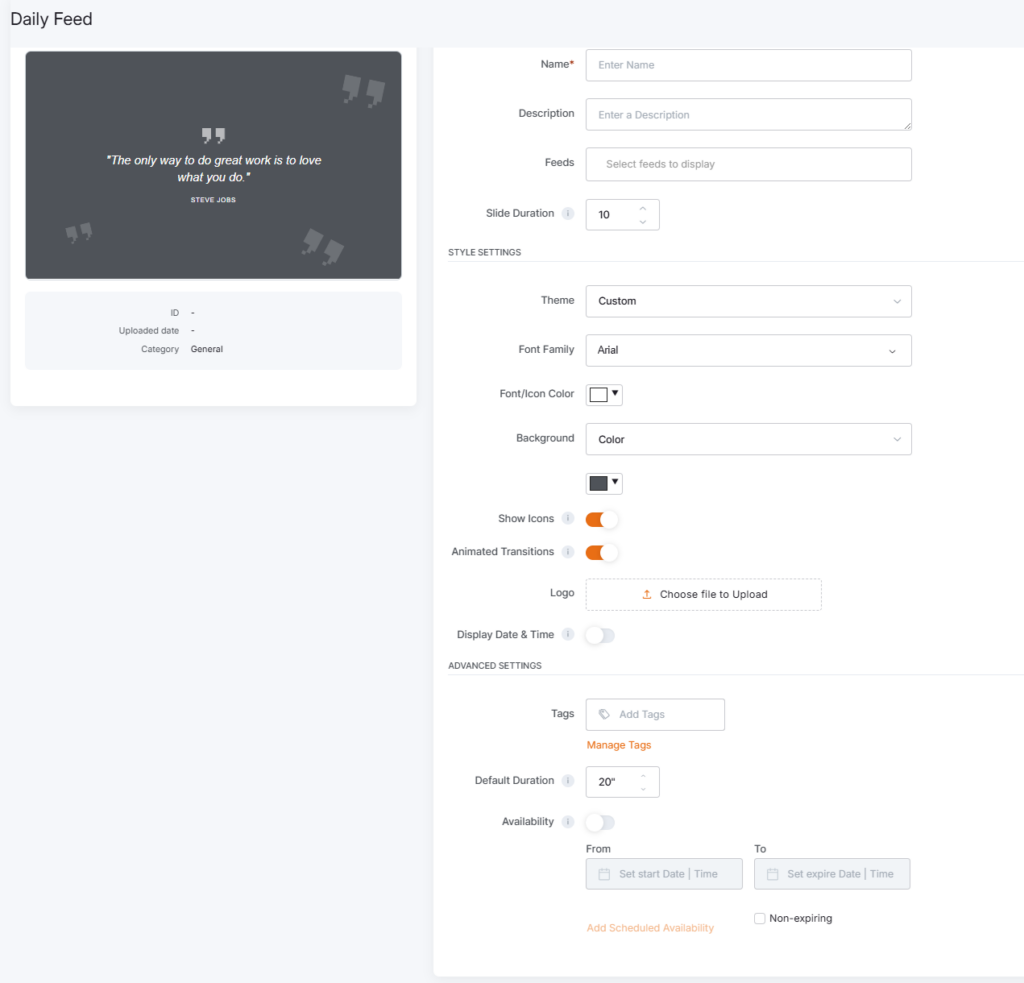
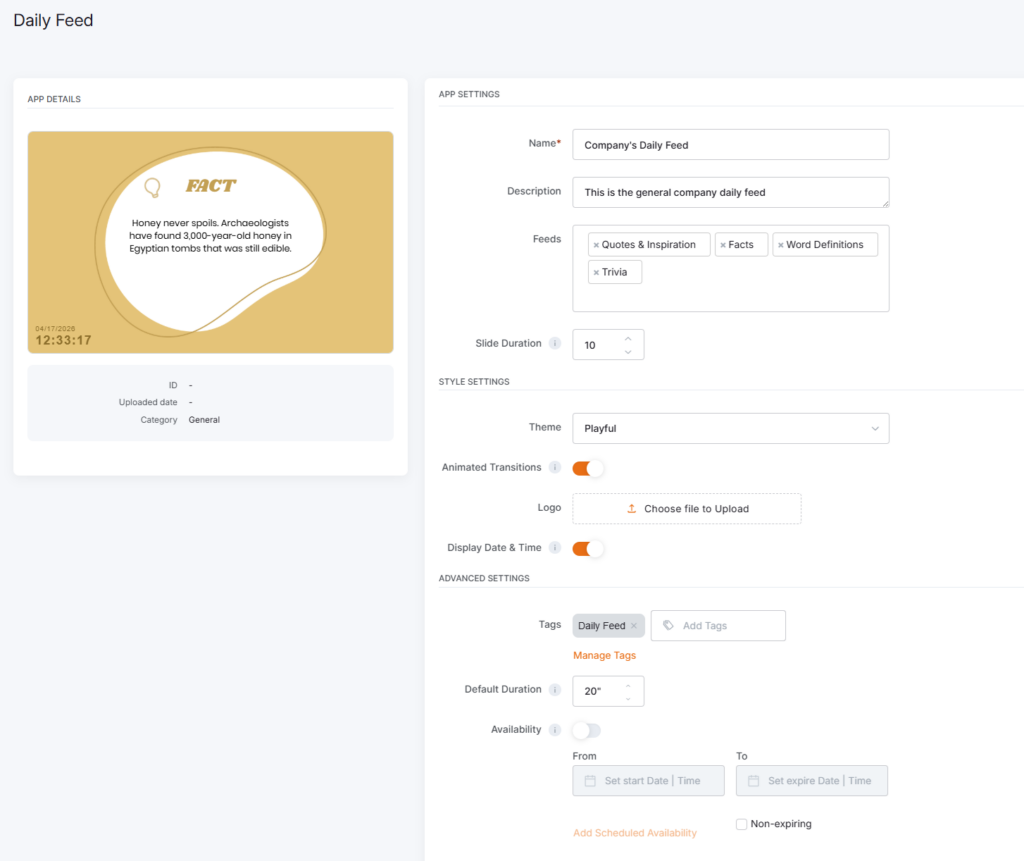
Daily Feed app final result
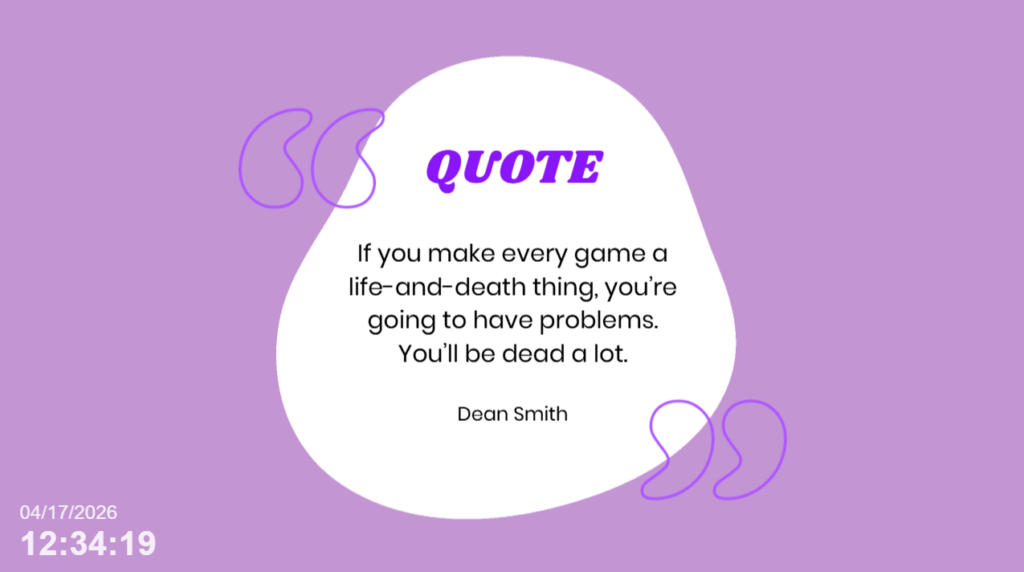
The examples below showcase how Yodeck displays the Daily Feed app in its preview and on screens.
Best practices
To get the best results from Daily Feed:
- Use it on screens in shared spaces where people look up throughout the day
- Combine feed categories if you want more variety
- Use Custom when you want the app to match your brand
- Use the live preview to review your setup before saving
- Place it in a layout when you want to balance light content with business updates
F.A.Q.s
Got questions? We’ve got answers! This section addresses common questions about the Daily Feed app.
Yes. In Feeds, you can choose from Quotes & Inspiration, Facts, Word Definitions, Jokes & Humor, and Trivia. You can select one category or combine several.
Yes. Daily Feed content updates daily and rotates automatically on screen.
Yes. All content is curated to be safe for work across every category.
Yes. You can customize the app using options such as Theme, Font Family, Font/Icon Color, Background, and Logo.
Yes. The app editor includes a live preview panel so you can review the look of the app while configuring it.
Yes. Daily Feed works both as a standalone full-screen app and as part of a layout.
Yes. Daily Feed content is currently available in English.
Need Help?
The Yodeck Support Team can help you out! Log in to your Yodeck account and send us a message from the bottom right corner!

