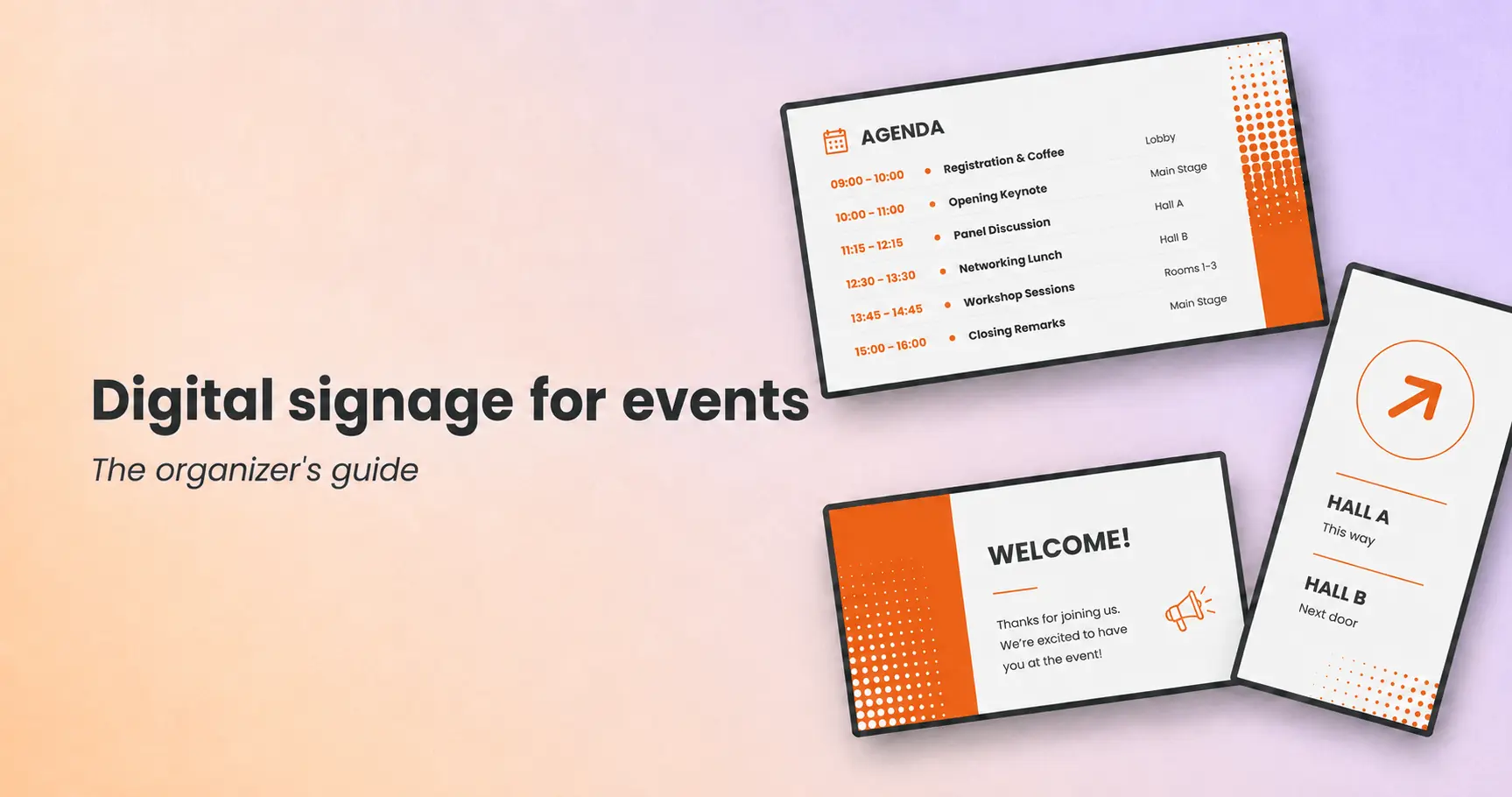
How to plan, run, and manage event screens that keep attendees informed, sponsors visible, and schedules accurate to the minute.
Key takeaways
Screens replace the printed program: agendas, room changes, and announcements update everywhere the moment something changes
Every event phase has a screen job: promotion before doors open, check-in at arrival, live agendas and wayfinding during, recaps after
Sponsor loops turn screens into revenue: rotating sponsor content makes signage a sellable asset instead of a line-item cost
Venue Wi-Fi will let you down: local content storage is the difference between screens that survive a congested network and screens that go dark
Big events need different criteria: zone-based screen groups, role-based access, and fast setup matter more than raw feature count
Every organizer knows the moment. A keynote runs long, a breakout room floods with people, and the printed program in everyone’s badge holder is now wrong. Digital signage for events solves that exact problem: screens across the venue that update the second your schedule does, from a laptop backstage or a phone on the expo floor.
This guide covers how organizers use screens at each phase of an event, what to put on them, how to pick a system for large events, and how to manage dozens of screens across a venue without an AV army.
What is digital signage for events?
Digital signage for events is the use of connected screens across a venue to show schedules, announcements, wayfinding, sponsor content, and live feeds, all managed remotely from one dashboard. Instead of printing programs and posting foam boards that are outdated by lunch, organizers push updates to every screen at once and change content by zone, session, or time of day.
Event digital signage runs on ordinary hardware: TVs the venue already owns, portable displays on stands, LED walls, or kiosks, each driven by a small media player connected to the internet. The software does the real work. The software decides what plays where and when, and keeps content playing even when the venue network struggles.
The difference from printed signage comes down to speed and control:
| Printed event signage | Digital event signage | |
|---|---|---|
| Schedule changes | Reprint, reposition, hope | Update every screen in seconds |
| Cost over time | New print run per event | Reuse screens and templates across events |
| Sponsor content | Fixed banner placement | Rotating loops, sellable by slot or zone |
| Wayfinding | Static arrows | Directions that change as the day progresses |
| After the event | Waste bin | Reset and redeploy |
One note on scope: this article covers digital screens for event communication. If you are looking for printed banners, custom signs, or physical wayfinding markers, that is a different category with different vendors.
How is digital signage used at events?
Organizers use digital signage across the full event lifecycle, not just during show hours. The most effective screen strategies assign each phase of the event a specific job, from building anticipation before doors open to directing traffic during peak session changes.
Before doors open: promotion and pre-event content
Screens start working before the first attendee arrives. In the days before an event, venue screens and lobby displays run countdown timers, speaker announcements, and registration reminders. For recurring events, this is also when last year’s highlight reels earn their keep, giving early arrivals and venue foot traffic a reason to look up.
Pre-event is also when you build and test everything. Load your layouts, schedule Day 1 content to go live automatically, and walk the venue to check every screen. The hour before doors open should involve zero content work.
Arrival: registration, check-in, and welcome screens
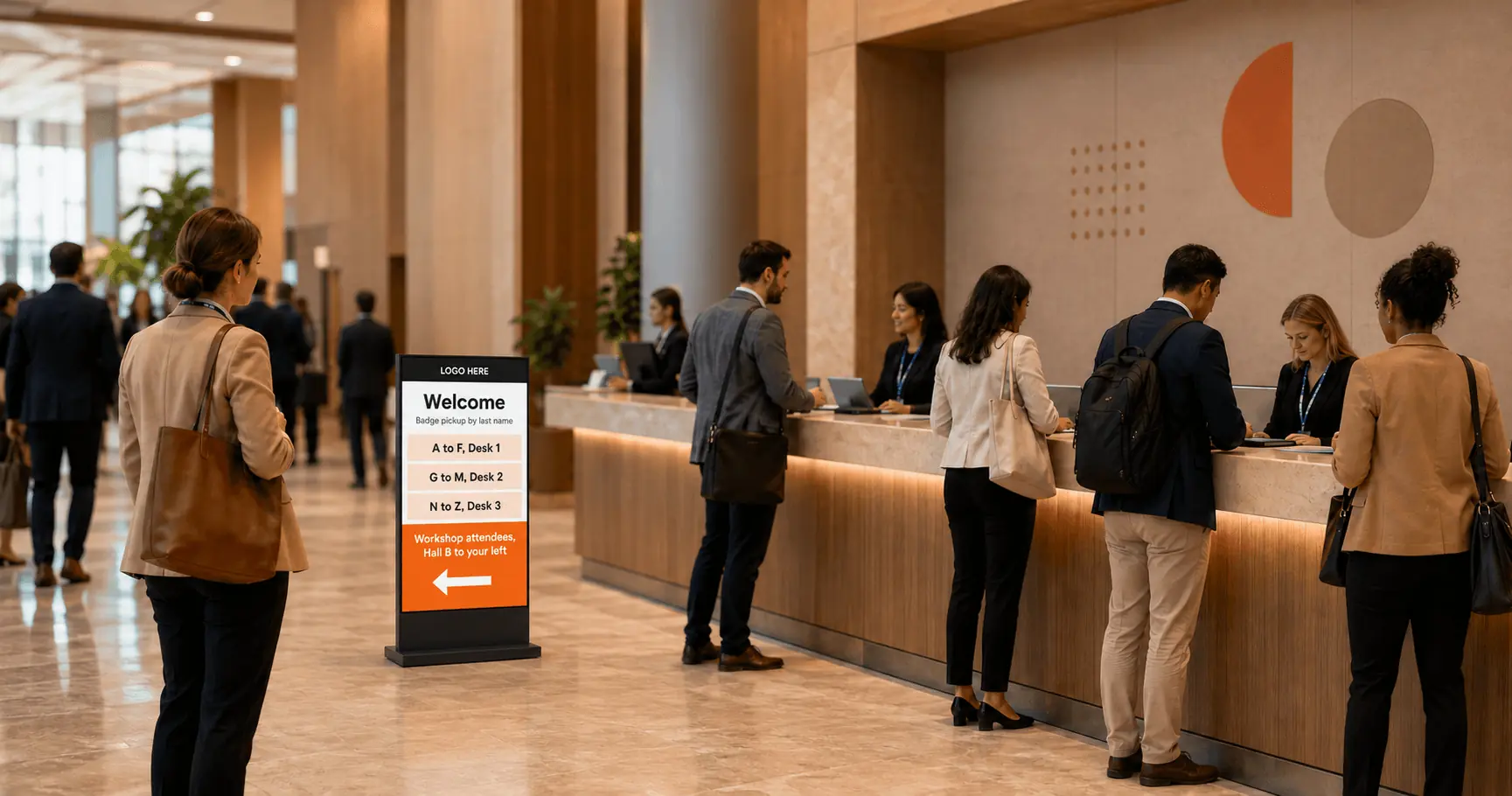
The registration area sets the tone for the entire event. Screens here answer the three questions every arriving attendee has: am I in the right place, where do I check in, and what happens next. Welcome messaging, badge pickup instructions, and a top-level agenda take the pressure off registration staff and keep the line moving.
For multi-track events, arrival screens can also split traffic early. A screen that says “Workshop attendees: Hall B, to your left” prevents a bottleneck before it forms.
During the event: live agendas and session updates
Live agenda screens are the workhorse of event signage. Sessions move, speakers cancel, rooms fill up, and the agenda on every screen reflects reality within seconds of the change. Screens outside each session room show what is on now and what is up next, with speaker names and start times, so attendees stop opening their event app to double-check the room number.
This is where digital signage earns its budget. The alternative is staff with megaphones and a Slack channel full of “does anyone know if the 2PM panel moved?”
Wayfinding across the venue
Attendees lose more time to navigation than organizers expect, and wayfinding screens recover it. Placed at decision points, hallway intersections, escalator landings, hall entrances, wayfinding digital signage shows directional maps and route guidance that change with the schedule. During morning keynotes, screens point to the main hall. During the lunch break, the same screens point to catering.
For a deeper look at directional screen placement and content, see our guide to directional signage for events.
Pro tip by Yodeck Team: Schedule wayfinding content by time block, not by day. A screen that points toward “Registration” at 8AM should point toward “Networking reception” at 6PM. Time-based scheduling handles this automatically, so nobody has to remember to switch it manually.
Sponsor loops and exhibitor content
Sponsor content on screens is one of the few event costs that pays for itself. A rotating sponsor loop across venue screens gives partners guaranteed, high-visibility exposure that a static banner cannot match, and it gives your sponsorship team a concrete asset to sell: slots in the rotation, exclusive takeovers of specific zones, or branded content during session breaks.
R.S.C. Anderlecht, one of Belgium’s biggest football clubs, uses this model at scale. The club runs digital signage across its stadium both for matchday communication and as sponsorship inventory. Screens at the stadium work as a revenue channel rather than an operating expense, and the same logic applies to a conference: every screen is potential sponsor real estate.
Closing and post-event screens
The last hours of an event have their own communication needs: session recordings availability, survey QR codes, next-year announcements, and practical logistics like shuttle times and coat check locations. Screens near exits catch attendees at the exact moment they are deciding whether to register for the next edition.
Ready to see what your event screens could look like? You can build a free test screen with Yodeck and have a live agenda playing in minutes.
What should event digital signage display?
Event screens should display content that answers a question, moves a person, or serves a partner. Everything else is decoration. The core content set breaks into five categories.
1. Schedules and agendas are the baseline. Show the full event program filtered by zone: session rooms display their own track, common areas display everything. Include start times, locations, and speaker names.
2. Speaker and session details belong outside each room. Bios, photos, and session descriptions help attendees pick where to spend the next hour and give speakers visibility they remember when you invite them back.
3. Live social content keeps common areas alive. A social media wall pulling the event hashtag gives attendees a reason to post and puts their content on display, which feeds more posting. Networking areas and lounges are the natural home for social walls.
4. Food, drink, and practical information absorb staff questions. Digital menu boards in catering areas cut queue confusion, and screens covering Wi-Fi credentials, cloakroom locations, and quiet zones answer the questions your staff would otherwise field forty times a day.
5. Safety and emergency messaging is the category you hope never to use. Screens are your fastest channel to every corner of the venue. Evacuation routes, severe weather notices, or a simple “the west entrance is temporarily closed” reach everyone at once, including people who never open the event app.
That last point matters more than most organizers realize. According to Bizzabo, 55% of attendees say the mobile event app can make or break their experience, which cuts both ways: apps are powerful for those who engage, but they are opt-in, heads-down, and invisible to everyone who never downloaded them. Screens are ambient. Screens inform the whole room without asking anyone to install anything, which is why they carry the messages that must reach everyone.
Digital signage for conferences and trade shows
Conferences and trade shows put the heaviest demands on event signage because the schedule density and floor space are both extreme. A three-day conference with twelve parallel tracks generates hundreds of session-room content changes, and a trade show floor is a navigation problem measured in football fields.
The way attendees use these events is also shifting away from the session room. Research from Freeman [VERIFY exact report URL] found that attendees would ideally spend 54% of their learning time outside traditional session rooms, and at trade shows that figure rises to 64%. That finding is a direct argument for screen placement: if two-thirds of the value of a trade show happens in hallways, expo aisles, and demo areas, then hallways, aisles, and demo areas are where your communication has to live. Screens are the only medium that covers those spaces continuously.
For conference organizers, the practical playbook is zone-based. Session corridors get track-specific agendas. The expo floor gets exhibitor maps and booth promotions. The main stage area gets keynote countdowns and overflow information. Corporate teams running internal conferences and town halls can apply the same structure, and our guide to corporate digital signage covers that variant in detail.
Interesting insight: Trade show organizers increasingly treat screen placement like media planning: they map attendee traffic flows first, then position screens at the choke points where dwell time is highest, the same way an out-of-home advertiser buys billboard locations.
Choosing the best digital signage for big events
For big events, choose digital signage on operational criteria, not feature lists. A system that shines in a permanent retail installation can fall apart in a temporary deployment with fifty screens, a congested network, and a two-day setup window. Five criteria separate systems that survive large events from systems that do not.
Setup speed comes first. Event deployments are temporary, and if registering a screen takes an IT specialist twenty minutes, fifty screens cost you two working days. Look for players that are plug-and-play: connect, power on, and the screen appears in your dashboard.
Offline resilience is non-negotiable. Venue Wi-Fi with thousands of connected devices will slow down or drop. Systems that store content locally on each player keep playing through outages, while systems that stream content go dark.
Screen grouping determines how fast you can react. You need to treat “all session room screens” or “the entire expo floor” as one unit, pushing content to a group instead of screen by screen.
Role-based access keeps content moving. Sponsors update their loop, session teams manage their rooms, and the organizing team keeps global control. Without granular permissions, every content change routes through one overwhelmed person.
Short-deployment economics decide the budget. Per-screen monthly pricing works differently when you need fifty screens for one week. Check whether the platform lets you scale screen counts up and down, and whether the hardware is cheap enough to own rather than rent.
A dedicated digital signage for events solution built on low-cost players and cloud management fits these criteria better than enterprise AV systems designed for permanent installations. The broader market context helps here too: general-purpose digital signage software has matured to the point where event-grade reliability no longer requires event-specialist pricing.
If your next event has more than a handful of screens, start a free trial and stress-test the setup workflow before you commit to anything.
How do you manage screens across an event venue?
Managing venue-wide screens comes down to three practices: group screens by zone, schedule content by time block, and plan for the network to fail.
Group screens by zone
Organize screens into groups that mirror your venue: registration, session rooms by track, expo floor, catering, main stage. Content gets assigned to groups, so updating “all Track B rooms” is one action. During a live event, group-level control is the difference between a thirty-second fix and a frantic screen-by-screen scramble.
Schedule content by time block
Build Day 1, Day 2, and Day 3 content in advance and let it switch automatically at midnight. Within each day, schedule morning, session, break, and evening content blocks. The system handles transitions while your team handles the event.
Plan for network failure
Network failure planning is the lesson most first-time event organizers learn the hard way. Yodeck players download all assigned content to local storage and keep playing for up to a month without connectivity, syncing changes automatically when the connection returns. On event Wi-Fi shared with several thousand phones, that local-first architecture keeps screens alive at keynote start and lunch rush, the exact moments when the network is most congested and the screens are most needed.
Multi-user roles complete the picture. Give sponsors edit access to their loop only, give each track producer their rooms, and keep approval authority central. Every screen stays current without every change flowing through one laptop.
Event digital signage ideas worth stealing
The strongest event screens do one specific job well. These executions consistently earn attention:
Keynote countdown walls in the main hall that build energy in the final minutes before a headline session
Live poll and Q&A result displays that put audience input on screen during panels
Session capacity indicators outside popular rooms (“Room 204: full, overflow in Hall C”) that redirect traffic before it jams
Attendee photo walls fed by the event hashtag, which turn a lounge wall into the most photographed spot at the event
“Happening in 15 minutes” tickers across all common-area screens that lift attendance for undersubscribed sessions
Sponsor spotlight takeovers, where one partner owns every screen in a zone for a defined window, sold as a premium package
Speaker green-room screens showing the live run-of-show, which keep talent on time without a producer chasing them
Design matters as much as the idea. Event halls are viewed at distance and in motion, so content needs large type, high contrast, and short dwell-time messaging. Our guides on digital signage content and digital signage design cover the production side in depth.
Running event screens with Yodeck
Yodeck is built for the deployment pattern events demand: many screens, fast setup, unreliable networks, and multiple teams touching content. Players are plug-and-play, screens are managed in groups from one dashboard, and content plays from local storage, so a congested venue network never takes a screen down.
Scheduling handles the day-to-day mechanics. Build each event day in advance, set content to switch automatically, and use role-based access so sponsors and session teams manage their own screens within limits you define. More than 700 free digital signage templates cover agendas, announcements, and menus, so a polished screen does not require a designer on the payroll.
Yodeck holds a 4.7 out of 5 rating across 3,000+ verified reviews on G2, with ease of use and easy setup as the two most-mentioned strengths. Both matter more at events than anywhere else: the person updating screens mid-keynote is rarely an AV engineer.
Pricing fits temporary deployments. The first screen is free forever, and every new account gets 30 days of unlimited feature access for up to five screens, enough to run a real pilot at your next event before committing to anything.
Put your event schedule where everyone can see it
Get started for free