


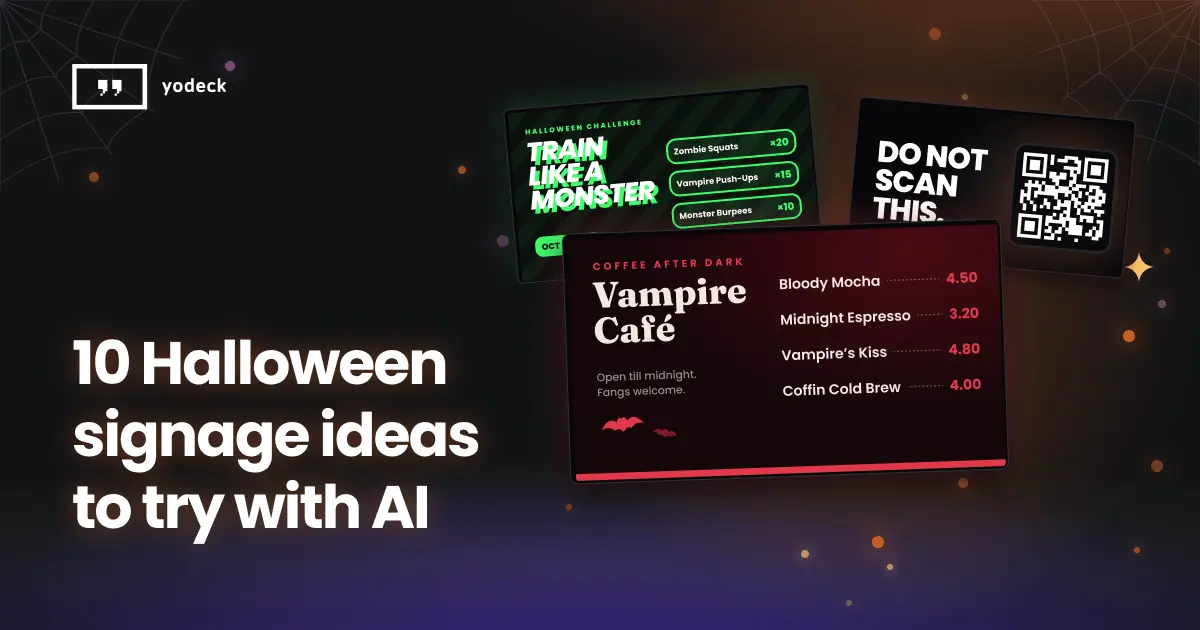
Explore 10 Halloween digital signage ideas for cafés, shops, gyms, hotels, and schools. Create spooky screen layouts with Yodeck Magic Layout.
Key Takeaways
Halloween is a good excuse to have a little fun with your screens.
Your café could become a vampire hangout for the week. Your retail shop could advertise a sale that looks like something out of a horror movie. Even the usual office announcements could get a spooky makeover.
And you don’t have to spend hours designing any of it.
With Yodeck’s Magic Layout, you can describe what you have in mind and let AI take care of the first draft. You’ll get two layout options to choose from, and you can customize your favorite with your own images, text, colors, and branding.
As the Intelligent Digital Signage Platform™, Yodeck helps you create content more easily and connect with your audience in ways that go beyond simply displaying information.
Here are 10 Halloween digital signage ideas for cafés, shops, offices, and plenty of other places.
1. Give your café a vampire makeover
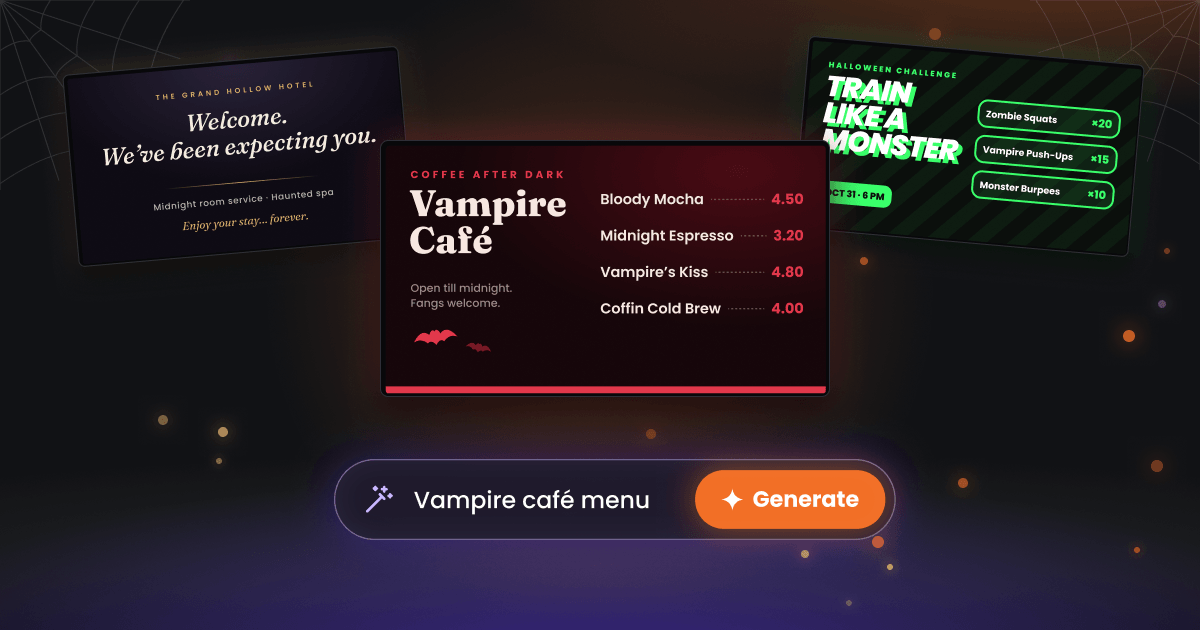
Bloody Mocha, Midnight Espresso, Vampire’s Kiss Latte. Your regular coffee menu just got a little more interesting.
Halloween is a good time to play around with your digital menu boards, especially if you’re already offering seasonal drinks or specials.
You don’t need to change everything. A darker color palette, a few fun names, and some gothic-inspired typography can completely change the mood.
Give Magic Layout this prompt:
“A digital menu for a coffee shop run by vampires. Four drinks with prices, deep red and black colors, gothic but modern.”
Once you’ve picked your favorite layout, replace the example drinks with your own menu items, prices, and photos.
2. Have a Halloween sale without a single pumpkin
Halloween retail digital signage promotions don’t need orange backgrounds and pumpkins everywhere.
Why not see what happens when you remove the usual Halloween ingredients?
Try: “A Halloween retail sale with 30% off everything. Eerie and minimal, with no pumpkins, witches, ghosts, or orange.”
A Halloween sale screen without pumpkins also keeps your seasonal content more in line with your usual brand.
And sometimes, a simple design with a great offer stands out more than a screen packed with Halloween decorations.
3. Make people count down to Halloween
Halloween is getting closer. And if you’re hosting a party, a themed dinner, or an in-store event, now’s a good time to start building excitement.
A countdown on your digital signage is a simple way to do it.
Instead of another “Halloween Party – October 31” announcement, imagine a screen that looks like an old horror movie poster.
Give Magic Layout this prompt:
“A dramatic countdown to a Halloween party on 31 October. Include: October 31, 3 PM. Make it look like an old horror movie poster.”
You can update the message as the event gets closer, going from “Coming Soon” to “Tonight.”
One tip, though: skip the countdown if your event is less than three days away. At that point, a bold “This Friday” or “Tonight” announcement will do a better job.
4. Give the costume contest some proper attention
Every Halloween costume contest has two kinds of people.
The ones who’ve been planning their outfits since August. And the ones who remember the morning of the event and show up wearing a black T-shirt, claiming they’re dressed as a shadow.
Both deserve to know about the contest.
Put the details on your screens early, make the prizes worth noticing, and give people a reason to participate.
Give Magic Layout this prompt:
“Create a Halloween costume contest announcement for an office. Headline: ‘Dressed to Kill?’ Include: October 31, 3 PM, office lounge. Invite everyone to show up in costume and compete for the title of Best Dressed. Prize: a €100 gift card. Make it look like a retro horror movie poster, with bold typography, dark purple and red colors, and a playful spooky vibe.”
You can even use your office digital signage to show off everyone’s costumes and announce the winners once the contest is over.
5. Welcome guests to a haunted hotel
“Welcome to our hotel. We hope you enjoy your stay.” Nice, polite, but completely forgettable.
Now try: “Welcome. We’ve been expecting you.”
A little more interesting, right?
Hotels already use hospitality digital signage to welcome guests, share useful information, and promote their services. But for Halloween, why not have a little fun with those screens?
Give Magic Layout this prompt:
“Welcome screen for an elegant haunted hotel. Include midnight room service, a haunted spa, and ‘Enjoy your stay… forever.’ Dark and luxurious.”
You can replace the made-up services with real Halloween events, restaurant specials, or guest information.
6. Give your Halloween specials a screen of their own
You’ve added pumpkin soup to the menu or maybe some black pasta. Don’t bury them somewhere at the bottom of your regular menu.
Instead, give your Halloween specials their own screen.
A separate Halloween specials screen helps customers spot dishes they’d otherwise miss on the regular menu.
Give Magic Layout this prompt:
“Halloween restaurant specials board with pumpkin soup, black pasta, and a mystery dessert. Include prices. Dark and playful, but easy to read.”
Then add your actual dishes, photos, and prices in the Layout Editor.
Spooky is fun, but people still need to read the menu. Keep the text clear, especially if your screens are behind a counter or viewed from a distance.
7. Give your gym a monster-sized workout challenge
Zombie Squats. Vampire Push-Ups. Monster Burpees.
Regular workouts sound a lot more interesting with Halloween names, don’t they?
If you run a gym, try a Halloween fitness challenge to give members something different to look forward to. It could be a special class, a one-day workout, or even a costume-friendly training session.
Give Magic Layout this prompt:
“Create a Halloween fitness challenge poster for a gym. Headline: ‘TRAIN LIKE A MONSTER.’ Feature a spooky workout challenge on October 31 at 6 PM. Include three exercises: Zombie Squats (20 reps), Vampire Push-Ups (15 reps), and Monster Burpees (10 reps). Use bold athletic typography, electric green and black colors, and a fun comic-book monster aesthetic.”
Put the finished layout on your gym screens ahead of the event so members have time to join in.
8. Make little patients smile this Halloween
A visit to the doctor or dentist isn’t always a child’s favorite part of the day.
But a friendly ghost or a smiling pumpkin on the waiting room screen? That might help make things feel a little less intimidating.
For pediatric clinics, dental practices, and other family-friendly healthcare spaces, Halloween digital signage can be a simple way to create a warmer, more welcoming atmosphere.
You could share a cheerful Halloween greeting, introduce a friendly monster mascot, or even add a little reminder about keeping those teeth healthy after all the candy.
Give Magic Layout this prompt:
“Create a cheerful Halloween welcome screen for a pediatric dental clinic. Headline: ‘BOO-TIFUL SMILES START HERE!’ Feature a friendly cartoon ghost holding a toothbrush, smiling pumpkins, and the message ‘Brush twice a day, even after Halloween treats!’ Use soft purple, mint green, and pastel orange colors. Make it cute, colorful, and welcoming, not scary.”
A cartoon ghost on the waiting room screen won’t cure a fear of the dentist, but it gives kids something fun to look at while they wait.
9. Put a QR code on screen and tell people not to scan it
Tell people not to scan something, and suddenly they want to scan it.
You can have a little fun with that on your Halloween digital signage.
Picture a nearly black screen with one big message: “DO NOT SCAN THIS,” with a QR code underneath.
Give Magic Layout this prompt:
“Halloween screen with a large space for a QR code. Headline: ‘DO NOT SCAN THIS.’ Small text: ‘Seriously.’ Dark, mysterious, and minimal.”
Add your real QR code in the Layout Editor and link it to something worth discovering: a secret discount, a Halloween competition, a special menu, a funny video.
10. Make the school Halloween party one to remember
Got a Halloween party coming up at school? Make sure everyone knows about it!
Use your screens to share the details with students, teachers, and parents. A few friendly ghosts, colorful pumpkins, and a fun headline can make even a simple event announcement feel special.
Give Magic Layout this prompt:
“Create a Halloween school party announcement. Headline: ‘SPOOKTACULAR SCHOOL PARTY!’ Include October 31, 4 PM, School Gym. Feature a costume parade, pumpkin decorating, and spooky games. Use playful illustrations of friendly ghosts, smiling pumpkins, and bats, with purple, orange, and black colors. Make the event details large and easy to read, and keep the design fun and kid-friendly.”
Once it’s ready, display it on your school digital signage in hallways, common areas, or near the entrance so nobody misses out on the fun.
How to create Halloween digital signage with Magic Layout
Even if only one of these Halloween screen ideas caught your attention, here’s how to try it.
- Open Yodeck, head to Layouts, and select Create with AI.
- Type in your prompt. You can use one of ours exactly as it is, or change it to fit your business.
- You can also add your own media, logo, screen orientation, or brand color to give Magic Layout a little more direction.
- You’ll get two layout options.
- Pick the one you like, open it in the Layout Editor, and make whatever changes you need.
You can also explore Yodeck’s free digital signage templates if you’d rather start with an existing design.
Don’t forget to schedule your Halloween content
Halloween campaigns usually only run for a week or two. And nobody wants a “Happy Halloween” message still playing halfway through November.
With Yodeck, you can schedule your Halloween content to start and stop automatically. Set the dates in advance, and your screens can switch back to their regular content when the campaign ends.
One less thing to remember on November 1.
Your screens could use a little Halloween spirit
You don’t need to turn your entire business into a haunted house to have some fun with Halloween.
Sometimes, a clever menu, a strange announcement, or a well-timed joke is enough to make someone stop and look.
And with Magic Layout, creating Halloween digital signage doesn’t have to take hours.
Ready to give your screens a spooky makeover?
Dare the Magic this Halloween
Think you can come up with a Halloween prompt stranger than ours? We dare you.
Try your most unexpected idea with Magic Layout and share what you create on social media. Tag Yodeck so we can see what you’ve come up with.
Happy Halloween!
FAQs
How long does it take to create Halloween screens with Magic Layout?
Magic Layout takes a few minutes to generate two layout options. You don’t have to wait around, though. You can keep working in Yodeck and get a notification when they’re ready. Then, pick your favorite and make any changes you need in the Layout Editor.
Can I try Magic Layout for free?
Yes! Magic Layout is free at launch and included in all standard Yodeck plans, with a monthly generation allowance. Just make sure AI Content Creation is enabled for your account.
Will Magic Layout fill in my real prices and times?
No. Magic Layout creates the design, but it doesn’t pull in your actual menu prices, event times, or other live information. You’ll need to check and update those details in the Layout Editor before putting your Halloween screens live.