


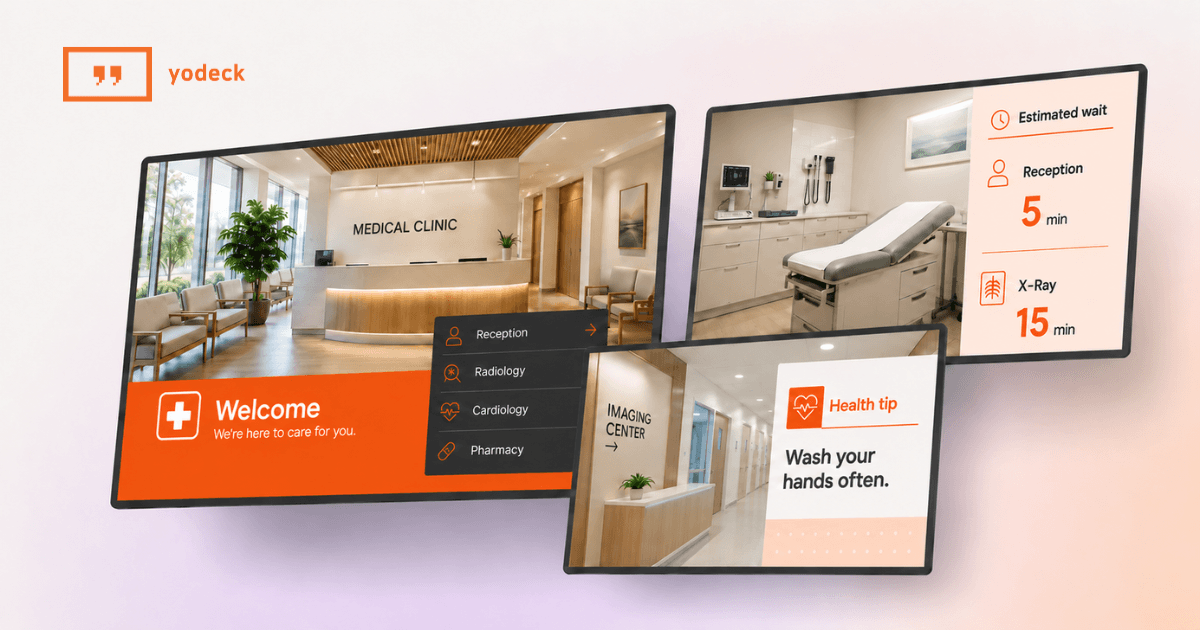
The screens that calm your waiting room, cut front-desk questions and shorten the wait your patients actually feel.
Key takeaways
Screens earn their place at the front desk: they answer the questions your staff repeat all day, so reception can focus on the patient standing in front of them.
Perceived wait beats actual wait: occupied, informed waiting feels shorter, which is where lobby screens change a visit before the clinician ever walks in.
Compliance is about what you show, not the TV: keep protected health information off public screens and control who is allowed to publish.
One dashboard scales from one office to fifty: central control with local flexibility is what separates a single lobby screen from a real multi-site program.
Your front desk answers the same questions from open to close. Where do I check in. How long is the wait. Do you take my insurance. Every answer pulls a staff member off the counter, and the sign taped to the glass went stale two schedule changes ago.
Medical digital signage hands those repeat answers to a screen instead.
Rather than paper nobody updates, you get displays that stay current, calm the room and take work off your team. This guide is for the people who run the office: practice owners, office managers and the operations leads who look after several sites. It covers what these screens do, where they go, what to show, how to stay compliant, and how to choose and pay for a system without an IT department.
What is medical digital signage
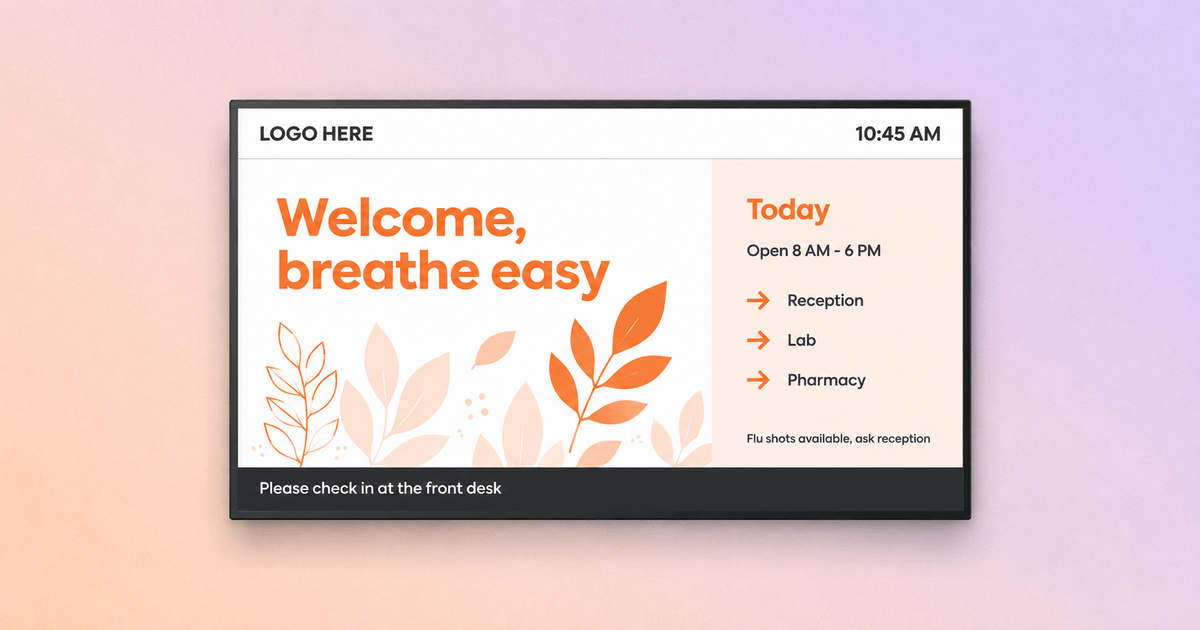

Medical digital signage is a network of screens in a clinic or medical office, all controlled from one online dashboard, that display the information patients and staff need at a given moment. That is the whole idea. A screen in the waiting area, a display at check-in, a board in the staff corridor, each showing the right content, all managed from a browser instead of a stack of printouts. Managed end to end, it works as a single healthcare digital signage solution rather than a room full of disconnected TVs.
What separates digital signage from a random TV playing cable news is control. You decide what shows, when it shows and on which screen, and you change it in seconds from anywhere. That is the difference between a distraction and a tool.
Digital signage vs printed posters in a medical office
The honest comparison is not digital signage against nothing. It is digital signage against the printed posters, flyers and laminated notices already on your walls.
Here is how the two stack up in a real medical office.
| What matters in a clinic | Printed posters | Medical digital signage |
|---|---|---|
| Time to update | Reprint, walk the office, replace each sign | Change once, live on every screen in seconds |
| Cost over a year | Recurring print, paper and staff time | One platform cost, no reprinting |
| Consistency across rooms and sites | Drifts fast, old versions linger | Same current message everywhere |
| Control over what shows | Anyone can tape up anything | Only approved publishers change content |
| Accessibility | Fixed size, fixed contrast | Adjustable size, contrast and layout |
| Staff effort | Constant manual upkeep | Set a schedule, let it run |
Where it goes in a clinic
Medical digital signage displays should be placed where a patient or staff member already has a question. Put a screen where attention naturally lands and it does useful work.
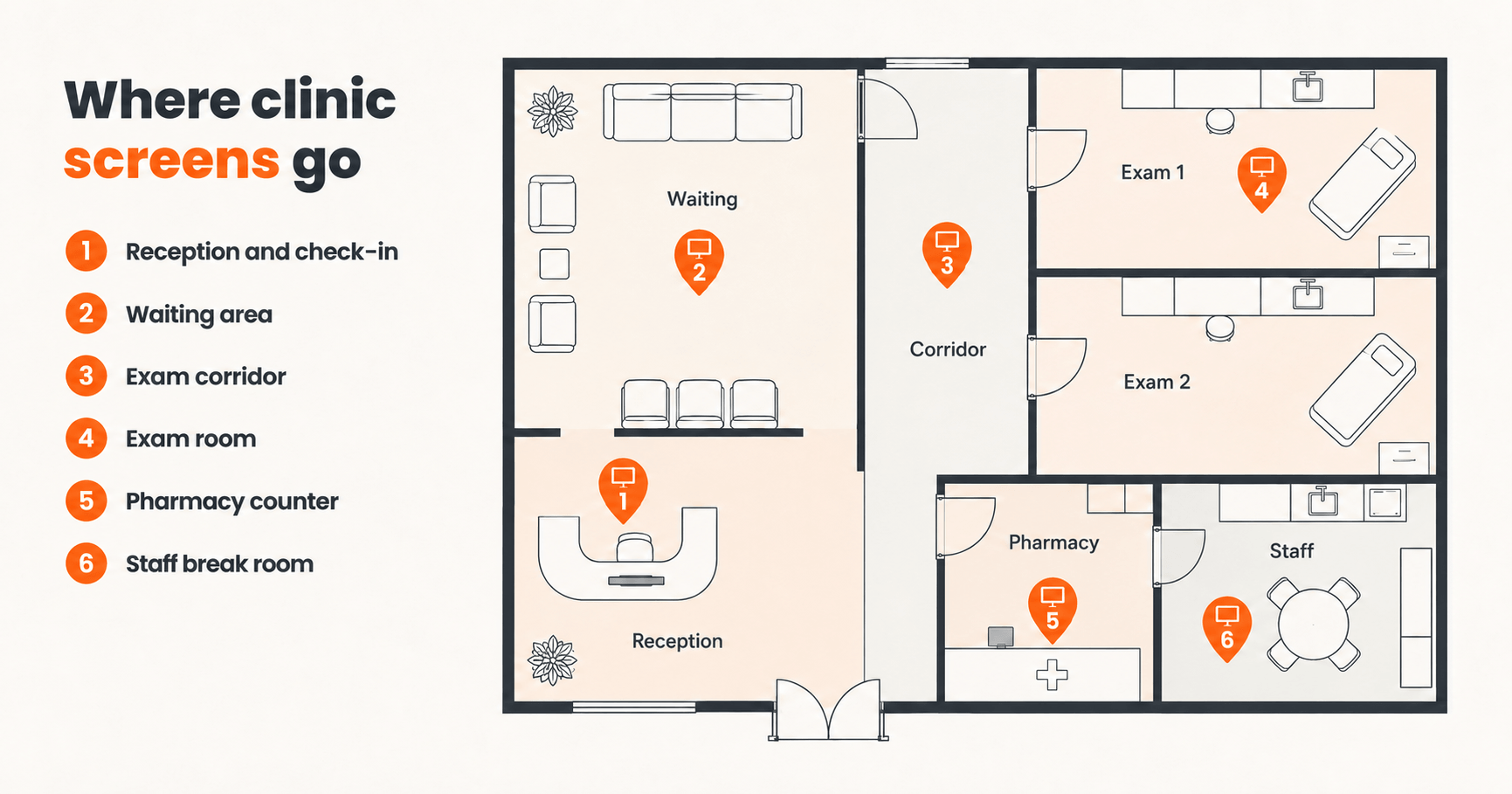
In practice, six spots carry most of the value:
Reception and check-in, where screens confirm hours, insurance details and what to have ready, so the desk fields fewer interruptions.
The waiting area, where content reduces the felt length of the wait and delivers patient education.
Exam room corridors, where simple directional cues help people find the right door without asking.
The exam room itself, where a screen reinforces the diagnosis or care plan at the point of care, and a QR code can send the takeaways home to the patient’s phone.
The pharmacy or dispensing counter, where pickup instructions and medication safety reminders live.
The staff break room, where internal updates, schedules and recognition reach the team between appointments.
You do not need all six on day one. Most single-site practices start with one screen in the waiting area, prove the value, then add check-in and corridor screens once the office sees what changes.
Pro tip by Yodeck Team Map your screens to questions, not walls. Before you mount anything, look at the questions your front desk answers most. Based on what we see across clinics, these five dominate:
Where do I check in?
How long is the wait?
Do you take my insurance?
What do I need to bring or fill out?
Where do I go next, for the lab, the restroom or my exam room?
If that first screen sounds worth testing, you can start free on one screen and see what a month in your waiting area tells you.
Why your waiting room feels slower than it is
Patients rarely wait as long as they think they do, but an empty, silent wait feels far longer than the clock says, and the frustration attaches to your practice. Occupied, informed waiting feels shorter: when someone has something worth watching and a sense of where they stand, the same minutes register as less.
The stakes are real. Roughly one in five patients has switched doctors over long wait times, according to a Vitals survey reported by Fierce Healthcare. A screen will not make your providers run on time, but it changes what the wait feels like. Put an appointment-status or estimated-wait panel next to your content and an anxious unknown becomes a manageable number.
Interesting insight The metric that moves is perception, not minutes. You can hold your actual wait time flat and still lift satisfaction, simply by giving the room something useful to watch and a sense of where things stand.
What to show on clinic screens, and what to never show
Good clinic content follows a simple rule: most of it should calm, inform or guide, and only a little should promote. When practices get this wrong, it is almost always because the screen tips into a sales channel and patients tune it out.
Show more of this:
Calming, ambient content that lowers the temperature of the room, like nature visuals or gentle seasonal themes
Patient education tied to your specialties and the season, the material patients actually benefit from
Wayfinding and practical information, such as hours, check-in steps and where to go next
Light promotion of your own services, kept to a small share so it never dominates
Keep this off the screen:
Protected health information, or anything that could identify a patient and their care
Graphic medical content that would unsettle a waiting room
Auto-playing pharmaceutical ads that make your practice feel like a billboard
For the education itself, you do not have to invent content. Plain-language material from the CDC can be adapted into screen-friendly layouts, so your clinical information stays accurate and your team stays out of the copywriting business.
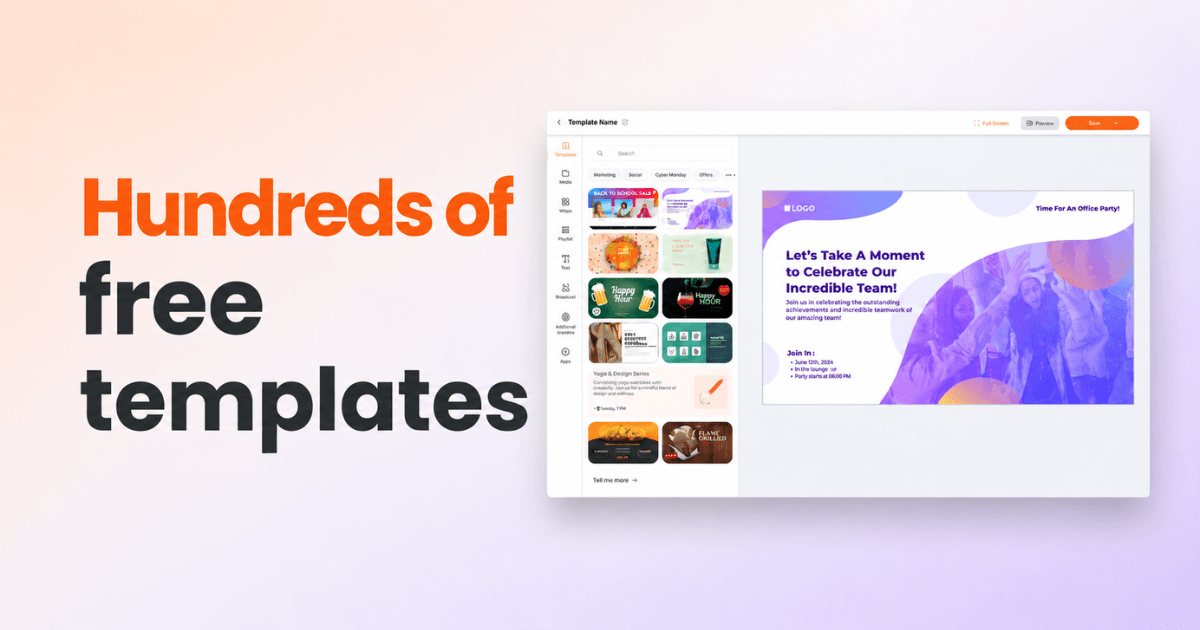
The fastest way to keep screens fresh without hiring a designer is a strong template library. A digital signage service with a good template library for clinics lets a non-technical office manager drop this week’s flu-shot reminder or new-provider announcement into a ready-made layout and publish it in minutes. Yodeck ships more than 800+ free templates and 147+ apps, so you can start from a healthcare-ready layout. That mix of ready-made design and one-click publishing is what makes Yodeck a reliable content system for medical waiting area displays, week after week, even when no one on staff is a designer.
Beyond your own material, MedlinePlus is another free, trusted source, with plain-language pages on more than a thousand conditions you can pull from as the seasons and your patient mix change.
The pain points digital signage resolves for clinic teams
The problems that stall medical signage usually have little to do with the screens themselves. Based on our work with more than 1,500 active healthcare clients, the same operational issues come up again and again:
multi-location brand governance, the concern raised most often
keeping the waiting room engaging and content on a schedule
replacing an aging or clunky legacy system
controlling cost without cutting corners
keeping patient information off public screens
ending the manual USB walkaround to update TVs
Here is how the same pains land by role:
For the practice owner, the pain is money leaking through small inefficiencies: staff time spent repeating information, patients lost to a rough waiting experience, and printing that never stops.
For the office manager, it is the daily grind of keeping every notice current and every location consistent.
For front-desk staff, it is interruption, the same questions all day pulling them off the patient at the counter.
For the operations lead running several sites, it is the fear that one clinic is showing last month’s message while another is off-brand entirely.
For the patient, it is uncertainty: not knowing where to go, how long they will wait or what happens next.
A single system speaks to all five. The owner sees lower recurring costs and a better-run front of house. The manager updates once and moves on. Front-desk staff field fewer interruptions. The operations lead gets one view of every screen. And the patient gets a room that answers questions before they have to ask.
The benefits, where they actually show up
The payoff from medical digital signage shows up in the working day, not on a spec sheet. If you would rather see it than read about it, you can set up a screen with free digital signage and watch how one waiting area responds before you commit to more.
At a glance, medical digital signage lets you:
update every screen in seconds, from anywhere
cut printing and reprinting for good
keep every location on-brand and on-message
make the wait feel shorter for patients
free up your front desk for the patient in front of them
run seasonal campaigns and promote your own services
keep playing reliably, even if the internet drops
signal a modern, well-run practice that patients trust
That last one is easy to underrate. A crisp, current screen reads as a practice that has its act together, and patients extend that impression to the care itself. The two benefits that pay off first, though, are worth a closer look.
Screens cut front-desk questions and no-shows
The clearest, fastest return is at the front desk. When the screen already shows your hours, accepted insurance, what to bring and how check-in works, patients stop asking and your team gets its attention back. Appointment reminders and prep instructions on the same screen chip away at the no-shows that break a schedule. Simple directional cues to the lab or exam room B mean fewer people wandering the corridor or interrupting a nurse to ask.
A patient-education channel that patients remember
Patients forget a large share of what they are told in an appointment, a gap that health-literacy research from AHRQ has documented for years. A screen gives you a second channel before and after the consult, and at the point of care a QR code lets the patient carry the instructions home on their phone, where they are likelier to act on them.
Used well, this turns dead waiting time into value: seasonal flu-shot and screening reminders, plain-language procedure explainers, and chronic-care guidance. It reinforces the clinician rather than replacing them, so more of it sticks.
Running signage across multiple clinics without the chaos
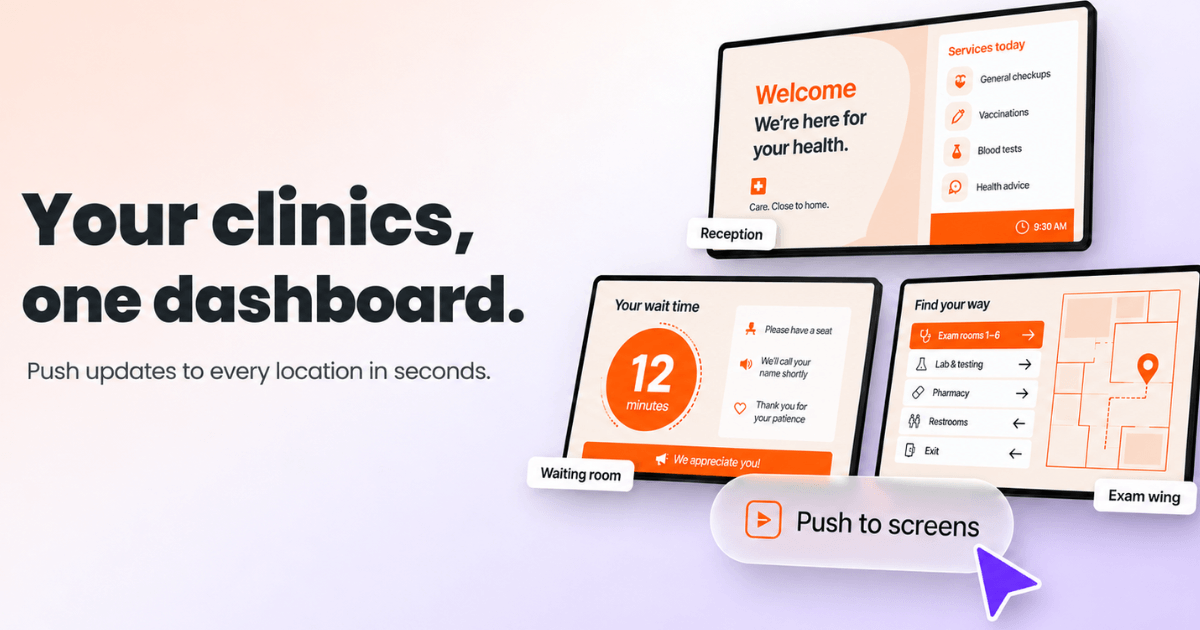
Managing screens across many locations is a different problem from managing one, and it is where cheap tools fall apart. It is also the concern healthcare buyers raise more than any other, usually driven by IT and operations managers. Running screens across many sites calls for a scalable signage solution for a multi-location health network, and that means a balancing act: headquarters keeps control of the brand and core message, while each clinic keeps enough freedom to show what matters on its own floor. Lose the first and every location drifts off-brand. Lose the second and local teams stop caring.
The trap to avoid is a tool that makes you open a separate account for every site. You should not need 350 logins to run 350 clinics, and the right structure means you never do.
The structure that solves this is a workspace hierarchy. Central teams build and lock the templates, so a promotion or a policy update rolls out identically to every site, while local managers publish approved content to their own screens without being able to break the master design. That balance is the mark of secure digital signage software that handles clinic playlists well: HQ keeps the master locked, and each clinic still publishes its own updates safely.
Set it once at the top and it runs everywhere. You get a reliable way to schedule daily health updates across several practice locations from a single dashboard, instead of logging into dozens of separate accounts. Change a flu-clinic notice in the morning and every location shows it within the minute.
This is not theory. FYidoctors, one of North America’s largest optometry groups, runs 480 screens across more than 350 clinics on Yodeck, with a plug-and-play rollout that let non-technical staff at each location get screens live without an IT visit. You can read the full healthcare digital signage case study for how the rollout was structured. For groups that want to move even faster, Yodeck’s AI Agent, available on Premium and Enterprise plans, lets an operations lead manage screens, playlists and schedules through plain-language chat, so pushing an updated playlist to every clinic in a region becomes one sentence instead of an afternoon.
What to look for when choosing medical digital signage software
The best medical digital signage software for a clinic is the one a non-technical manager can run alone, that keeps playing when the internet drops, and that scales from one office to many without a separate login per site. Whether you run a small dentist office or a multi-specialty group, weigh these criteria before you commit:
Ease of use. A non-technical manager should get a screen live in minutes, without a support ticket. One practice or fifty sites, the test is the same: can someone run it on a Monday morning?
Offline playback. A clinic screen that goes dark during patient hours is worse than no screen, so check what plays when the internet drops.
Hardware flexibility. Look for players that work with displays you already own or can buy cheaply. Yodeck runs on its own plug-and-play players and on common devices, so you are not locked in.
Cost. Cloud beats on-premise. Yodeck’s Web Player runs in a browser on a smart TV or tablet you already have, so there is nothing extra to buy.
Template library. The faster your team builds on-brand content, the more it publishes, so a strong library decides how often the screens actually get used.
Integrations. Check it connects to the tools you already use: Canva for design, Microsoft Teams for staff comms, Power BI for dashboards, social feeds and QR codes for patients.
Security. Front-desk staff should be able to run the daily playlist while template and multi-site controls stay locked to managers. Role-based permissions come on every plan, and single sign-on, workspaces and audit logs arrive on Enterprise. Yodeck adds end-to-end encryption, ISO 27001 certification and GDPR and CCPA compliance, and our digital signage security checklist covers what an IT review will ask.
Proof matters to a busy buyer. Yodeck is trusted by more than 1,500 active healthcare clients and holds more than 8,100+ on G2 and Capterra, with easy setup the most praised trait.
Two verified reviews make the point in plainer words:
“Easy to change content and media on the fly. Technical support is also quick and reliable”.
Ryan P., speech therapist, small business, on G2
“I can’t say enough great things about this product!”
Ryan M., Marketing and Outreach Coordinator, review titled “A Must-Have For Medical Centers”, on G2
What medical digital signage costs and how to start
Medical digital signage starts free. Yodeck’s free plan covers one screen at no cost with no credit card, and every new account gets a 30-day trial of unlimited features on up to five screens, so you can pilot a fuller setup before you pay. Paid plans are priced per screen, and on an annual plan every screen comes with a free plug-and-play Yodeck Player, the 1GB model on Basic and the 4GB Player Plus on Premium and Enterprise, which removes the hardware cost that usually stops a small office. You can see current per-screen rates on the Yodeck pricing page.
| Plan | Price (per screen, per month) | Features that matter most for medical centers |
|---|---|---|
| Free | Free, 1 screen | 800+ free templates; Canva app; emergency alert screen takeover |
| Basic | $8€8£7CA$12AU$13 | Offline playback for up to 35 days; portrait and landscape waiting-room layouts; auto-updating playlists from SharePoint and Google Drive |
| Premium | $12€11£10CA$18AU$18.5 | Advanced hour-by-hour scheduling; Premium apps including Power BI and Microsoft Teams; lockable layouts that protect your brand |
| Enterprise | $16€15£13CA$24AU$25 | Workspaces for multi-clinic control; single sign-on (SAML) and audit logs; player storage encryption and security lockdown |
| Enterprise+ | Custom | A dedicated account manager and phased rollout; pre-sales security questionnaire and NDA; a 1-hour SLA with priority support |
The starting move is small on purpose. Put one screen in your busiest waiting area, load a simple mix of calming content, patient education and your hours, and watch what changes over a month. If you want a guided tour first, explore Yodeck’s digital signage software and see how a clinic account is put together.
A waiting room is never neutral. It either works for your practice or quietly against it, and so does every notice taped to a wall. Medical digital signage lets clinics and medical offices answer the same questions once, keep every location on message, and turn the wait into something patients do not resent. You do not have to commit to a network to find out whether it helps. Get started with Yodeck for free and set up your first screen today.
Join 65,000+ businesses running their screens on Yodeck
Start for freeGuides for other healthcare businesses:
Doctor office digital signage
Pharmacy digital signage
Dental digital signage
Senior living digital signage
Digital signage for veterinary clinics
Physio digital signage