


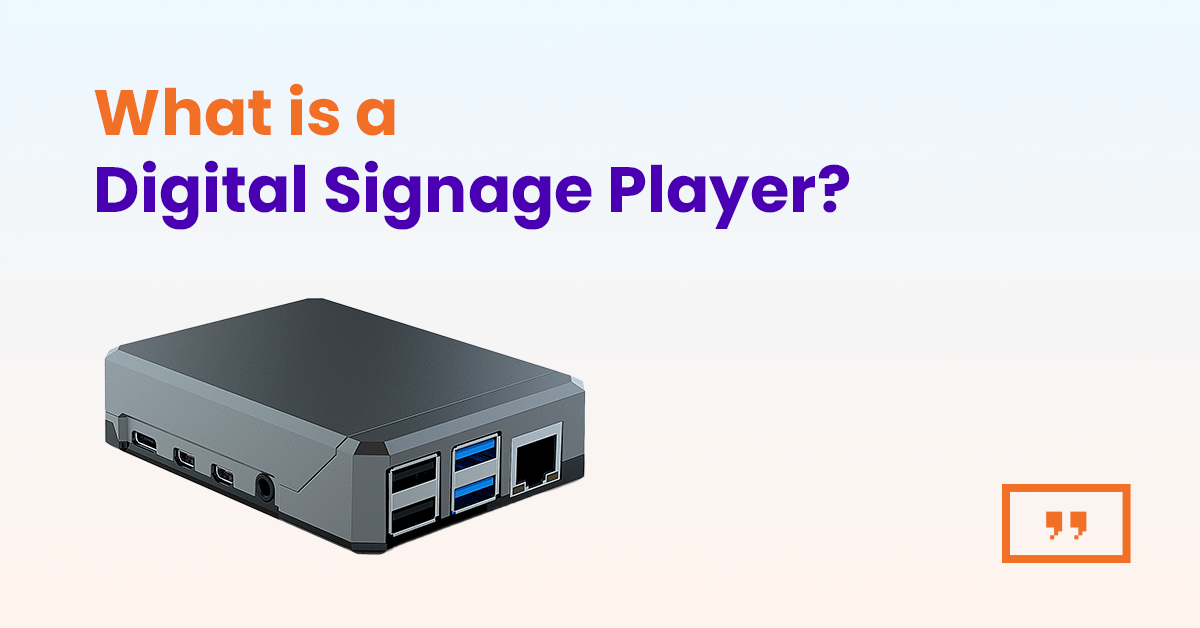
A digital signage player is the one piece of hardware every screen needs. Here is how the four main types compare, what each costs and how to pick one without overpaying.
Key Takeaways
A digital signage player is a small computer that connects to a TV or display over HDMI, downloads content from cloud-based digital signage software and plays it on the screen according to a schedule. It stores content locally, so playback continues if the internet drops, and it can be managed remotely from a central dashboard.
Most digital signage projects stall on the same question: what plugs into the TV? The screen is easy to pick. The software is a subscription you can cancel. The digital signage player sits in between, and the wrong choice shows up later as stuttering video, a screen that never turns back on after a power cut, or a box that costs more than the display it feeds.
This guide explains what a signage player does, compares the four hardware types you will actually meet (stick, box, system-on-chip display and Raspberry Pi), separates the one-off hardware cost from the software subscription and answers the questions buyers ask most, including whether any TV will do.
What is a digital signage player?
A digital signage player is the hardware that turns an ordinary display into digital signage. The display shows pixels. The player decides which pixels and when, by pulling images, video, web pages and app content from a content management system (CMS) and rendering it on the screen.
Digital signage has two halves. The hardware half is the player and the display it feeds. The software half is the CMS, where you upload media, build playlists and layouts, set schedules and check that every screen is online. The player is where the two halves meet: it runs a small app or operating system that talks to the CMS, caches the content and plays it.
The same device goes by several names. Digital signage media player, signage player, digital sign player, media player for digital signage and player device all mean the same thing. The ‘media’ in the name is a leftover from the days when a player read files off a USB stick. Cloud management turned it into a managed endpoint, but the name stuck.
This article covers the hardware half: the main types of digital signage player, how to match one to your content and site, what each type costs and what to check before you buy.
How does a digital signage media player work?
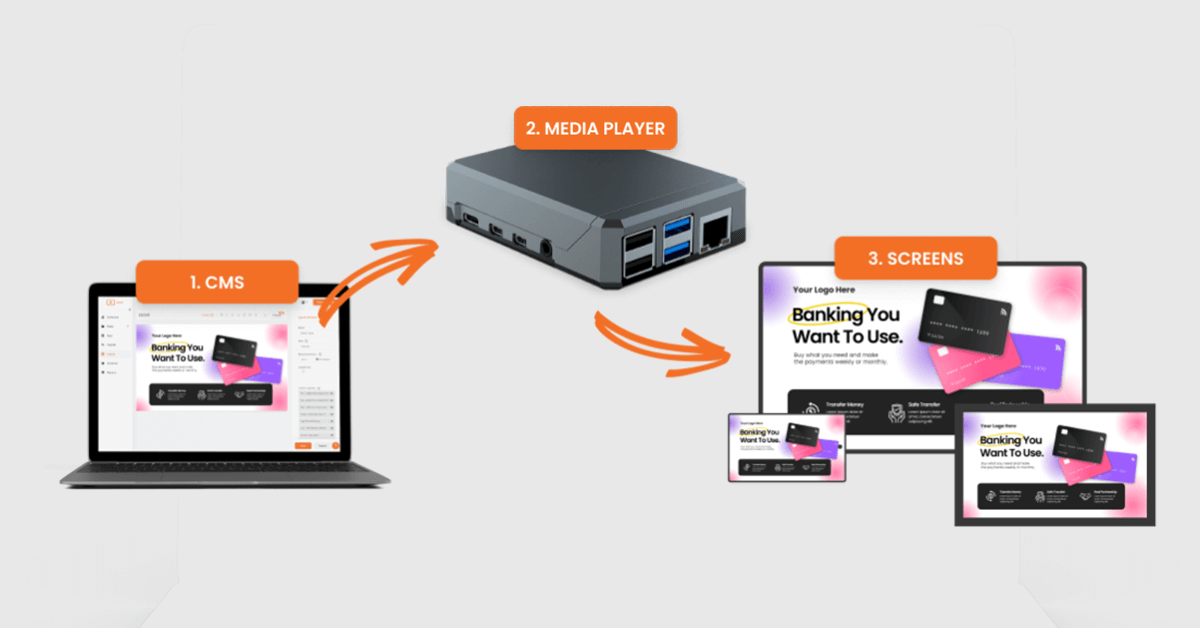
A digital signage media player downloads content from the CMS, stores it on local storage and plays it from there, so the screen keeps running when the network does not. The sequence is the same on every serious platform:
- Pairing. You plug the player into the display and the network, then link it to your account, usually by entering a code shown on screen or signing in once.
- Sync. The player checks in with the CMS at short intervals and downloads whatever has changed: new media, an updated playlist, a revised schedule.
- Local playback. Content plays from the player’s own storage, not from a live stream. Only live web pages and video streams need a constant connection.
- Reporting. The player sends its status back: online or offline, last sync time, what is currently playing, often a screenshot.
- Display control. Over HDMI-CEC, the player can switch the display on and off to a schedule and select the right input.
Step three is the one to care about. On Yodeck, assigned content is downloaded to the player and keeps playing for up to a month without an internet connection, which is why a dropped router in a store does not mean a blank screen. A streaming stick that fetches everything live cannot make that promise.
Step five is the one most buyers overlook. A player that controls display power through HDMI-CEC lets a store that opens at 9AM and closes at 7PM run its screen for 10 hours a day instead of 24. That halves the display’s wear and the electricity bill without anyone touching a remote.
Types of digital signage players
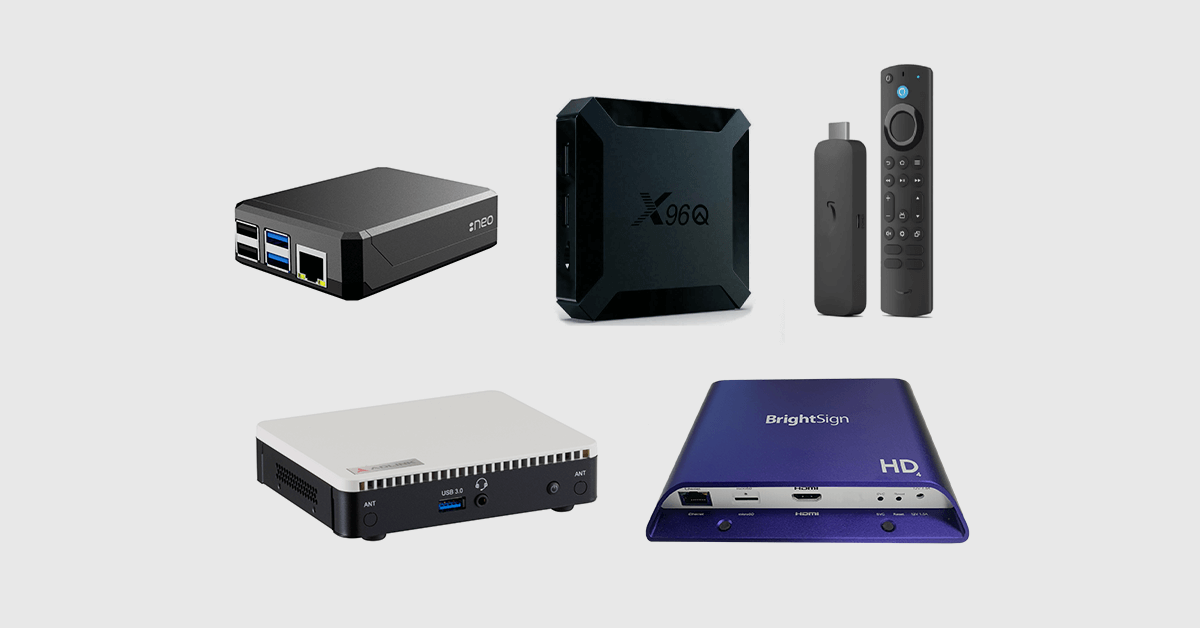
Almost every digital signage player device on the market falls into one of four form factors: HDMI stick, set-top box, system-on-chip (SoC) display or Raspberry Pi. The right one depends on your content and your site more than on the brand printed on the case.
Stick players
A stick player plugs straight into the display’s HDMI port and draws power from a USB socket or a small adapter. Nothing to mount, no second cable run, and a setup most people finish in under ten minutes.
The Amazon Signage Stick is the clearest example of the category. It lists at $99.99 with 2GB of RAM, 16GB of storage, 4K HDR output, Wi-Fi 6E and a one-year warranty, and it auto-launches the signage app in kiosk mode. For a single waiting-room screen or a 10-store chain showing images and short video, that is as much hardware as you need. Yodeck comes pre-installed on the Amazon Signage Stick: plug it in, sign in with your Amazon account and the screen is live. You can also power the display on and off, restart the stick, take a screen capture and read its health, temperature and storage status from the Yodeck dashboard, so a remote stick no longer needs a site visit when something looks wrong.
Consumer sticks such as the Fire TV Stick also run signage apps and cost less, but they carry a consumer warranty and no commercial duty rating. Sticks of either kind lean on Wi-Fi. The Amazon Signage Stick accepts a USB Ethernet adapter, with one condition from Amazon’s own setup FAQ: the adapter must draw power from the stick’s supplied power adapter, not from the display’s USB port. Skip the stick if the site needs Ethernet, a touchscreen or guaranteed 24/7 operation.
Box players
A box player is a dedicated unit that sits behind or under the display: an Android box, a Windows mini PC or a purpose-built commercial Linux box. The extra size buys an Ethernet port, more RAM and storage, and on professional models, multiple HDMI outputs and a 24/7 duty rating.
Boxes are the right call for interactive kiosks, video walls driven from one device, PC-based data dashboards and any IT-managed site where a wired network is policy. The cost is the main reason not to buy one for every screen. Dedicated commercial players run from about $205 to more than $1,800, with most mid-range units between $300 and $700. If your content is a looping playlist, you are paying for outputs and storage you will never use. Yodeck supports Android and Windows devices through its own player apps, so a box you already own may be all you need.
System-on-chip displays
An SoC display has the player built into the screen. Commercial displays from Samsung (Tizen) and LG (webOS) ship with enough compute to run a signage app natively: you install the app on the display, pair it with your account and there is no external hardware, no second power socket and nothing for a customer to unplug.
The trade is lifecycle. The player is now tied to the display, so when the display ages out, so does the player, and older SoC generations are noticeably slower than a current stick. SoC makes most sense when you are buying commercial displays anyway for a new install. It makes less sense when you want to reuse the TVs already on the wall. Yodeck runs natively on Samsung Tizen and LG webOS displays, with the same dashboard managing them alongside every other player type.
Raspberry Pi players
A Raspberry Pi is a credit-card-sized computer that has quietly become the default digital signage player hardware for cloud platforms. A Pi 4 with 4GB of RAM handles the majority of business signage, and a complete DIY build (board, case, power supply, microSD card and HDMI cable) comes in under $150 when you run digital signage software on a Raspberry Pi you assemble yourself. The Pi 4 was released in 2019 and is still the recommended model for most cloud signage platforms in 2026, which matters more than it sounds: a replacement bought four years from now is the same part, with the same image, not a redesign.
If you would rather not assemble anything, the preconfigured route is a Pi-based player shipped with the software already on the card. The Yodeck Player is one of these, with a 1080p model and a 4K Player Plus, both covered in the product section below.
| Form factor | Typical price (player only) | Max resolution | Best for | Avoid when |
|---|---|---|---|---|
| Stick | $65 to $100 | 4K on current models | Single screens, small chains, image and video loops | You need Ethernet, touch or guaranteed 24/7 operation |
| Box | $200 to $1,800+ | 4K, multi-output on pro models | Video walls, kiosks, data dashboards, IT-managed sites | The content is a simple loop and budget matters |
| SoC display | $0 extra, built into a commercial display | Display native | New installs buying commercial displays anyway | You want to reuse existing TVs or mix display brands |
| Raspberry Pi | $85 to $155 preconfigured, under $150 DIY | 1080p (1GB to 2GB), 4K (4GB and up) | Most business signage, large rollouts at low cost | Dual-screen 4K60 or heavy interactive apps, until Pi 5 support leaves beta |
Digital signage player hardware vs software: what are you actually buying?
You buy the player once and the software by subscription, and the two bills behave differently over time. Digital signage hardware is the bigger line on day one. Hardware took 59.1% of digital signage revenue in 2025, according to Grand View Research, with software the fastest-growing segment. In a business budget, though, the software line is the one that compounds, so compare both over three years rather than at checkout.
The split also decides who you call when something breaks. The player vendor covers the hardware warranty. The software vendor covers the app, the dashboard and the sync. When one company supplies both, as with a preconfigured player, that distinction stops mattering, which is a large part of why preconfigured players exist.
Some platforms fold the hardware cost into the subscription. On Yodeck pricing, plans run $8, $12 and $16 per screen per month for Basic, Premium and Enterprise, and every annual plan ships a free player per screen: the 1080p Yodeck Player on Basic, the 4K Yodeck Player Plus on Premium and Enterprise. If you already own hardware, the same page lists a per-screen discount of $20 on Basic and $70 on Premium and Enterprise for bringing your own device. Put plainly: a 10-screen Premium annual plan includes 10 Player Plus units that would list at $155 each on their own.
That changes the buying order. Instead of choosing a player and then finding digital signage software that runs on it, choose the software first and let its supported-hardware list narrow the player decision for you.
How to choose a digital signage player
Pick the player after you know the content, the display and the site, not before. Four checks cover most decisions.
Match the player to the content
Images, text and short 1080p video run on any entry-level player, stick or Pi included. The step up to a 4GB player is justified by 4K video, multi-zone layouts that mix live web content with video, and data dashboards that render in a browser. Touch and interactive playlists need a player that supports input, which usually means a box or a Pi rather than a stick. A video wall needs either one player per screen with a controller, or a multi-output box.
The mistake runs in both directions. Underpowered players stutter on 4K and stall on heavy web pages. Overpowered players sit at 5% CPU showing a lunch menu. Write down what each screen will show for a typical week before you buy anything.
Resolution, orientation and video walls
Most screens do not need 4K from the player. The difference shows on large displays viewed up close and on video shot in 4K; a 1080p player on a 50-inch screen across a lobby looks the same to a passer-by. What does need checking is orientation. Portrait menus and wayfinding require a player that rotates the output in software without a third-party tool, and a layout that is designed for portrait rather than a landscape layout turned sideways.
Connectivity, remote management and offline resilience
Ethernet is the reliable choice wherever a cable can reach, and it is non-negotiable for most IT departments. Wi-Fi is fine for single screens and small sites. For a billboard in a car park or a screen in a temporary venue, a cellular dongle on a box or Pi player keeps it online.
Ask two questions of any player before you buy. First, what can you do to it from the dashboard: see its status, take a screenshot, reboot it, schedule its power? A player you cannot reach remotely costs a site visit every time it misbehaves, and at 50 screens that is a full-time job. Second, how long does it keep playing with no internet? The answer separates a signage player from a streaming stick. A month of offline playback, as you get with Yodeck, means a network outage is a minor inconvenience rather than a serious incident.
Lifespan and replacement
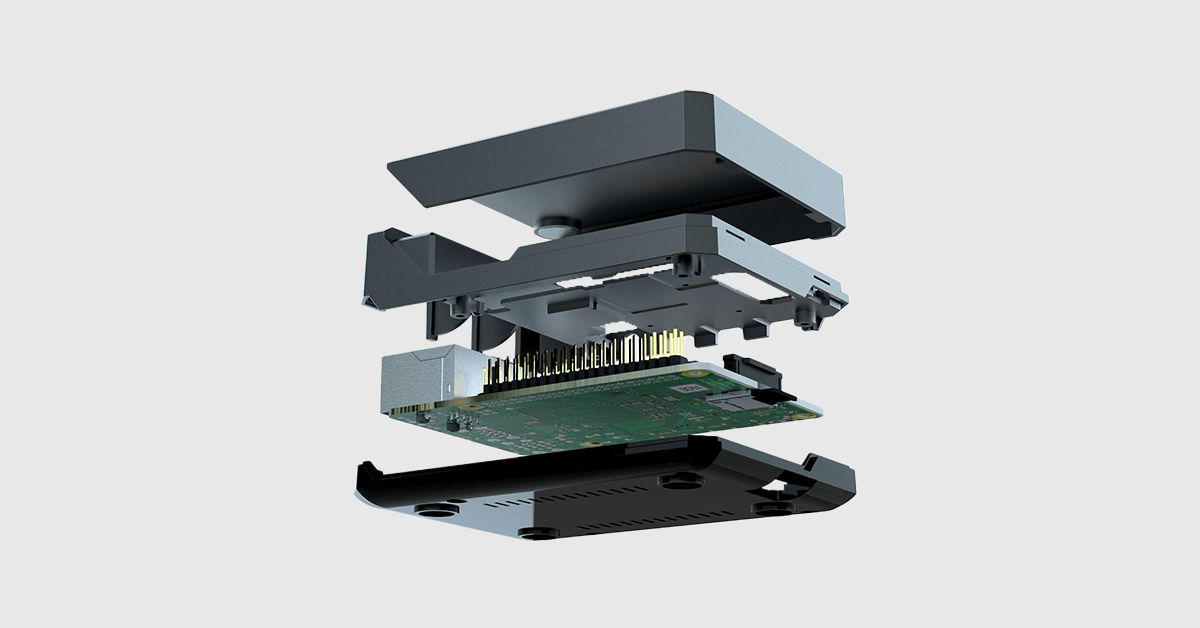
Players run 24 hours a day in warm cabinets behind displays, so the physical design matters more than the spec sheet suggests. Look for a fanless unit with a metal case that doubles as a heatsink, a power supply from the board’s own manufacturer rather than a generic adapter, and a hardware line that stays in production, so the unit you buy in year four matches the one from year one. The Raspberry Pi 4’s seven-year run as the default signage board is the clearest example of that last point.
Check the warranty against the duty. A one-year warranty is standard on sticks and single-board players, and longer cover usually comes as an add-on rather than with the hardware alone. Yodeck Assurance, for example, extends the Yodeck Player to a lifetime warranty with express replacements and priority shipping, so a failed unit in a store gets swapped rather than debugged over the phone.
💡 Pro tip by Yodeck Team: Set working hours per screen in the dashboard and let the player switch the display off over HDMI-CEC. A screen that runs 10 hours a day instead of 24 lasts longer, and you never have to ask a store manager to find the remote.
How much does a digital signage player cost?
Expect $65 to $155 for a stick or Raspberry Pi player, $200 to $1,800 or more for a dedicated box, and nothing extra for an SoC display, because the player is part of the screen you are already buying. The ranges in the comparison table above come from current listings; what moves a player from the bottom of its range to the top is RAM (1GB versus 4GB decides 1080p versus 4K), storage, Ethernet and the duty rating.
A cheap digital signage player is a reasonable buy when you know what you are giving up. At the low end you get Wi-Fi only, a 1080p ceiling, a consumer warranty and sometimes no remote power control. For a break-room screen or a single menu board that is a fair trade. For a window display running 16 hours a day in direct sun, it is a false economy, because the replacement visit costs more than the price gap.
The cheapest way to run a low-cost digital signage player is often not to buy one at all. Yodeck’s free digital signage plan runs one screen at no cost, and every new account gets 30 days of unlimited features on up to five screens, so you can test the player you already own before committing. On annual plans, the player ships free, which turns the hardware line into zero for most small rollouts.
Which digital signage player should you choose?
For most businesses, the answer is a preconfigured Raspberry Pi player for every standard screen, a stick where the site is small and simple, and SoC where new commercial displays are going in anyway. Yodeck supports all of those from one dashboard: the Yodeck Player and Raspberry Pi, the Amazon Signage Stick and Fire TV Stick, Android and Windows devices, Samsung Tizen and LG webOS displays, and a browser-based web player for screens driven by a PC.
The Yodeck Player comes in two versions. The 1GB Yodeck Player handles 1080p playlists and menus at $85. The 4GB Yodeck Player Plus adds 4K Ultra HD output and 32GB of storage at $155. Both arrive with the software on the card and your account already linked, so a store manager plugs in HDMI, power and network and the screen starts playing. On an annual plan, both are free.
That plug-in experience is what customers rate. Yodeck holds a 4.7 out of 5 rating across more than 3,000 verified reviews on G2, and ease of use and easy setup are the two most mentioned themes in those reviews.