



How cannabis retailers use screens to keep menus accurate, disclaimers current and customers informed, in one store or fifty.
Key Takeaways
Dispensary digital signage helps cannabis retailers increase revenue, simplify compliance, and modernize in-store communication.
As legalization expands across the U.S., competition intensifies, making digital agility essential.
Real-time menu updates, compliance messaging, and customer education improve trust and operational efficiency.
Cannabis retailers manage information that changes fast: prices, available inventory, promotions and legally required notices. Printed signage can quickly become outdated, especially for operators managing more than one location.
Dispensary digital signage gives teams a central way to update menus, promotions and compliance messaging across one store or an entire retail network. As part of a broader retail digital signage strategy, it can help stores keep customer communication clear, support location-specific requirements and make product discovery easier.
This guide examines practical use cases, the capabilities to look for, how regulations shape on-screen content and the costs involved.
What is dispensary signage?
Dispensary digital signage is a network of screens in a cannabis store, controlled remotely through software. Retailers use it to display product menus, prices, educational content and legally required notices.
It replaces static posters and printed menus with smart screens that display:
- Cannabis digital signage menus and live pricing
- Purchase-limit and age-restriction notices
- State-required health, safety and legal disclaimers
- Promotions, new arrivals and brand content
- Product education for shoppers comparing unfamiliar formats or products
Everything on that list changes. That is the whole argument for putting it on a screen instead of a wall.
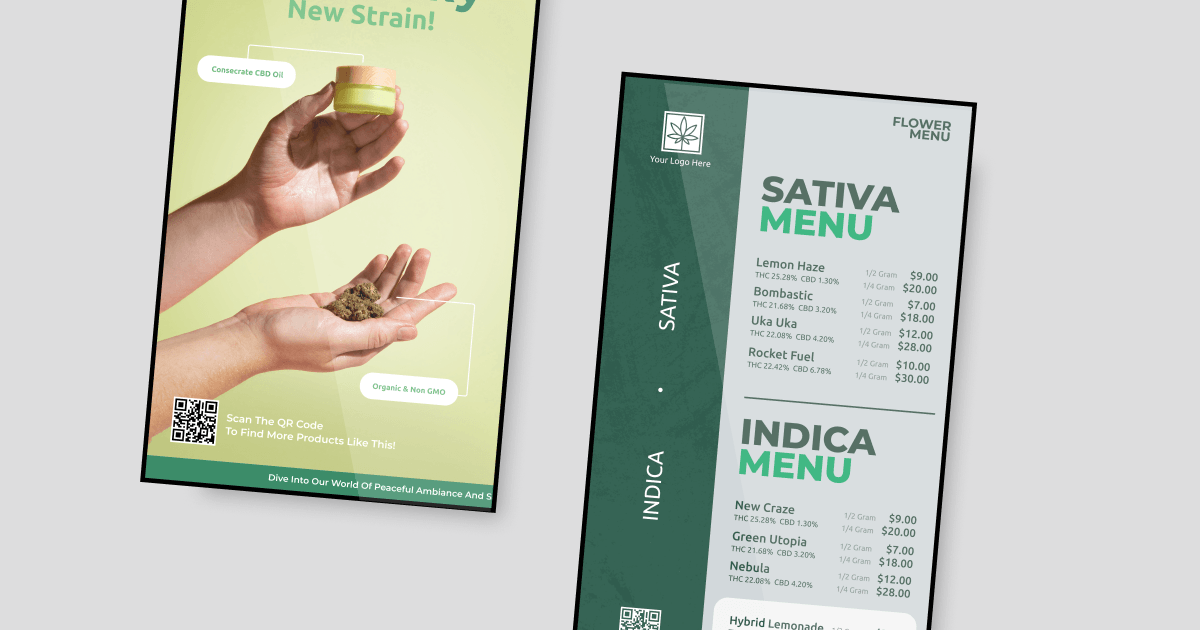
Dispensaries in the US
USAFacts reported that recreational cannabis was legal in 24 states and Washington, D.C., as of April 2026, while medical marijuana was legal in 16 additional states.
Those requirements are specific and they move. What has to appear next to a product, how purchase limits are stated, what counts as a permitted promotion and which disclaimers are mandatory all vary by state, and any of them can change with a regulatory update. A single-site store tracks one rulebook. A multi-state operator needs to ensure that each location shows the content relevant to its jurisdiction.
Digital signage software can support this workflow by keeping menus, pricing and compliance content in a centralized system. Teams can then assign updates to the screens and locations where they apply, rather than relying on printed replacements or manual store visits.
Types of dispensaries beyond a cannabis shop
- Medical dispensaries: These serve patients with a physician’s recommendation or a state-issued medical card. Menus tend to carry more detail on product formats and label information, and the content rules are usually tighter than in adult-use stores.
- Recreational dispensaries: Open to adults 21 and older, these shops emphasize convenience, lifestyle, and variety. Think bright, engaging stores where the latest edibles or flower strains are displayed front and center.
- Hybrid dispensaries: Stores serving both medical patients and adult-use customers may need to communicate separate product paths, eligibility rules or pricing structures. Screens can help distinguish those paths at the point of decision.
- Specialty cannabis shops: Retailers focused on concentrates, wellness products or accessories may need more educational content. Screens can explain product categories and help customers compare options that are not easy to evaluate from packaging alone.
Why modern dispensaries turn to digital signage
Cannabis retail operates in a highly regulated and rapidly changing environment. Dispensary digital signage answers three problems at once: what you are required to display, how fast prices and inventory move, and what customers buy while they are deciding.
1. Compliance advantages
Cannabiz Media’s analysis, reported by MJBizDaily, found that regulators in 29 states and Washington, D.C., issued nearly 2,500 cannabis-business violations in 2024, with fines totaling $10.8 million. Those figures cover business compliance broadly, rather than signage alone, but they show the financial consequences of failing to meet regulatory requirements.
This is where a digital signage platform for compliance messaging in cannabis stores changes the operating picture. Age reminders and required disclaimers run on a schedule instead of depending on someone printing them. Purchase limits sit next to the products they apply to. For multi-state operators, location-specific screen playlists can help ensure each store receives the messaging that applies to its market.
2. Real-time product price changes and transparency
Dispensary inventory can change quickly. Strains come and go, THC and CBD percentages differ between batches, pricing shifts with supply, and promotions are short. A printed menu is out of date the moment any of that happens, and a customer reading the wrong price at the counter is a conversation nobody wants.
Staff can update a price once and publish it across every relevant screen in one store or across multiple locations. Scheduled content can also automate time-sensitive promotions, so a campaign begins and ends at the intended time without requiring a staff member to make a manual update.
3. Revenue increase and sales growth
A field experiment across 237 campaigns and 30 million grocery shoppers, published in the Journal of Marketing, found that shoppers exposed to a product on an in-store screen were 8.1% more likely to buy it, with the effect strongest for newly introduced and lower-priced products and in crowded stores. A dispensary is that environment: new arrivals constantly, accessories at impulse prices and a busy counter.
The study also found that emotional messaging performed better than purely informational messaging, while content explicitly framed as a promotion performed less well. For dispensary content, that suggests leading with the product and why it may appeal to a particular shopper, then presenting price and promotional details as supporting information.
Related article: Learn all the benefits of digital signage in retail, here!
The most common uses of digital signage in dispensary stores
Screens end up in five places in a typical dispensary, and each one does a different job. Here is what they handle.
1. Indoor dispensary menu boards
Menu boards are often the first screens dispensaries install, and they can quickly reduce the effort of keeping product information current. Teams can choose the number and layout of screens, then manage the content from a central dashboard. Different promotions can run at different hours without anyone changing anything by hand. Unlike a printed menu, availability and pricing update the moment inventory does.
Example: Your dispensary runs a “midday deal” on a new strain. A few clicks on the dashboard update the menu across all screens (no reprinting, no stress).

2. Outdoor dispensary drive-thru
Drive-thru boards can make the purchasing process more discreet and straightforward. Retailers can update product availability, prices and required disclaimers in real time. With Yodeck, content is stored locally on the media player, so screens can continue playing scheduled content if the internet connection drops.
Example: A batch sells out mid-afternoon. You pull it from the drive-thru board immediately, rather than explaining the gap to every car that reaches the window.
3. Dispensary interactive kiosks
Interactive kiosks can act as a self-service product-discovery tool. Customers can browse product categories, compare strains and access educational information before speaking with a staff member. This can help reduce routine questions at the counter, so staff can focus on conversations that need individual support.
Example: A first-time visitor uses an interactive kiosk to compare THC levels and terpene profiles. They leave confident in their choice, without having to wait for a team member.

4. Video walls for dispensaries
A video wall creates a high-visibility focal point that customers can see from the entrance. Multi-zone layouts can show a menu, a promotion and brand content on the same display, making them well suited to larger showrooms or stores with a longer entry path.
Example: Your video wall shows daily specials, upcoming events, and safety tips all at the same time. Customers stick around longer, noticing products they might have missed.
5. Internal comms for dispensary teams
Screens can support dispensary staff behind the counter as well. Internal communications displays can share shift schedules, compliance updates and new-product briefings in staff areas, so important information is visible where employees already work rather than buried in a missed group message.
Example: A new edible arrives, and the stockroom screen carries the product brief before the first shift starts, so every budtender describes it the same way.
Get your first dispensary screen live this week
Test a digital menu board in your own store before you spend anything.
Get started for free5 examples of digital signage in cannabis marketing
1. Point-of-purchase (POP) displays that drive impulse revenue
Digital POP screens reach customers at the last decision point. While someone waits at checkout or talks to a budtender, the screen beside them can carry:
- Limited-time bundle offers
- “Staff Picks” of the week
- High-margin accessories like grinders or rolling papers
- Vendor-sponsored promotions
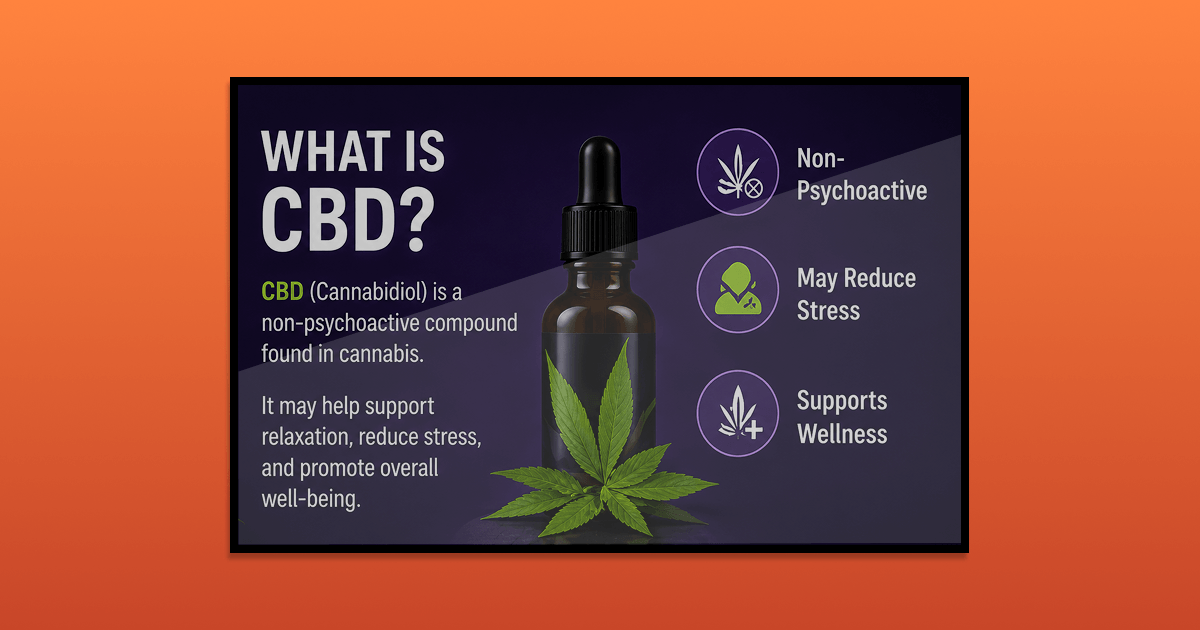
2. Safe use information that builds trust
Digital signage can do more than advertise. It helps customers feel confident and safe while shopping. Keep this content factual: guidance on how much to consume, how long effects last or what a product treats belongs in a conversation with staff, and several states regulate that content directly. Dispensaries can use screens to share:
- Responsible-use reminders
- Product labels and THC or CBD information
- How to read a product label
- Plain-language explanations of terpene profiles
- Age, possession, or other local compliance information
3. Help medical-cannabis customers understand their options
Medical-cannabis shoppers may know why they are visiting but still be unfamiliar with the category itself. Digital signage can make that first conversation easier by explaining product formats, label terminology, and the practical differences between options in plain language. A screen might introduce categories such as:
- Inhaled products
- Edibles and beverages
- Oils, capsules, or tinctures
- Topical products, where permitted
- THC, CBD, and other label information
4. Cross-merchandising bundles
Cross-merchandising helps customers see how related products fit into the same shopping trip. A digital screen can present a curated bundle, then rotate the offer as seasons, inventory, or promotions change.
- A flower product paired with rolling papers
- A vaporizer with compatible accessories
5. FIFO inventory prompts
Inventory rotation is easy to overlook when a dispensary is busy. A staff-facing screen in the stockroom or receiving area can turn FIFO, or “first in, first out,” into a visible daily task: check incoming stock, identify older batches, and move eligible products forward before opening newer ones.
- “Check this batch’s best-by or expiration date.”
- “Move eligible older stock first.”
- “Review products approaching their internal sell-through date.”
Why choose Yodeck for your dispensary digital signage?
Key features for cannabis dispensaries
| What a dispensary needs | Why it matters | What Yodeck provides |
|---|---|---|
| Fast setup | Screens should go live without an IT project | Players arrive preconfigured, ready to plug into a display |
| Multi-location control | Prices and compliance messages differ by store | One dashboard, with per-player time zones and scheduling by location. Workspaces for multi-site structure on Enterprise |
| Continuity when the network drops | A blank menu board disrupts service | Content cached on the player, playback continues for up to a month offline |
| Updates without a designer | Prices and disclaimers change constantly | Ready-made templates, an app gallery and Canva integration |
| Scheduling and zoning | Different messages by hour, store or screen | Dayparting by time, day or location, plus multi-zone layouts |
| Access control | Regulated content needs control over who can publish | Standard user roles, with custom roles and audit logs on Enterprise |
Key info for dispensary owners
The questions dispensary owners ask before they buy, answered directly.
How does digital signage help cannabis dispensaries with customer engagement?
Digital signage moves product details, promotions and required notices to the exact moment customers decide, without adding to what staff must explain. A person in line sees a live menu, a quick category explainer or a store policy instead of staring at the wall, and reaches the counter with a narrower, faster question.
Consistency is the second effect. Every location shows the same information, in the same place, to every customer. Interactive screens extend this by letting people browse the catalog themselves, which matters more than it sounds. Research from Duke University’s Fuqua School of Business found that when stores switched to self-service, customers bought more of the products they would otherwise have had to ask for by name. Routine questions shift off the counter, and staff keep their time for conversations that actually need a person.

How much does dispensary digital signage cost?
Three costs, and only one is recurring.
Software. Yodeck starts at $8 per screen per month, and a single-screen account is free indefinitely. Pricing is set by the maximum number of screens on the account, not per location, which is what makes a multi-store rollout scale predictably.
The media player. One per screen. On an annual plan Yodeck includes them free, shipped preconfigured. On a monthly plan you buy them once.
The retail digital signage display. The real variable. An indoor menu panel is the cheapest option, while a drive-thru board costs several times more because it needs high brightness and a weatherproof enclosure. Buy commercial rather than consumer screens for anything running all day, since consumer TVs are not rated for continuous use.
Is digital signage affordable for small cannabis shops?
Yes. Yodeck charges by screen, so a small shop can start with one menu or promotional display instead of paying for a platform license sized for a chain. When you are starting with a single screen, ready-made templates matter more than an extensive feature list.
Yodeck’s free digital signage plan includes one screen at no cost, with no credit card required. New accounts also receive 30 days of unlimited access for up to five screens, giving a dispensary time to test a larger setup before choosing a paid plan.
Beyond software, the main costs are the display, the media player and the time spent creating content.
Where to start with dispensary digital signage
Cannabis retail rewards operators who can change what their store says faster than the market changes around them. Dispensary digital signage buys that speed, and it starts paying back the moment you avoid printing a new price sheet or promo poster.
Begin with one screen. Get a menu board live in your highest-traffic spot, prove the workflow, then add screens as the setup earns them. Create your free Yodeck account and set up your first dispensary screen today.