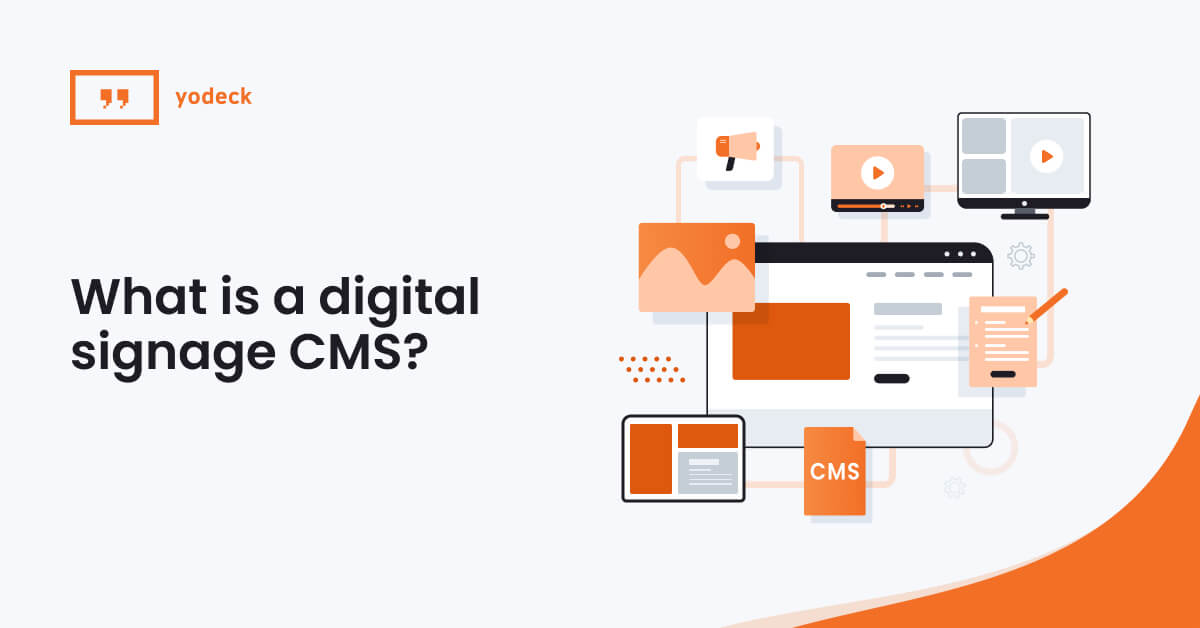
Everything you need to know about digital signage content management systems: what they do, how they work, and what separates a basic tool from a platform you can actually scale.
Key Takeaways
A digital sign is only as useful as the software behind it. Without a digital signage content management system, your screens are running off USB sticks and manual updates. That works for one screen in a lobby. It falls apart the moment you add a second location, a time-sensitive promotion, or a team that needs to share access.
A digital signage CMS is what turns passive displays into a managed, scalable communication channel. It handles everything from content creation and scheduling to remote screen management and performance tracking. Whether you’re running a single screen or a network of hundreds, the CMS is the layer that makes it all work.
This guide breaks down what a digital signage CMS actually is, the features that matter most, the different types of platforms available, and how to choose the right one for your business.
What Is a digital signage CMS?
A digital signage content management system (CMS) is software that lets you manage what appears on your screens. That includes uploading and organizing media files, designing layouts, scheduling when content plays, and controlling which screens display what. It’s the central platform your team will use to run your entire digital signage network.
Think of it as the operating layer between your content and your displays. Without it, there’s no way to push updates remotely, automate schedules, or manage more than a handful of screens without physically visiting each one.
Some CMS platforms are lightweight, handling little more than file uploads and basic scheduling. Others are full-featured digital signage CMS platforms with design tools, user permissions, API access, analytics, and multi-location management built in. Where a platform falls on that spectrum determines who it’s built for and how far it can scale.
How a digital signage CMS works
Every digital signage setup has three layers:
Here’s how they connect: you make a change in the CMS dashboard (say, scheduling a new promotion to start Monday). The CMS pushes that update to the media player over the internet. The player downloads the content, stores it locally, and displays it on the screen at the scheduled time. If the internet drops, the player keeps running from its local cache, so your screens don’t go dark.
That three-part chain (CMS → player → screen) is the backbone of every digital signage deployment, whether it’s one screen behind a reception desk or thousands across a global operation.
Yodeck’s cloud-based CMS follows exactly this model: a centralized dashboard that pushes content to Yodeck Players with built-in local storage, so your screens keep running even if the connection drops. You can try it free with one screen, no credit card required. Sign up for free!
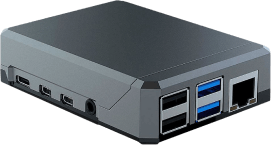
Yodeck Player for FREE
That’s right! Select any annual plan and we’ll give you all the players you need for your screens, preconfigured and ready to go.
Digital signage software vs. Digital signage CMS: Is there a difference?
You’ll see these two terms used interchangeably across the industry, and for most practical purposes, they refer to the same thing. But there is a subtle distinction worth understanding.
In practice, most modern CMS platforms have absorbed those broader capabilities. When a vendor markets their “digital signage software,” they’re almost always talking about a product that includes a CMS at its core, along with player management, monitoring, and often content design tools bundled in.
Core features of a digital signage CMS
Not every CMS offers the same toolkit. Some cover the basics and stop there. Others go deep enough to support complex, multi-location networks. Here are the features that define what a digital signage CMS platform can do, and the ones you should be evaluating before you commit.
Digital signage CMS feature checklist
| Feature | What It Does |
|---|---|
| 1. Content creation and design | ✔ Upload media, build layouts, use templates and design integrations |
| 2. Scheduling and playlists | ✔ Automate what plays, when, and for how long |
| 3. Remote device management | ✔ Monitor and control screens and media players across locations from one dashboard |
| 4. User roles and access control | ✔ Set permissions so the right people can do the right things |
| 5. Real-time content and data feeds | ✔ Pull live data (weather, news, KPIs, social media) directly to screens |
| 6. Emergency alert overrides | ✔ Push critical messages instantly, bypassing scheduled content |
| 7. Test, train, repeat. | ✔ Create a “Test” Broadcast Group, run drill alerts, verify everything works. Make sure multiple people on your team know the 3-step broadcast process. |
| 8. API integrations | Connect signage to POS, calendars, databases, and other business tools |
| 9. Analytics and monitoring | Track screen health, player status and get proof of play |
Looking for a CMS that checks every box on this list? Yodeck includes all of these features in a single platform, from drag-and-drop design tools and advanced scheduling to remote device management and real-time data feeds. Sign up for free to see how it works.
Types of digital signage CMS platforms
Not all CMS platforms are built the same way under the hood. How the software is hosted and how it connects to your screens affects everything from day-to-day accessibility to long-term IT requirements. Most platforms fall into one of three categories:
#1 Cloud-Based CMS
A cloud-based digital signage CMS, like Yodeck, is hosted on remote servers and accessed through a web browser. You log in from any device with an internet connection, manage your content, and the platform pushes updates to your players over the cloud.
This is the industry standard for a reason. There are no on-site servers to maintain, software updates happen automatically, and scaling up means adding screens to your account rather than overhauling infrastructure. For most small, mid-sized, and even large-scale businesses, cloud-based is the default choice.
| Learn how cloud-based digital signage works and why most businesses choose it.
#2 On-Premise CMS
An on-premise CMS is installed on your own servers and runs within your private network. It can’t be accessed remotely unless your IT team specifically configures it that way.
This model suits large organizations with strict data residency requirements, air-gapped networks, or regulatory environments where data cannot leave the premises. The trade-off is higher IT overhead: your team is responsible for hosting, maintenance, updates, and security. For most businesses, the added control doesn’t justify the added complexity.
#3 Hybrid CMS
Hybrid setups combine cloud-based management with local content storage on the media player. You manage everything through a cloud dashboard, but the player caches content locally, so screens keep running even if the internet connection drops.
In practice, many platforms marketed as “cloud-based” already operate this way. It’s worth confirming how your CMS handles offline playback, because a system that goes dark the moment it loses connectivity isn’t reliable enough for most real-world deployments.
Cloud vs. On-Premise vs. Hybrid: Quick Comparison
| Cloud-Based | On-Premise | Hybrid | |
|---|---|---|---|
Access | Any device, anywhere | Local network only | Cloud dashboard + local playback |
| Scalability | Add screens instantly | Requires infrastructure expansion | Scales like cloud |
| IT requirements | Minimal | High (servers, maintenance, updates) | Minimal to moderate |
| Cost model | Subscription (monthly/annual) | Upfront license + ongoing maintenance | Subscription |
| Best for | Most businesses, multi-location networks | Regulated industries, air-gapped environments | Businesses needing offline reliability |
| Explore more about the key differences between cloud-based vs on-premise digital signage.
6 benefits of using a digital signage CMS
The features above describe what a CMS does. Here’s what that actually means for your business day to day.
Yodeck’s cloud-based CMS is built around these exact advantages: centralized control, drag-and-drop scheduling, remote device management, and the ability to scale from one screen to thousands. Sign up for free and try it out now.
How to choose the best digital signage CMS
Hardware and OS compatibility
| Before anything else, confirm that the CMS works with the hardware you plan to use. Some platforms only support proprietary players, locking you into a single vendor’s ecosystem. Others support a range of operating systems and player types, including Android, Windows, and Raspberry Pi-based devices like the Yodeck Player. The safest option is a CMS that’s hardware-flexible. It gives you the freedom to choose the player that fits your reliability and budget requirements, and to swap hardware down the line without replacing the entire software stack. |
Security and Compliance
| For a single screen in a café, security might not be top of mind. For a network of 200 screens across regulated industries, it’s a dealbreaker. Look for end-to-end encryption, secure user authentication, and compliance certifications that match your requirements. ISO 27001, GDPR, and CCPA are the most common benchmarks. The bigger your network, the more surface area there is for risk. Vet this early, not after deployment. |
Scalability and Multi-location support
| A CMS that works great for 10 screens might buckle at 100. Ask how the system handles growth. Can you group screens by location or department? Can different teams manage their own content within a shared platform? Does it handle different time zones and content variations without workarounds? If you’re planning to scale, test the platform against your future needs, not just your current setup. |
Ease of use and Team adoption
| A feature-rich CMS means nothing if your team can’t use it without a week of training. The people publishing content day to day are often store managers, office admins, or marketing coordinators, not IT specialists. If basic tasks like uploading a video, building a playlist, or scheduling a promotion require technical knowledge or support tickets, adoption stalls. Bonus tip: When evaluating a platform, pay attention to how intuitive the dashboard feels within the first few minutes. The best CMS platforms are powerful under the hood but simple on the surface. |
Support, Updates, and Long-term reliability
| A CMS is not a one-time purchase. It’s a platform your team will rely on daily, sometimes for years. Ask how often the software is updated and whether updates are included or come at extra cost. Check what support channels are available and, for enterprise deployments, whether SLAs are offered. |
| Explore our complete guide to cloud-based digital signage software.
Choosing the right CMS is the foundation of every digital signage strategy
The screens get the attention, but the CMS does the work. It’s the layer that determines whether your digital signage network is something you can actually manage, scale, and measure, or something that creates more problems than it solves.
The right platform should match the way your team works today and support where your business is headed. That means a dashboard your team can learn quickly, hardware flexibility so you’re not locked in, security that holds up at scale, and features that grow with you rather than gating everything behind upgrade tiers.
Yodeck’s cloud-based digital signage CMS is built around exactly this. Centralized content management, drag-and-drop scheduling, remote device monitoring, user roles, real-time data feeds, and enterprise-grade security, all from a single dashboard. Over 35,000 businesses across 135+ countries already run their screens on Yodeck. Start for free, no credit card required.