


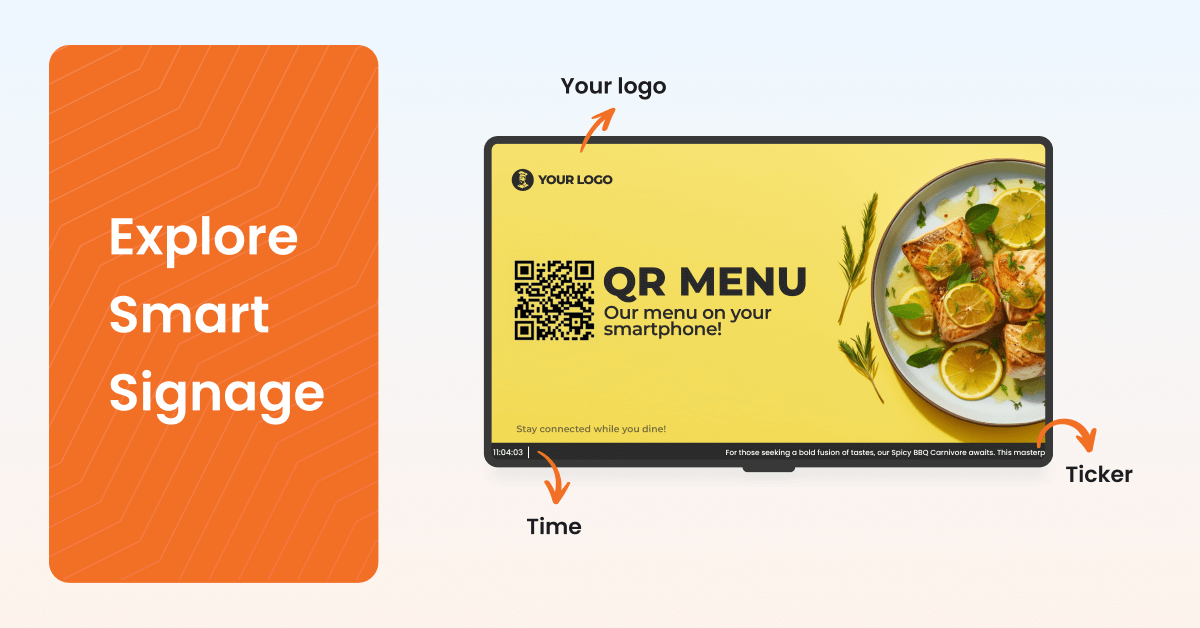
A plain definition of smart digital signage, the six capabilities that earn the label and a practical path to building a system on hardware you already own.
Smart means the software, not the screen: a smart digital signage system is defined by cloud management, live data and rules, not by the brand of TV on the wall.
Six capabilities make the difference: central cloud control, real-time data feeds, scheduling rules, sensor triggers, remote monitoring and natural-language control.
Smart does not mean expensive: a commodity media player and a cloud CMS deliver every capability on that list.
Resilience is part of smart: a system that goes blank when the Wi-Fi drops is not smart, however many integrations it has.
Start with one screen: the fastest way to evaluate smart digital signage is to run a single screen on live data for a week.
Most screens in offices, stores and lobbies still work the way a DVD player did. Someone loads a file, presses play and walks away. The content is right on the day it was made and wrong a week later. Smart digital signage fixes that by moving the decisions about what plays, when and where into software that reads the clock, the calendar and your live data, then updates every screen without anyone touching it. This guide explains what smart digital signage is, which capabilities earn the name, how a smart system is put together and how to build one without buying specialist hardware.
What is smart digital signage?
Smart digital signage is a screen network managed from a cloud platform that decides what to display based on rules, schedules and live data rather than a fixed file loaded by hand. A smart system changes content on its own when the time of day, the audience or a connected data source changes, and it reports back when a screen stops working.
The word “smart” describes the software layer, not the display. A standard TV connected to a small media player and a cloud content management system (CMS) is smart digital signage. A premium commercial display playing a video from a USB stick is not. The screen is the output. The intelligence lives in the rules that feed it, which is why a smart signage platform can turn an existing TV dashboard display into something that updates every minute without a person in the loop.
That distinction matters because the broader category of digital signage covers everything from a looping slideshow to a sensor-triggered retail wall. Smart digital signage is the subset where the content responds to inputs. Smart signage, smart digital display and smart signage platform are all used to describe the same thing, and this guide treats them as one category.
The category is growing fast. Fortune Business Insights values the global digital signage market at USD 31.5 billion in 2025 and projects USD 69.9 billion by 2034, a 9.26% compound annual growth rate. For anyone running screens, that growth means the baseline expectation is rising: a screen that only loops a static playlist now looks dated next to the one across the street that shows live wait times.
The rest of this article covers the six capabilities that make signage smart, a side-by-side comparison with traditional setups, how the parts of a smart system fit together, a quick test to score your own setup, a build guide on commodity hardware, examples by environment, the smart city angle and what all of this costs.
What makes digital signage smart? Six capabilities that earn the name
Digital signage is smart when the system can change content without a person, monitor itself and accept instructions from data or sensors rather than only from a mouse. Six capabilities cover that definition. A setup with all six is smart. A setup with one or two is a scheduled slideshow.
Central cloud management
Central cloud management means every screen, playlist and schedule in the organization is controlled from one web dashboard, regardless of where the screens are. A marketing manager in Chicago changes a promotion and the screens in Denver, Austin and Portland pick it up within minutes.
The practical test is simple: can someone update a screen in another building without visiting it, emailing a file or asking IT? If the answer is no, the setup is not centrally managed. Cloud management also removes the version problem. There is one source of truth for what should be playing, so no screen is left running last quarter’s offer because the person with the USB stick was on holiday.
Real-time data feeds
Real-time data feeds pull content from systems that already hold the truth, such as a sales dashboard, a calendar, a production line counter or a weather service, and render that data on screen without anyone exporting a file. The screen becomes a window into the business rather than a poster about it.
This is where most of the value of smart digital signage sits. A sales leaderboard that updates every five minutes changes behavior on the floor in a way a Monday morning email does not. In practice, data feeds arrive through ready-made apps for tools like Power BI, Google Sheets, Microsoft Teams or an RSS source, or through an API such as the Yodeck API when the data lives in an internal system that no off-the-shelf app covers.
Scheduling and rules
Scheduling and rules let the system decide what plays based on time, date and conditions you set once. The common name for time-based rules is dayparting: breakfast content until 10.30AM, lunch until 2PM, dinner after that. The same logic covers working hours, so screens power on at 7AM and off at 8PM, media expiry, so a campaign disappears on its end date without anyone remembering to pull it, and recurring events, so the Friday safety briefing appears every Friday without a calendar reminder.
Rules are what separate automation from a loop. A playlist loops. A rule reacts. The difference shows up in the number of manual tasks a team stops doing, which for a 20-screen network is usually the first measurable win.
Sensors and triggers
Sensors and triggers let a physical event change what the screen shows. A door sensor fires and the welcome screen switches from ambient content to today’s agenda. A button press on a factory floor replaces the KPI dashboard with a safety procedure. A motion sensor in a showroom wakes a product video when someone walks past.
Most vendor pages mention “sensors and AI” in a single line and move on. The concrete version is a general-purpose input/output (GPIO) pin on a Raspberry Pi based player, wired to an off-the-shelf sensor, with the CMS mapping each pin state to a piece of content. That is a documented, repeatable setup rather than a custom integration project, and it is the point where signage stops being broadcast and starts being responsive.
Remote monitoring and self-healing
Remote monitoring means the platform tells you when a screen is offline, shows you a screenshot of what each player is displaying right now and lets you reboot or reconfigure a device without a site visit. Self-healing means the player keeps working when the network does not: content is stored locally, playback continues through an outage and a fallback image replaces any web page that fails to load.
A blank screen in a lobby is worse than no screen at all. For IT and facilities teams, monitoring is the capability that makes a 50-screen network manageable by one person, because the system reports exceptions instead of requiring a walk-around.
Natural-language control
Natural-language control means a manager types “show me every screen that is offline and push the lobby playlist to the ones in Boston” into an AI assistant and the signage platform does it. The assistant connects to the CMS through an open standard called the Model Context Protocol (MCP), reads the account within the user’s existing permissions and carries out the request.
No competing guide to smart digital signage covers this capability, because until recently it did not exist in the category. The practical gain is time: audits, bulk changes and status checks that took ten minutes of clicking now take one sentence. The approach is explained in more depth in this guide to AI digital signage.
💡 Interesting insight: The six capabilities rank roughly in order of adoption. Almost every cloud CMS has central management. Fewer than half of the networks we see use data feeds for anything beyond weather. Sensor triggers and natural-language control are still rare, which means they are also where a network can pull ahead of the one next door.
Smart vs traditional digital signage: what actually changes
Smart digital signage differs from traditional digital signage in how content gets to the screen, where the content comes from and what happens when something breaks. The hardware on the wall is often identical. The operating model is not.
| Dimension | Traditional digital signage | Smart digital signage |
|---|---|---|
| How content is updated | Someone loads a file onto each device or TV | One change in a cloud dashboard reaches every screen |
| Where content comes from | Static files made in advance | Live data, scheduled rules and uploaded media combined |
| What decides what plays | A fixed loop | Schedules, dayparts, media expiry and sensor triggers |
| What happens when a screen fails | Nobody knows until someone walks past | The platform emails an alert and shows a live screenshot |
| What happens when the internet drops | Web content goes blank or the device stalls | Locally stored content keeps playing, fallback images cover web pages |
| Who can operate it | Whoever has the USB stick or the remote | Anyone with a login and the right role |
| How it scales | Linearly with staff time per screen | A 5-screen and a 500-screen network take the same dashboard |
| Who does the thinking | The person updating the screen | Rules and data, with people setting the rules |
The last row is the one that matters for budgets. Traditional signage costs grow with every screen because every screen needs a person. Smart signage costs grow with licenses, which are predictable, while the people cost stays flat.
How does a smart digital signage system work?
A smart digital signage system works by storing content and rules in a cloud CMS, downloading them to a small media player attached to each screen and letting the player decide, second by second, what to show based on those rules and any live data it is pulling. Five components make this happen: the screen, the player, the CMS, the network and the data sources.
The screen is any display with an HDMI input. Commercial displays last longer under 24/7 use, but a consumer TV works for most indoor settings. The player is a small computer, often a Raspberry Pi, an Android box or a signage stick, that runs the playback software. The CMS is the cloud platform where content, playlists, layouts and schedules live. The network is the Wi-Fi or Ethernet connection that carries updates to the player. The data sources are the apps, web pages and APIs the player draws live content from.
Here is how a change travels. A manager uploads a new menu image at 9AM and sets it to appear in the lunch daypart. The CMS records the rule. Each player checks in with the CMS, sees the new asset and downloads it to local storage ahead of time. At 10.30AM, every player’s clock crosses the daypart boundary and the menu switches, with no instruction sent at that moment. The decision was made in advance and executed locally.
What happens when the internet drops is the part most guides skip, and it is the part that decides whether a system deserves the label. Because content is downloaded rather than streamed, a well-designed player keeps playing its schedule for weeks offline. Web-based content that cannot load is replaced by a fallback image rather than an error page. When the connection returns, the player syncs and carries on. A system that depends on a live stream to show a static image is fragile, whatever else it does.
One question comes up often: do you need a dedicated player at all? Smart TVs with their own operating systems can run signage apps, and browsers can play web-based signage, but each option trades away reliability or remote control. The trade-offs are covered in detail in this explainer on digital signage without a dedicated player. The short version is that a low-cost player gives you the monitoring, offline playback and scheduling that make the system smart, and the saving from skipping it is small.
Is your setup actually smart? A five-question test
Your digital signage is smart if you can answer yes to at least four of the following five questions. Most networks that call themselves smart score two.
- Can someone change what a screen shows from a different building, without visiting the screen or sending a file?
- Does at least one screen show data that comes straight from a live system, such as a dashboard, calendar or counter, rather than an exported image?
- Does content change by itself at set times or dates, with no one pressing anything?
- Would you know within an hour if a screen went blank, without someone walking past it?
- Does the screen keep showing correct content when the internet connection drops?
A yes to question one means you have cloud management. Questions two and three cover data feeds and rules. Question four is monitoring. Question five is resilience. If you scored three or lower, the gap is almost never the screen. It is the software and the player behind it, and both are cheaper to change than the display.
How to build a smart digital signage system on commodity hardware
You can build a smart digital signage system with a standard TV, a media player costing less than a decent office chair and a cloud CMS account, in about an hour for the first screen. Specialist hardware is not a requirement for any of the six capabilities above.
Start with the screen you already have. Any TV or monitor with an HDMI port qualifies. Mounting, orientation and brightness matter for outdoor or very bright spaces, but for an office, a store or a classroom the existing screen is fine.
Choose a player built for signage rather than a laptop or a TV’s built-in media mode. A Raspberry Pi based player is the common choice because it is cheap, runs cool, boots unattended and has GPIO pins for sensor triggers. The platform is not a hobbyist tool anymore: Raspberry Pi now reports industrial and embedded customers as a market in their own right, separate from enthusiasts and education. For a signage buyer, that means the hardware under the screen is the same class of device that runs factory controllers and kiosks, with a supply chain to match.
Pick a cloud CMS and connect the player. This is where most of the “smart” lives, so judge the platform on the six capabilities: central dashboard, data apps and API access, scheduling with dayparting and working hours, sensor trigger support, monitoring with offline playback and some form of AI or natural-language control. Digital signage software that covers all six on a free single-screen plan lets you test the whole model before spending anything.
This is the point where Yodeck fits. The Yodeck Player is a preconfigured Raspberry Pi 4 that ships ready to plug in, with 147+ apps for live data, 800+ templates, scheduling with dayparting and Working Hours, GPIO access for sensor-triggered content, offline playback for at least a month, email alerts when a player goes offline and a live screenshot of every screen in the dashboard. On Premium and Enterprise plans the Yodeck AI Agent adds natural-language control through any MCP-compatible assistant at no extra charge, and it deliberately cannot delete content, so a mistyped instruction never wipes a playlist.
Connect your first live data source before you design anything. Visma, a Nordic software group, put real-time business dashboards on screens so teams see the same numbers at the same time, which is the simplest proof that a screen can carry live data without a designer in the loop. Once one data app is running, templates and scheduling follow quickly.
If you want to see the model in action with your own data, you can set up one screen for free and run it for a week before deciding on anything else.
💡 Pro tip by Yodeck Team: Set Working Hours on day one. Screens that power off outside business hours through HDMI-CEC last longer and cost less to run, and the setting takes 30 seconds in the dashboard. It is the smallest change with the most visible result on the electricity bill.
Smart digital signage examples by environment
Smart digital signage looks different in a store, an office and a classroom, but every example below shares the same mechanism: a rule or a data feed decides what plays, and a person only sets the rule once.
In retail, dayparting switches morning promotions to afternoon ones automatically, and media expiry removes a sale the minute it ends. Store managers stop pulling posters and head office stops wondering which stores forgot.
In offices, live dashboards from Power BI, Monday.com or Google Sheets replace the weekly status email. A screen in each team area shows the number that matters to that team, updated every few minutes, and the all-hands slide deck stops being the only time anyone sees a metric.
In education, screens pull from the campus calendar and the emergency alert system at the same time. New York University displays live data across campus screens, so the content students see reflects the day they are having rather than a schedule printed in August. When an alert fires, every screen switches to it at once, then returns to normal content when the alert is cleared.
In quick-service restaurants, menu boards change by daypart, prices update from one dashboard across every location and a sold-out item disappears from the board the moment the kitchen flags it.
In manufacturing, production counters, safety days since the last incident and shift schedules sit on the same screen, fed by the systems that already track them. A button on the line can override the dashboard with a procedure when a supervisor needs everyone’s attention.
Smart city digital signage: the same idea at street scale
Smart city digital signage applies the same six capabilities to public screens: wayfinding kiosks, transit information boards and street-level displays that mix public service announcements, live transit data, emergency alerts and advertising from a central platform. The scale is bigger and the environment is harsher, but the operating model is the one described above.
New York’s LinkNYC network is the most visible example. The city’s Mayor’s Office announced in 2022 that around 2,000 new Link5G kiosks would bring the network to at least 4,000 locations citywide, each pairing large digital screens with free Wi-Fi and city services. For a city, the lesson is the same as for a store: once the screens are centrally managed, the marginal cost of adding a public safety message or a service-change notice to every kiosk is close to zero.
Smaller municipalities and campuses get the same benefits without a custom build. A town hall lobby, a bus shelter with power and a library entrance can all run on the same commodity player and cloud CMS as an office, with the emergency alert integration doing the work that would otherwise need a dedicated public address system.
How much does smart digital signage cost?
Smart digital signage costs between USD 8 and USD 30 per screen per month for software, plus a one-time media player cost of roughly USD 80 to USD 150 per screen, with the screen itself as the largest upfront item. A single-screen setup can run on a free plan with no software cost at all.
The “smart” capabilities do not add a separate line item on most cloud platforms. Scheduling, monitoring and data apps are part of the subscription, and sensor triggers only add the cost of the sensor. The full breakdown, including three-year total cost of ownership examples for 1, 5 and 25 screens, is in this guide to digital signage cost.
Smart digital signage FAQs
Can you do it yourself?
Yes. A smart digital signage system is a do-it-yourself project for anyone comfortable plugging in an HDMI cable and using a web app. The first screen takes about an hour: mount or place the TV, connect the player, create a cloud CMS account, pair the player and assign a playlist or layout.
The parts that used to need a technician, such as configuring the device, setting up networking and installing software, now happen either before the player ships or inside the dashboard. A free digital signage plan covers one screen, so the DIY route costs nothing beyond the hardware until you add more screens.
Is a smart TV the same as smart digital signage?
No. A smart TV is a display with an operating system that can run apps. Smart digital signage is a managed system in which software decides what the screen shows based on rules and data. A smart TV can be one component of a smart digital signage system if it runs a signage app connected to a cloud CMS, but on its own it is a screen with a menu.
The confusion is understandable because both use the word smart. The test from earlier in this guide applies: if nobody is alerted when the TV goes blank, and the content does not change by itself at set times, the smart TV is not running smart digital signage, however capable the hardware is.
How do you set up digital signage on a smart TV?
You install a signage app on the TV’s operating system or run a web player in its browser, then pair it with your cloud CMS. The right method depends on whether the TV runs Tizen, webOS or Android TV, and each has limits around auto-start and app support. The platform-by-platform steps are in this guide to digital signage software for smart TVs, which also explains when a dedicated player is the better choice.
What is the best smart digital signage?
The best smart digital signage platform is the one that covers all six capabilities, runs on hardware you can buy anywhere and lets you test with one screen before paying. Judge candidates on central cloud management, live data apps and API access, scheduling with dayparting, sensor trigger support, offline playback with monitoring and some form of AI control.
Independent reviews are a useful second filter. Yodeck holds a 4.7 out of 5 rating across more than 8,100+ verified reviews on G2, and Captera where ease of use and ease of setup are the two most cited strengths, which is the right profile for a system meant to be run without a dedicated AV team.
Smart digital signage is a change in who does the work. Rules, data and the player take over the updates, the monitoring and the timing, and the people who used to carry USB sticks set the rules once instead. For a business, that means screens that are correct every day and a cost that stays flat as the network grows. The quickest way to see whether the model fits is to run one screen on live data for a week, using a TV you already own.