


Over the years, our team has worked with more than 6,000 retail companies managing anywhere from a single store to networks of 500+ locations. These are the questions that come up in almost every conversation, whether you’re evaluating digital signage for the first time or scaling a deployment across dozens of stores.
Whether you’re running one store or a nationwide network, the same challenges tend to surface: how to keep promotions consistent, how to cut the cost and lag of print, and how to roll out a system without overwhelming your team. From rollout challenges to ROI concerns, here are the most common questions retail teams ask before investing in retail digital signage, along with clear answers from our experts.
If you manage one store
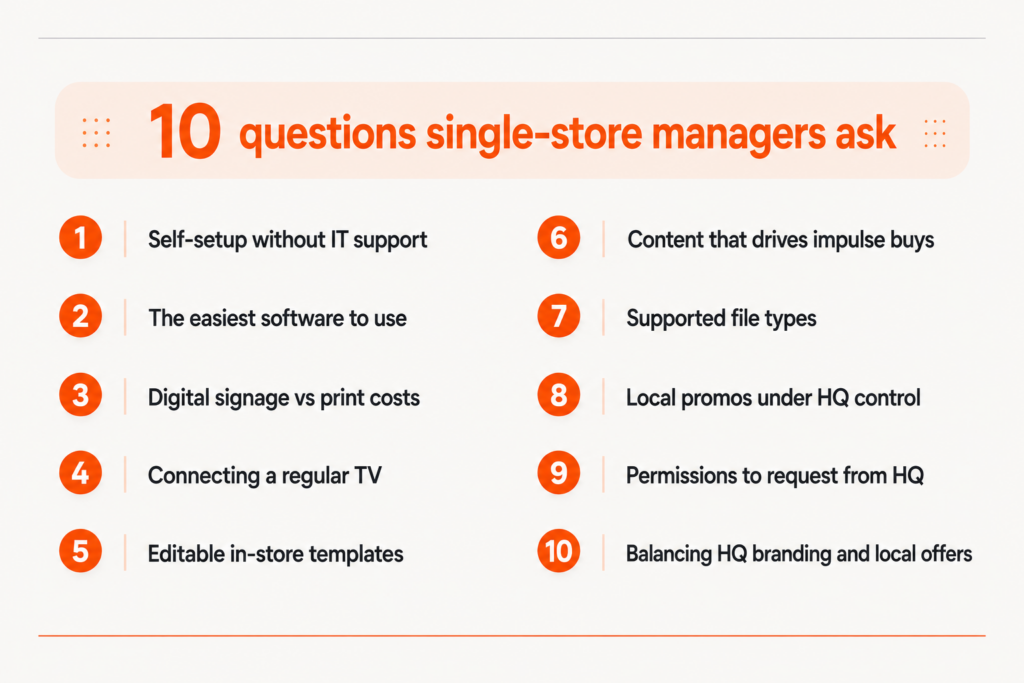
Whether you’re just getting started or replacing a print-heavy process, these are the questions single-store managers ask most before setting up their first screen.
1. Can I set up digital signage by myself without IT support?
Yes. Modern cloud-based digital signage platforms are designed to be managed without technical expertise. You connect a small media player to your TV via HDMI, connect it to your Wi-Fi or ethernet network, and your screen registers to your account automatically. From that point, content, scheduling, and layout are all managed through a browser-based dashboard.
Worth knowing: Yodeck has 8,100+ reviews across G2 and Capterra, rated 4.7/5 and 4.8/5 respectively, with ease of use scoring 4.8/5 on Capterra (as of October 2026).
2. How do I identify the easiest digital signage software to use without IT support?
The easiest digital signage platforms share three characteristics: a browser-based dashboard that requires no software installation, a media player that ships pre-configured and connects directly to a standard TV via HDMI, and a template library that lets you create and schedule content without design skills.
Yodeck is built specifically around this model.
The Yodeck Player arrives pre-paired to your account. You connect it to your TV, connect it to your network via Wi-Fi or ethernet, and your screen is live within minutes. Content is managed entirely through the Yodeck dashboard, accessible from any browser on any device. Yodeck also includes 800+ ready-made templates, including retail-specific layouts for promotions, seasonal campaigns, and store announcements, so teams can create and schedule content without design expertise.
3. Is digital signage cheaper than printing posters every week?
For most retail stores, yes. And the savings compound quickly. A single printed poster costs between $5 and $30 to design, print, and ship, depending on size and quantity. Across a year of weekly promotions, that adds up to thousands of dollars in recurring spend. Digital signage replaces that with a one-time hardware cost and a fixed monthly subscription, while giving you the ability to update content instantly at no additional cost per update.
Retail teams using Yodeck commonly see their print spend drop substantially within the first 12 months of switching. Total your annual spend on printing, shipping, and disposal of promotional materials, then compare it to the cost of a digital signage subscription. For most single-store operators, the crossover point arrives well within the first year.
4. How do I connect a regular TV to run digital signage?
A regular consumer TV works fine for most retail environments. You connect a media player either the Yodeck Player (a compact Raspberry Pi-based device) or alternatives like the Amazon Signage Stick or Android-based media players to the TV’s HDMI port. The player connects to your Wi-Fi or Ethernet, registers to your account, and begins displaying your content.
The main limitation of relying on a smart TV’s built-in media features rather than a dedicated player is reliability. Smart TV playback was not built for continuous commercial use. It can freeze, lose schedules after a restart, or display unwanted interface elements on screen. A dedicated media player runs independently of the TV’s software and resumes correctly after a power failure or restart without any manual intervention.
Worth knowing: Yodeck-enabled screens continue playing for up to a full month during an internet outage. Content is downloaded and stored locally on the player, so a lost connection does not mean a blank screen.
5. Can I find editable templates for in-store promotions I can put on a screen?
Yes. Yodeck includes 800+ digital signage content templates, with 100+ designed specifically for retail covering promotional offers, seasonal campaigns, product spotlights, flash sales, store hours, and more. Templates are editable directly in the Yodeck dashboard. You replace text, images, and colors without any design software or external tools. Changes are published to your screen immediately after saving.
For retailers who use Canva for marketing materials, Yodeck integrates directly with Canva, so designs created in Canva can be published to your screens without downloading or re-uploading files. Your existing brand assets, fonts, and templates transfer directly into your signage workflow. *Both integrations are available on the Basic plan.
6. What content works best for increasing impulse buys?
Content placed near the point of purchase (at checkout counters, end caps, and high-traffic aisle entrances) has the most direct impact on impulse purchases. The most effective formats in retail are short video loops (15 to 30 seconds), animated product highlights, and limited-time offer countdowns that create urgency without feeling gimmicky. One thing that consistently does not work: screens running the same content for weeks. Customers stop seeing them. Relevance and freshness matter more than production quality.
7. What types of files can I display on a digital signage screen?
Yodeck supports images (JPEG, PNG, GIF), videos (MP4, MOV), documents (PDF, PowerPoint, Word, Excel), web pages, YouTube videos, and live streams.
Beyond standard file uploads, Yodeck also supports a wide range of apps and integrations for dashboards, calendars, cloud storage platforms, social media feeds, workplace communication tools, and dynamic content workflows. This allows retail teams to combine static media with live and automatically updating content on the same screen.
Insights from Yodeck’s own retail customer base shows what formats retail teams actually rely on. Playlists are used by 76% of active retail screens, images by 66%, and video by 59%. These three form the clear foundation of most retail content strategies. PowerPoint files are converted to video automatically on upload, keeping all animations intact. This means existing marketing materials can go live on screen without additional design work.
Worth knowing: All plans include unlimited cloud storage and unlimited cloud bandwidth. There is no cap on how much content you can upload or how many updates you push.
8. How do I run local promotions if HQ controls most of the content?
This question comes up constantly, especially in franchise networks. The answer depends on which plan you are on.
9. What permissions should I ask HQ for so I can manage signage content myself?
The standard ask for a store manager is: edit access to a local content zone or playlist on your store’s screens, the ability to upload images and videos to a shared media library, and scheduling rights for your location’s time slots.
How much flexibility HQ has in granting this depends on their plan. On the Basic and Premium plans, HQ assigns one of Yodeck’s standard user roles, each with a predefined set of permissions. On the Enterprise plan, HQ can create custom roles with a precisely defined scope, local content management only, with no access to the broader network configuration.
When making the request, frame it around operational efficiency. The ability to update a local promotion or staff notice without filing a request to the central team every time saves time on both sides. Most HQ operations teams are willing to grant limited local access once they see that the permission structure is contained and auditable.
10. How can I balance HQ branding with local store offers?
Yodeck gives HQ several tools to protect brand consistency while leaving room for local content. They work together rather than as alternatives.
If you manage multiple locations
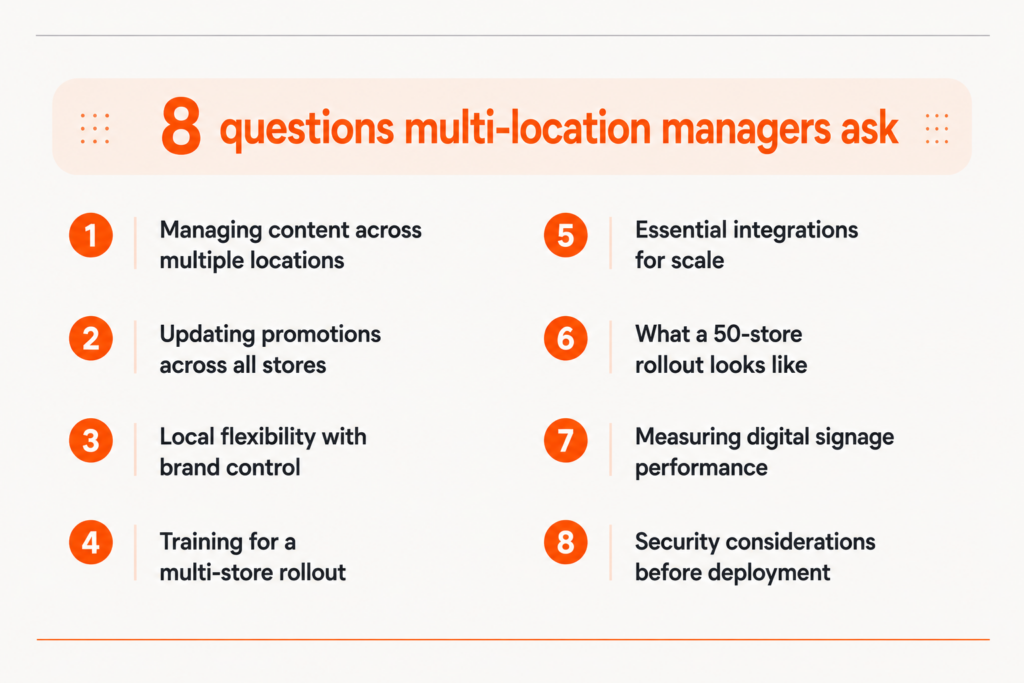
From rollout challenges to ROI concerns, these are the questions operations and marketing teams ask most before committing to a multi-location deployment.
11. How can I manage content across 50+ retail locations with one digital signage system?
A cloud-based digital signage platform lets you control every screen across every location from a single dashboard, with no need to visit stores, email managers, or ship physical materials.
The core capability is Tag-based Screen Grouping: you tag screens by region, store format, franchise territory, or any other structure that reflects your operation, then publish content to any tag combination at once.
Yodeck supports this at any scale, managing 50 stores works the same way as managing five. For larger separations like different brands or franchise groups, Workspaces let you scope users and content per organizational unit. Richard Mille uses Yodeck to manage premium in-store video content across its retail locations, maintaining a consistent luxury experience without store-level technical involvement.
12. How do I push promotions to all stores simultaneously?
You select the target screens, set the schedule, and the update goes live without any action required at store level. In Yodeck, screens can be organized with tags by region, store format, franchise territory or any structure that matches your operation. For a national promotion, select all screens and push at once. For a regional offer, filter by the relevant tag and push to just that subset. Either way the content goes live on schedule, and store managers see the updated content on their screens without needing to do anything themselves.
13. How can I give stores local flexibility without losing brand control?
The answer is a tiered permission model, not a binary choice between central control and local freedom.
With Custom Roles (Premium and Enterprise plans), you define what each user can view, change or delete, down to specific media, playlists and screens, scoped by location. An admin then locks the brand frame in a layout, such as logo placement and compliance messaging, so those elements cannot be touched, while local teams edit only the unlocked areas. Sub-Playlists add a second layer: HQ controls the main playlist while each store runs its own nested Sub-Playlist for local promos, never touching central content.
Yodeck’s Enterprise plan brings this together at scale with Workspaces, custom role-based access and Branded Templates, so a franchise network stays on-brand everywhere while each store still promotes local events, staff messages or regional offers.
14. How much staff training does a multi-location rollout actually need?
The training investment concentrates at the central operations or marketing level, where the team configuring group structures, permissions, and campaign templates needs a deeper understanding of the platform. How long that takes depends on the team and the complexity of the setup.
We cannot predict that with any honesty. What we do know is that Yodeck is rated 4.7/5 on G2 across 2,900+ verified reviews, and ease of use is consistently the top reason customers choose it. Store-level onboarding is usually handled through a short written guide or video, not a live session at each location.
What we can point to is how users rate the experience. As of October 2026, Yodeck has 800+ verified reviews across G2 and Capterra, with ease of use scoring 4.8/5 on Capterra. Store-level onboarding is usually handled through a short written guide or video, not a live session at each location.
Worth knowing: For larger or more complex rollouts, Yodeck Enterprise+ includes Customized onboarding and training focused on advanced configuration, governance, and rollout planning. The training gives the people running the program a structured ramp rather than learning piece by piece during the rollout itself.
15. What integrations are critical for scaling digital signage in a retail chain?
The integrations that matter most at scale fall into three categories.
Yodeck’s 160+ apps and integrations span all three categories and are accessible across plans, with more advanced automation and interactivity unlocking from Premium upward.
16. What does a digital signage rollout across 50 stores look like in practice?
A structured rollout across 50 locations typically follows four phases.
Phase 1: A pilot at two to five stores, where hardware setup, content workflow, and staff processes are tested before scaling.
Phase 2: Infrastructure preparation: confirming internet connectivity at each location, standardizing screen placement, and procuring hardware.
Phase 3: A phased deployment by region or store cluster, which limits the support burden at any one time.
Phase 4: A review period where content performance, technical issues, and staff feedback are assessed before the rollout is considered complete.
In our experience, the rollout itself is rarely the hard part. The most common failure point is content governance: getting internal agreement on who creates content, who approves it, and how often it changes, before a single screen goes live. Retailers who skip this step end up with screens running outdated or inconsistent material within weeks of launch. A content calendar with named ownership, agreed before deployment starts, prevents most of this.
17. How do I measure whether digital signage is actually working?
Measurement in retail digital signage works at two levels.
Worth knowing: Playback Reports (Proof of Play) provide a detailed analysis of each item played on your screens. The result is a verifiable record of what played, when, and for how long, which is exactly what third parties need when they audit ad delivery or royalty payments.
18. What security risks should IT know about before we deploy?
Digital signage systems connected to a corporate network require the same security hygiene as any networked device.
The primary concerns for IT are: network segmentation (placing signage devices on a separate VLAN to isolate them from customer data systems), role-based access control (ensuring only authorized users can publish content), and software update management (keeping the media player OS and CMS platform current).
Yodeck is ISO 9001 and ISO 27001 certified, with all traffic encrypted in transit and all data encrypted at rest. The Yodeck Player runs a locked-down operating system with digitally signed schedule and configuration files. It cannot be used as an entry point to the broader network because it does not expose writable storage or open ports to the local network. Yodeck Players only use outbound traffic, with no port forwarding, DMZ, or UPnP required.
The Enterprise plan adds Login IP and Password Restrictions, Player Lockdown and Storage Encryption, SSO integration via SAML, and Audit Logs for full deployment oversight. For larger deployments requiring dedicated support, the Enterprise Plus plan adds a 1-hour SLA with 24/5 priority support and a dedicated account manager.
Ready to see how it works for your stores?
If you’re evaluating how digital signage could fit into your retail operation, these questions are a strong starting point. The answers will help you make more informed decisions as you scale.
No credit card required
Managing multiple locations or have more questions? Book a demo and we will walk you through it.