


From storefront windows to checkout screens, here’s how to put every display in your store to work with the right retail digital signage ideas.
Key Takeaways
A customer walks past your store window. You have roughly two seconds to give them a reason to come in.
Inside, another customer has been standing at the same shelf for 90 seconds. They are going to put the product back unless something tips the decision.
At checkout, a third customer is waiting. They have nowhere to be and nothing to look at. That is one of the most valuable windows in retail, and most stores waste it entirely.
Retail digital signage ideas are not a shortage. The shortage is in knowing which ideas work in which situations and why. This guide covers 40+ retail signage content strategies organized by placement, by store type, and by goal, so you can build a screen strategy that does real work in your store.
Why retail signage content strategy is important
Most retail digital signage underperforms for one reason: the screen was bought before the content was planned. Hardware is easy to justify. Content strategy gets deferred, and the screen ends up running a single promotional slide for months.
The opportunity cost is real. A survey by Inmar Intelligence of 1,000 US shoppers found that 69% of those who noticed an in-store advertisement browsed for the featured product, and 61% of those went on to purchase it. The screen gets the attention. The content determines what happens next.
The ideas below are organized by type, screen location, and store vertical.
40 retail digital signage content ideas (with examples)
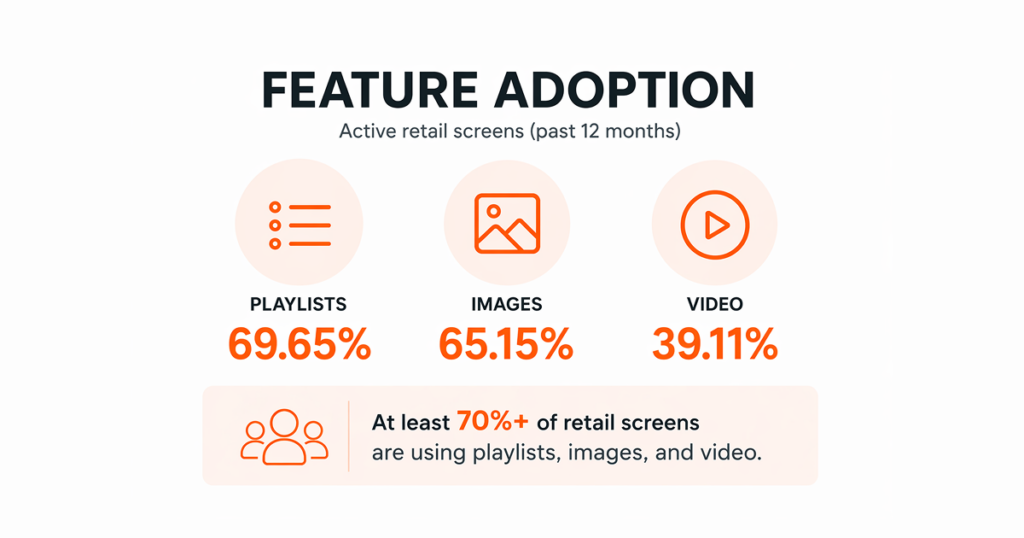
Before diving in, one thing worth knowing: Yodeck’s feature adoption data across active retail screens over the past year shows that Playlists, Images, and Video account for the overwhelming majority of usage, ahead of every other feature by a significant margin. The majority of retail screens (≈70%) are powered by playlists, images, and video. The most effective retail signage is built on visual content and smart scheduling, not complexity. The ideas below reflect that. Start with the simple ones.
Promotions and pricing content
1. Flash sale countdown. A timer showing how many hours remain on a promotion creates urgency that a static price tag cannot replicate.
2. Deal of the day. A single featured product with a clear offer, rotating daily. Scheduled content means the deal updates itself.
3. Bundle and combo offers. “Buy two, save 15%” or “Coffee + pastry: $3.99” displayed near the relevant product or at checkout increases average basket size without a staff conversation.
4. Dynamic pricing displays. For stores with inventory-linked systems, screens can show price changes in real time: clearance markdowns, end-of-day reductions, or restocked items at full price. If your pricing data lives in a web-based system or Google Sheet, Yodeck can pull that page onto a screen and refresh it at a set interval, no manual updates needed.
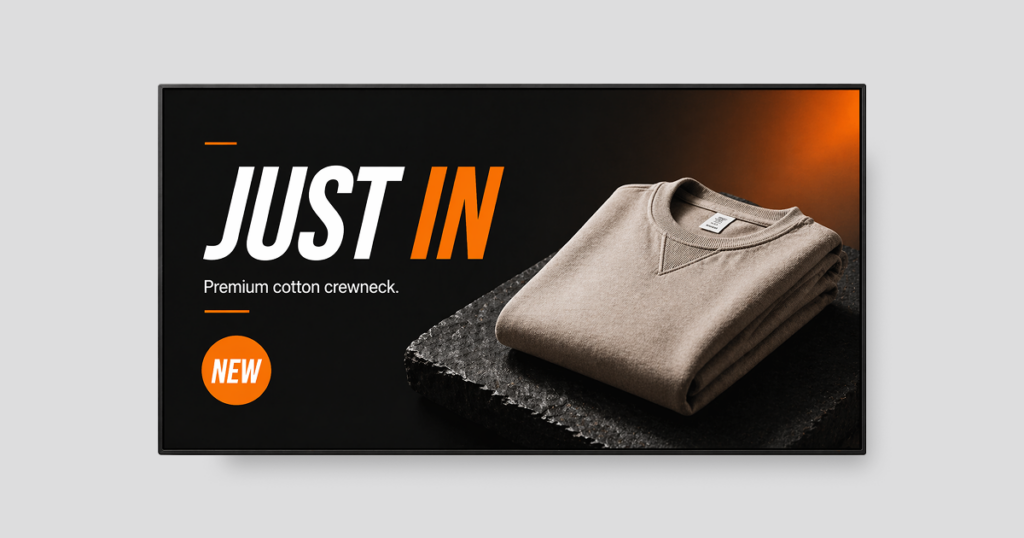
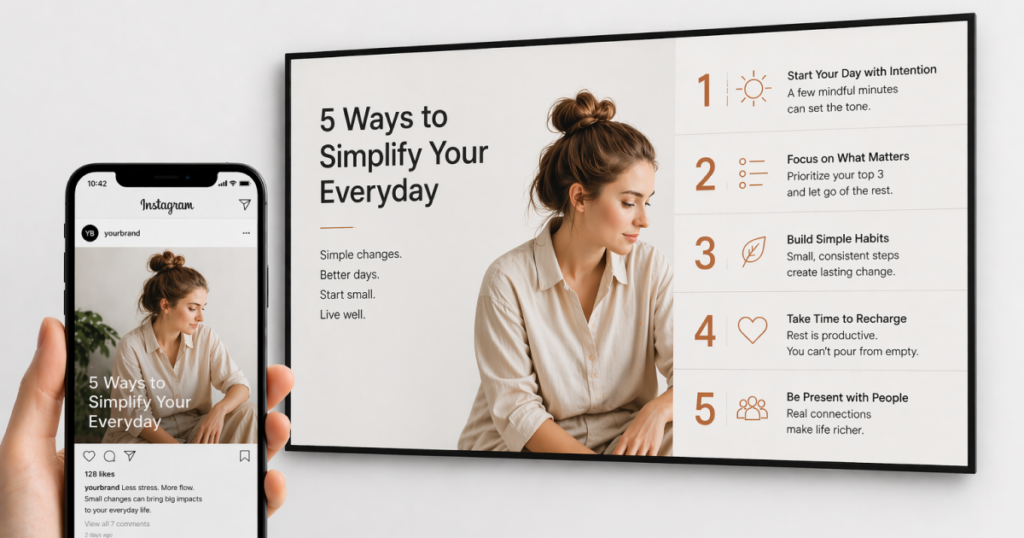
5. New arrival announcements. A rotating “Just in” feature with product images and a brief description draws attention to new stock before it appears on the main floor display.
6. Seasonal promotions. Events like back-to-school, holidays, or summer sales give you an easy reason to update your screens and keep content fresh. With Yodeck, you can set content to go live and expire on specific calendar dates, seasonal campaigns can be built in advance and run without supervision.
7. Price match or guarantee messaging. Displaying your price match policy, return terms, or quality guarantee near the entrance or checkout removes the doubts that send customers to a competitor. Answer the question before they ask it.
8. Loyalty member exclusives. “Members save an extra 10% today” shown at the entrance, motivates sign-ups and rewards existing members at the same time.
Product and brand storytelling
9. Product origin and supplier stories. Where was this coffee grown? Who makes this candle? Short origin stories on screen build emotional connection with products and justify premium pricing.
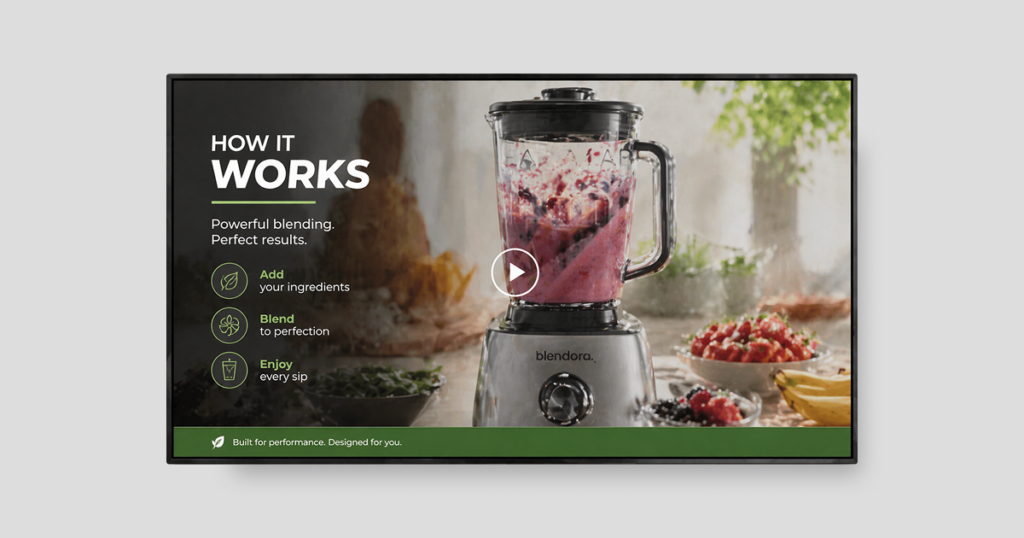
10. How-it-works demonstrations. A short looping video of a product in action (whether it’s a blender, a skincare routine, or a power tool) can say more in 15 seconds than a shelf tag ever could. 💡Bonus tip: If you don’t have the budget for full video production, try cinemagraphs, mostly still images with a subtle looping motion. They create a similar effect at a much lower cost.
11. Behind-the-brand content. Short clips about the people, values, or process behind your store’s own-brand products give customers a reason to choose you over a generic alternative.
12. Ingredient or material transparency. For food, cosmetics, or clothing, displaying key product details (allergen-free, sustainably sourced, recycled material) answers the questions customers are already asking on their phones.
13. Staff picks and personal recommendations. A rotating “Our team recommends” feature with a staff member’s name and photo puts a human face on the shopping experience and gets products noticed that a shelf alone would never move.
14. Awards and certifications. If a product has won a trade award, received press coverage, or earned a certification, display it. Third-party recognition is more persuasive than anything you say about yourself.
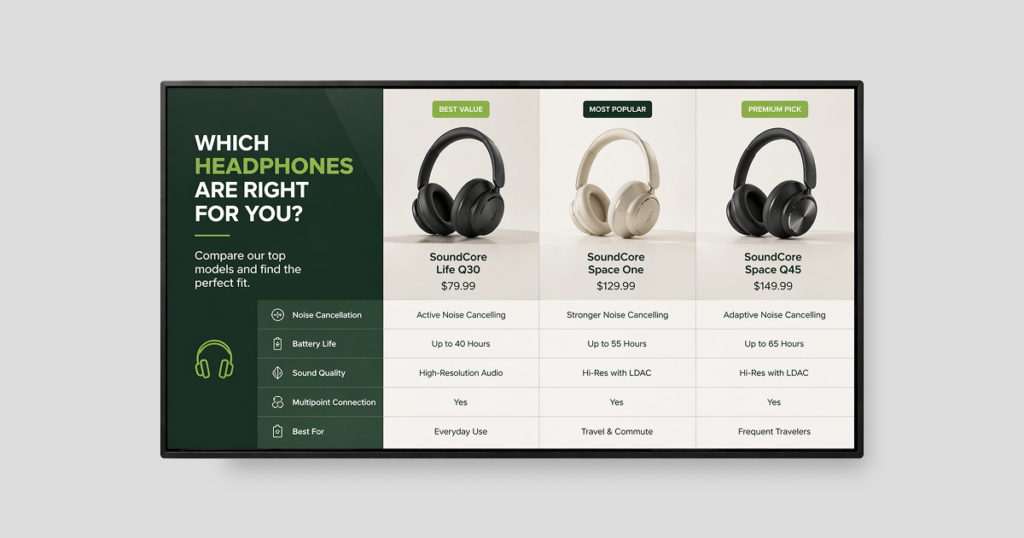
15. Comparison content. “Which one is right for me?” slides that compare two or three similar products help undecided customers move forward without needing staff assistance. 💡Bonus tip: keep it to a maximum of two or three options, otherwise the screen quickly becomes hard to read. Arrange them in a logical order, like basic to premium or least to most powerful, so the eye follows a natural decision path. Yodeck’s multi-zone Screen Layouts make this easy, letting you place products side by side and combine images, text, and video in the same frame.
Social proof and UGC
16. Live Google Reviews feed. Pull your store’s Google Reviews onto a screen near the entrance or checkout. The content updates automatically as new reviews come in.
17. Social media wall. A live feed of tagged customer posts from Instagram or TikTok displays real people using your products. Customers who post with your hashtag see themselves on screen, an incentive that drives more posts and keeps the display fresh.
18. Customer testimonial carousel. Short quotes from customers, formatted cleanly with a first name and star rating, are among the most persuasive content you can put on a screen. Consumers trust reviews as much as personal recommendations and seeing them displayed in-store, at the moment of decision, removes the need to reach for a phone to check. Real faces and real names outperform generic quotes.
19. User-generated recipe or styling content. For food retail or fashion, displaying customer-submitted recipes or outfit photos gives shoppers inspiration and social proof at the same time.
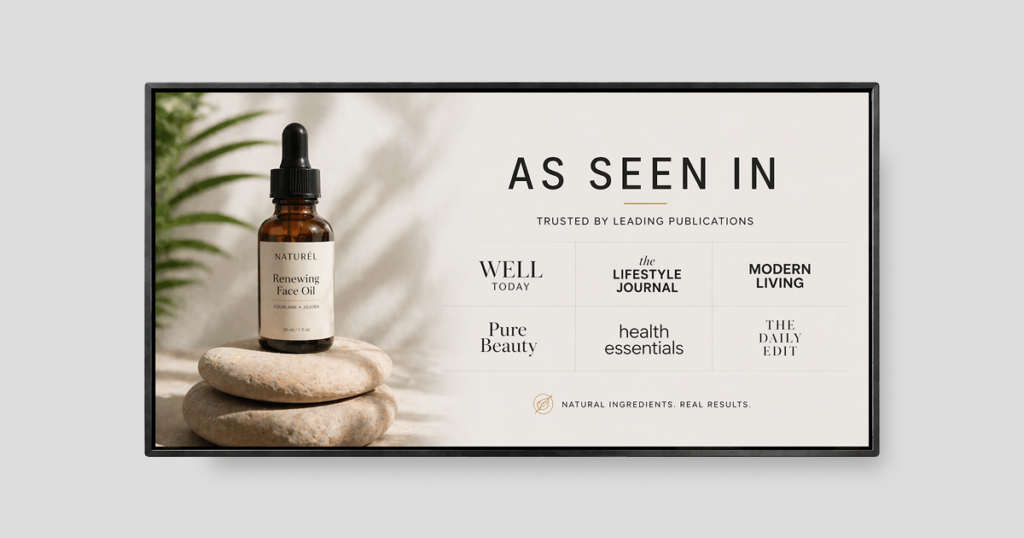
20. Press and media mentions. “As seen in” coverage displayed near the relevant product does the credibility work before the customer reaches for their phone to check.
Interactive and engaging content
21. QR codes for instant access. A QR code on screen can link to a loyalty sign-up, a product detail page, a contest entry, an exclusive offer, or an app download. With Yodeck, you can create and customize on-screen codes with a label directly in the platform, so the call to action is built into the display itself.
22. Spin-to-win and gamified promotions. Digital scratch cards, spin-to-win wheels, or scavenger hunt clues add a play element to the shopping visit. Most effective in stores targeting younger demographics or during high-traffic events.
23. Touchscreen product browsing. For stores with large or complex product ranges, a touchscreen kiosk lets customers browse the full catalog, check availability, and locate items without waiting for staff. Two things determine whether it actually gets used: the interface has to be self-explanatory, and placement needs to consider privacy, a customer browsing sizes or treatments may not want the whole store to see what they are looking for. Yodeck’s dedicated Touchscreen solution includes an Interactive Playlist feature that lets viewers navigate content themselves, with automatic resume after inactivity.
24. Loyalty program explainer. Showing how points are earned and what rewards are available on a screen near checkout converts browsers into members at the moment they are most likely to act.
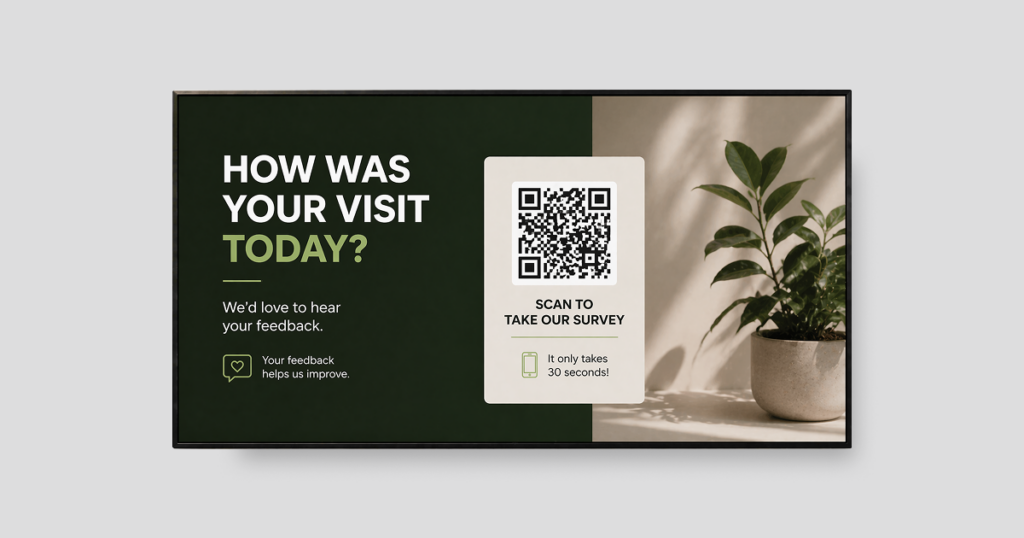
25. Customer feedback prompts. A “How was your visit today?” display near the exit with a QR code to a quick survey generates feedback data without staff involvement.
26. Waitlist or appointment booking. For stores with services (opticians, beauty counters, tailoring) a screen showing available appointment slots with a QR code to book removes the friction of asking at the desk.
Operational and wayfinding content
27. Store directory and aisle guides. Especially useful in larger stores, supermarkets, and department stores, a Wayfinding screen at the entrance with a clear floor map helps customers find what they need faster. It cuts down on time spent searching and increases the chances they actually reach the products they came in for.
28. Opening hours and service information. A screen near the entrance showing today’s hours, any service closures, or upcoming events addresses the most common questions customers ask before they walk through the door.
29. Staff training content. Screens in stockrooms or staff areas can display daily targets, training reminders, product knowledge refreshers, or safety updates. Retail workers often miss email-based communication; a screen they walk past every shift is harder to ignore.
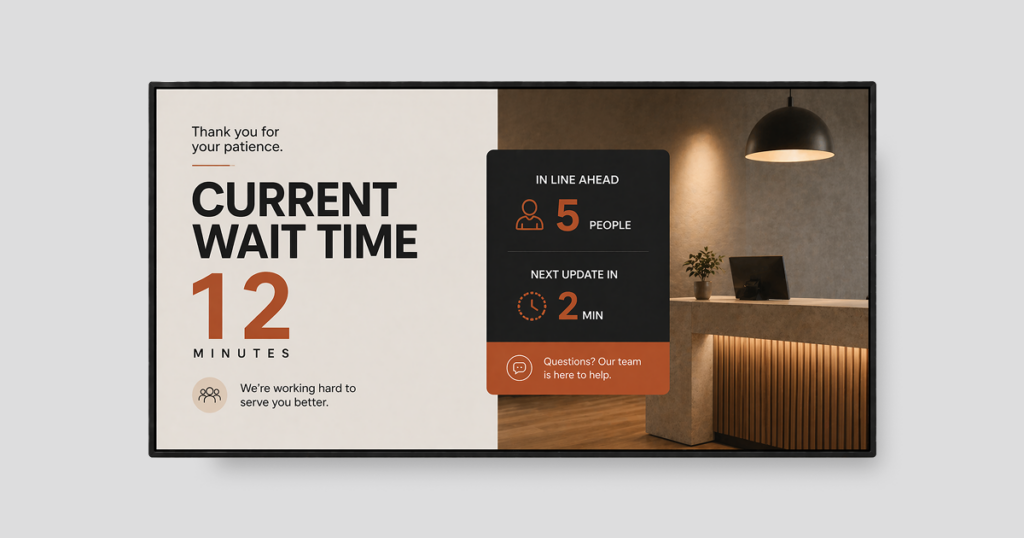
30. Queue management. A screen at a service counter or checkout showing estimated wait times reduces perceived wait times and cuts down on how often customers approach staff to ask how long it will take.
31. Click-and-collect and delivery updates. For stores with an online-to-offline operation, a screen showing order status or collection instructions keeps customers informed without staff involvement.
32. Safety and policy messaging. Return policies, age verification notices, payment options, and health and safety information all need to be communicated, but none of them need a dedicated screen. Rotating them as a slide in an existing playlist means they get seen without displacing revenue-generating content. One slide, three to four times per hour, in the right zone is enough.
33. Emergency and urgent alerts. Prepare a set of ready-made override slides before you need them like store closure, weather warning, system outage, or a queue management notice. When something unexpected happens, the last thing you want to be doing is designing a slide under pressure. Build the templates in advance, save them in your CMS, and they are one click away from going live across every screen simultaneously. With Yodeck, the override pushes simultaneously to every screen from the central dashboard, no on-site access needed, and content reverts to the normal schedule automatically once removed.
Entertaining and seasonal content
34. Weather-triggered content. When you connect your screens to local weather data, your promotions become instantly more relevant. Think soup recipes on cold days or cold drink deals during a heat wave, all updating automatically without any manual input.
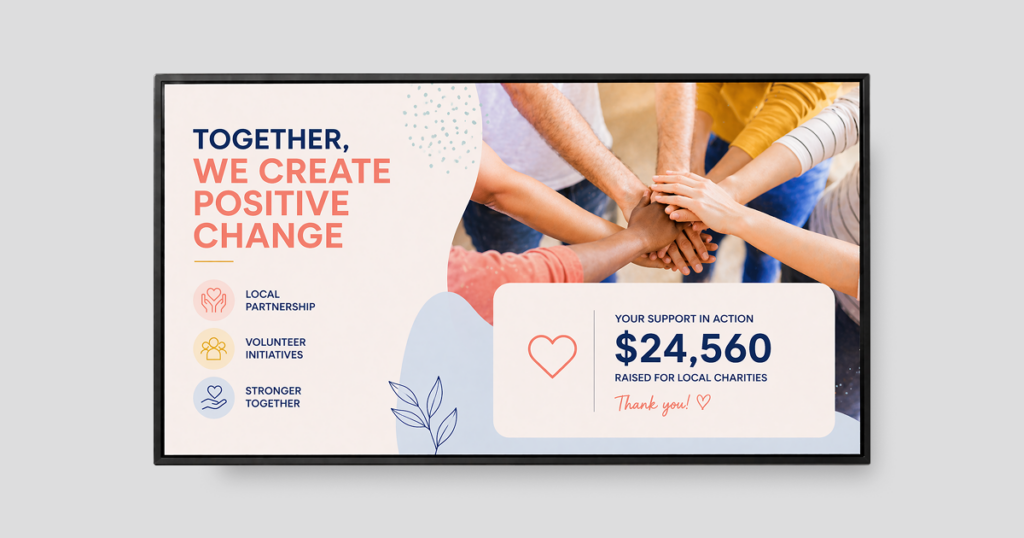
35. Charity and community partnerships. Displaying your store’s community involvement (a local charity partnership, a fundraising total, a volunteer initiative) builds goodwill and differentiates you from chains that do not.
36. “Did you know?” product facts. Short, surprising facts about a product, “This coffee travels 5,000 miles to reach your cup”, give customers something to share and make the purchase feel meaningful.
37. Local news and weather ticker. A news or weather ticker at the bottom of a screen fills the ambient space in a waiting area or low-engagement zone without requiring dedicated content production. Yodeck’s Scrolling Text (ticker) app creates scrolling news feeds across the bottom of any layout. RSS feeds from ESPN, BBC, and custom RSS URLs are natively supported.
38. Holiday and occasion messaging. Mother’s Day, Valentine’s Day, local public holidays and other occasion-based content gives customers a gifting prompt at the right moment.
39. Vendor and brand takeover slots. Suppliers and brands will often provide co-op advertising funds for screen time. Vendor content generates revenue from your signage network at no production cost.
40. Free content from your existing assets. Blog posts, social media content, email campaign visuals, last season’s product photography, content you have already produced can be reformatted for screens in minutes. And if you are starting from zero, Yodeck’s built-in stock library from Pexels, Unsplash, and Pixabay means you always have something to work with.
What to display where: a location-by-location breakdown
Knowing what to display is only half the equation. The same content performs very differently depending on where the screen sits in the customer journey.
According to the Path to Purchase Institute’s 2025 in-store shopping study, end-of-aisle displays are the first thing 37% of shoppers notice, ahead of seasonal displays (31%) and entrance displays (30%). When those same shoppers make an unplanned purchase, 43% credit a sale or promotion they saw in-store, with checkout displays and endcaps as the next biggest triggers.
The sections below map both content ideas matched to the screen locations where they perform best.
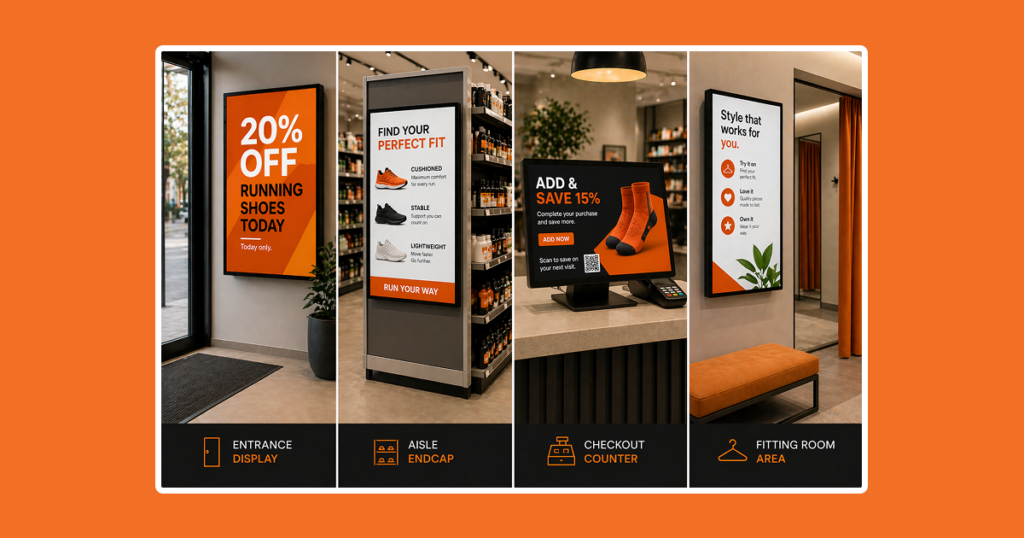
💡 Content pacing rule: Match your slide duration to how long a customer actually stands in that zone. Busy entrance screens need fast, punchy content readable in two to three seconds. Fitting rooms and waiting areas support longer formats of 45 to 90 seconds because the customer is not going anywhere.
Store entrance and window-facing screens
The entrance screen sets the customer’s mental frame before they start shopping. This is not the place for operational information or loyalty program details. It is the place for your single strongest message: today’s deal, the season’s theme, a new arrival, or a limited-time event.
Research supports the idea that entrance screens are more effective when they guide customers toward specific departments, not just build brand awareness. A 2024 peer-reviewed study by Nanni & Ordanini in the Journal of Retailing, based on two field experiments involving 7,009 grocery shoppers, found that digital signage promoting discounts increased spending on products located away from the screen, while having little impact on items placed right next to it. In practice, that means an entrance screen highlighting “20% off all running shoes today” can drive more action than showing the same message next to the shoe rack.
Window-facing screens serve a different purpose entirely. Their job is to stop passing pedestrians, and they keep working after closing time.
Aisle and product display zones
Aisle screens and endcap displays reach customers at the moment of decision. Content here should be specific: this product, this price, this reason to buy now. Comparison content, “Which one is right for you?”, works particularly well because it serves a shopper who is already in the category but hasn’t committed.
A short looping video showing a product in use communicates more in 15 seconds than a shelf tag ever could.
Checkout and point-of-sale screens
The checkout is the highest-converting screen location in retail. The customer is stationary, the transaction is in progress, and they have nowhere else to look. One message per slide, large text, short rotation, a customer waiting 90 seconds will see three or four slides. Last-minute add-ons, bundle upsells, loyalty sign-ups, and QR codes for future visits all perform well here.
Waiting areas and fitting rooms
Waiting areas are the most underused screen locations in retail. A customer trying something on or waiting for a service is far more engaged than one browsing the floor, this is where longer-form content earns its place: brand stories, how-it-works demonstrations, styling suggestions, and social proof.
Shoppers who use fitting rooms are almost seven times more likely to make a purchase than those who only browse the sales floor, according to Alert Technologies retail benchmarking data.
The best digital signage ideas for retail, by store type
The ideas above apply universally. Execution varies by vertical. Here is how the strongest approaches play out by store type.
Grocery and supermarket digital signage ideas
In grocery and supermarket digital signage, the opportunity is in the department, not the store as a whole.
| What to show | Where |
|---|---|
| Weekly specials and current promotions | Entrance screens |
| Recipe inspiration with aisle numbers for the ingredients | Produce section |
| Weather-triggered promotions (soup in winter, cold drinks in a heat wave) | Store-wide |
| Real-time inventory updates (out-of-stock items removed, restocked products promoted) | Across screens |
| Daily availability, pricing, and allergen information | Deli, butcher, fishmonger, and cheese counters |
Convenience store digital signage ideas
Convenience store digital signage has one job: to tip the impulse decision before the customer reaches the register.
| What to show | Where |
|---|---|
| Bundle promotions (e.g., coffee + donut: $2.99) | Checkout and coffee station |
| Day-parted content, morning coffee deals, afternoon cold drinks, evening meal solutions | Store-wide screens |
| Vendor and supplier branded content | High-traffic screen areas |
Liquor store digital signage ideas
Liquor store digital signage works best as an education tool. Customers are open to discovering something new if the right prompt appears at the right moment.
| What to show | Where |
|---|---|
| Tasting notes and flavor profiles for wine, whiskey, and craft beer | Near relevant product categories |
| Cocktail recipes with a QR code linking to the full recipe | Near the spirits section |
| Seasonal and occasion-based promotions (summer BBQs, December gifting) | Store-wide / featured displays |
Dispensary digital signage ideas
Dispensary digital signage starts with one non-negotiable: a live menu board that reflects actual inventory.
| What to show | Where |
|---|---|
| Live menu boards synced with real-time inventory | Main menu screens |
| Educational content on product types, consumption methods, and effects | Waiting area |
Automotive digital signage ideas
Automotive digital signage has a built-in advantage most retail environments do not: a captive audience with significant time to spend waiting.
| What to show | Where |
|---|---|
| Service menu with transparent pricing | Waiting area |
| Maintenance education, why alignment matters, when to replace a cabin air filter | Secondary screen near seating |
| Seasonal service reminders and upsell prompts for unbooked services | Screen visible from the service desk |
Shopping mall digital signage ideas
Digital signage in shopping malls has two audiences: the shopper navigating the center, and the brand maintaining consistency across every location.
| What to show | Where |
|---|---|
| Store directory and wayfinding maps | Entrances and central areas |
Centrally managed brand campaigns | Across all locations simultaneously |
Local pricing, hours, and offers managed by each site | Individual store screens |
| Looking for more inspiration? Browse the most-used retail digital signage templates and digital signage apps on Yodeck to see what retail teams reach for first.
Real-world retail digital signage examples
Two examples of what these ideas look like in practice.
Luxury retail: Richard Mille
Richard Mille, the ultra-premium Swiss watchmaker, uses Yodeck to show high-resolution product videos in its boutiques, no price callouts, no promotions. The screens show watch movements being assembled, materials, and craftsmanship. For a customer choosing based on desire and perceived value, that communicates more than a shelf tag ever could.
| Read the full Richard Mille case study
Automotive: Midas and the waiting room opportunity
Midas uses waiting room screens for content that is directly relevant to the service the customer brought their vehicle in for, seasonal maintenance reminders, upsell prompts for unbooked services, transparent pricing. Customers leave better informed and the average transaction value reflects it.
| Read the full Midas case study
How do you measure whether your retail signage content is working?
The most direct method: track sales of a specific item for two to four weeks before running it on screen, then compare during and after the campaign.
Beyond sales impact, four metric categories give a complete picture.
The payback case is strongest when sales lift and print cost savings are counted together. For stores that previously ran frequent print campaigns, the reduction in production, shipping, and installation costs is measurable from the first month regardless of content performance.
Common retail digital signage content mistakes to avoid
✗ Running the same content indefinitely. A screen running the same promotion for six weeks is invisible to regular customers. Set a weekly content review and keep it.
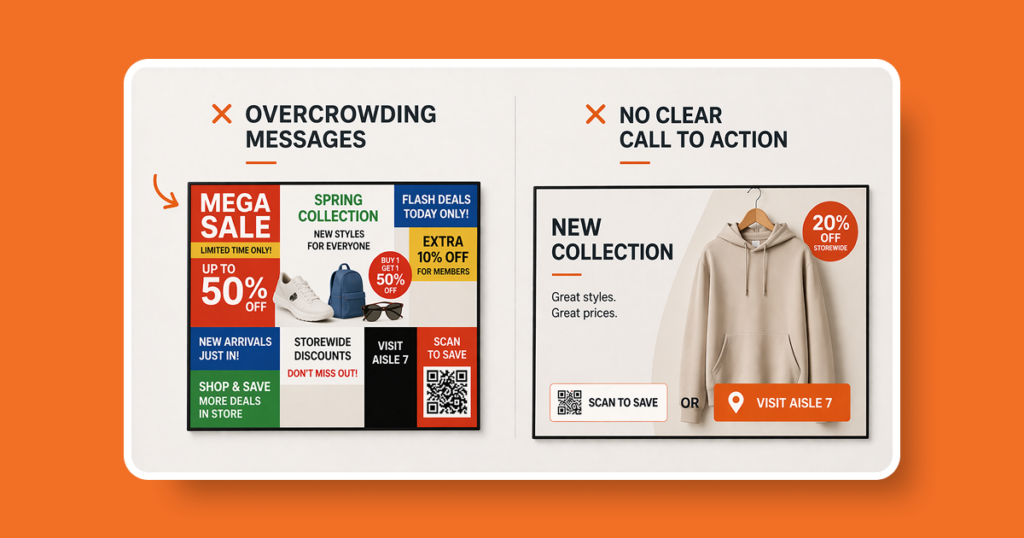
✗ Overcrowding slides. One message per slide, readable in three to five seconds. A cluttered layout communicates nothing clearly.
✗ Ignoring zone relevance. Map content to zones before building a playlist. The decision a customer is making in aisle 4 is different from the one they are making at checkout.
✗ Buying hardware before planning content. Start with the objective. The screen arrives, gets mounted, and then someone has to figure out what to put on it. That order is backwards.
✗ No clear call to action. Every promotional slide should include one action the customer can take immediately, scan this code, visit aisle seven, ask a team member.
✗ Neglecting the back of house. Staff-facing screens in stockrooms and break rooms are among the most cost-effective placements in retail. The audience is captive and the content directly influences service quality and daily targets.
| If you are still deciding on hardware, our guide to digital displays for retail covers screen types, placement, and what to look for before you buy.
How to get started with retail digital signage
Getting started is simpler than most retailers expect.
1. Define one objective. One clear objective (reduce staff questions, increase loyalty sign-ups, promote a specific product ) determines your first piece of content and where to put the screen.
2. Pick your highest-value location. The checkout counter, the entrance, or an endcap near your best-selling category. Pick one and start there.
3. Build a three-slide content loop. A welcome message, a current promotion, and a loyalty prompt with a QR code is a functional starting playlist. Eight to ten seconds per slide.
4. Assign a content owner. One person owns screen updates and aligns content to the weekly campaign calendar. Screens without an owner go stale within weeks.
5. Measure one thing. Pick one metric before launch (sales of the promoted product, QR code scans, loyalty sign-ups) and review it after 30 days.
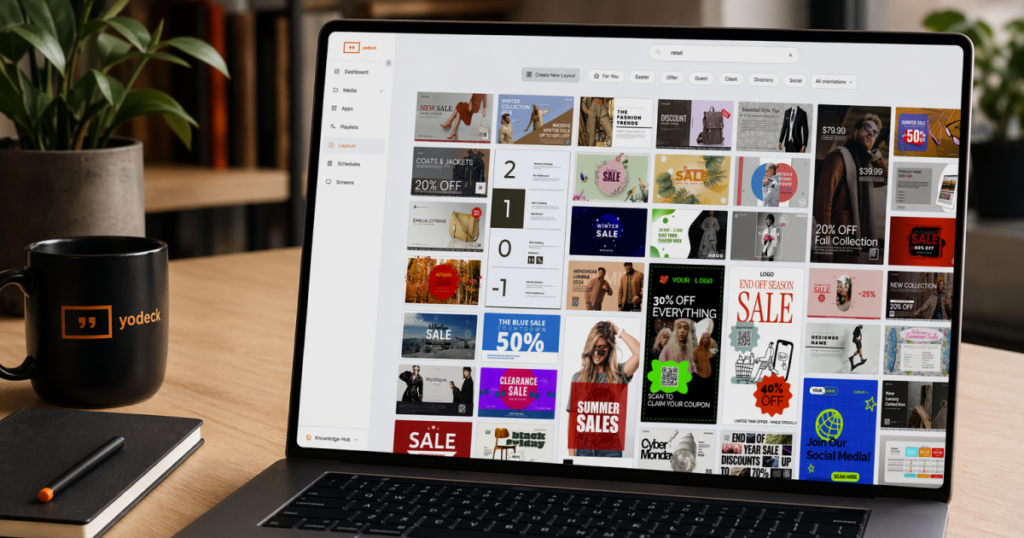
With Yodeck, you get everything you need to execute it: 700+ ready-made templates, 130+ apps, flexible scheduling by time of day or week, and seamless integrations with Canva, Google Drive, and your social channels. You can be up and running in under an hour.
That ease of setup is reflected in the numbers. Yodeck is rated 4.7/5 on G2 across 2,800+ verified reviews and trusted by 40,000+ customers in 135+ countries, and the most common theme in those reviews is how quickly teams get up and running.
It’s also a low-risk place to start. Your first sign-up includes 30 days of full feature access for up to five screens, enough to run a real test in your store before making any commitment.
No credit card required