


From shelf danglers to digital screens: what these terms actually mean, how they differ, and why modern retailers are rethinking their approach to in-store marketing.
Key Takeaways
Walk through any retail store and you are surrounded by deliberate decisions: a poster at eye level, a wobbler hanging off a shelf edge, a screen at the checkout counter showing this week’s offer. None of that is accidental. It is all POSM.
POSM, POP, and POS are terms that get used interchangeably in retail marketing conversations, but they mean different things, serve different functions, and sit in different parts of the store. Understanding the distinction is not just useful vocabulary. It changes how you plan campaigns, allocate budget, and measure what is actually working.
This guide covers what each term means, where they overlap, how they differ, and why the shift to digital POSM is changing the economics of in-store advertising for retailers of every size.
What does POSM mean?
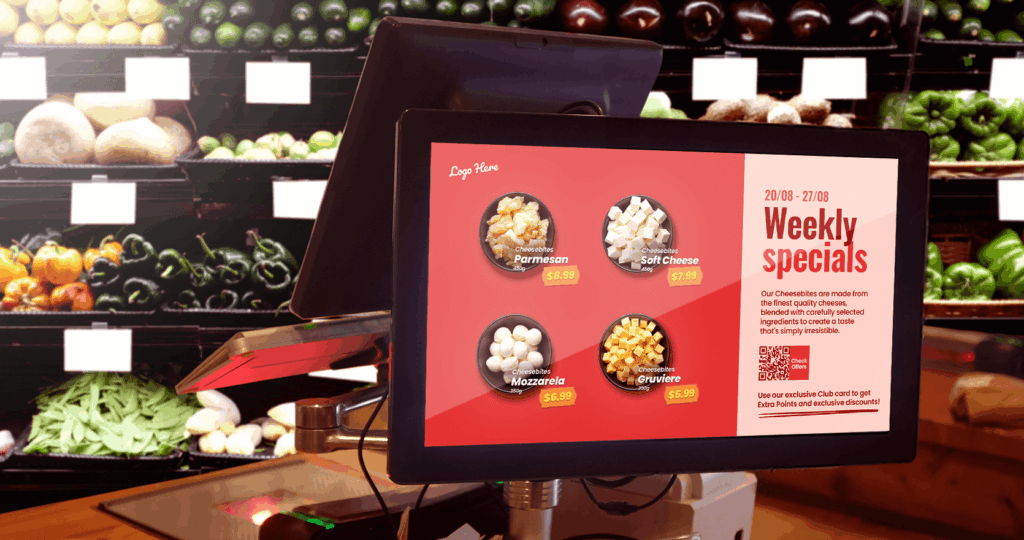
POSM stands for Point of Sale Marketing, or Point of Sale Materials depending on the context, and it refers to every promotional tool a retailer uses to influence purchase decisions inside a store.
The two definitions are complementary.
Under the POSM umbrella, you will find two subsets that are worth knowing: POP (Point of Purchase) and POS (Point of Sale). Both are types of POSM, but they operate in different zones of the store and serve slightly different purposes.
POSM has been part of retail since the first store opened its doors. What has changed is the toolkit. Print gave way to screens. Static gave way to scheduled. A poster that took two weeks to print and ship can now be updated in seconds from a laptop. That is what retail digital signage makes possible.
POSM in marketing examples
POSM covers a wide range of formats, shapes, and sizes. A few common examples:
- Billboards and posters
- Shelf danglers and wobblers
- Standee banners
- Endcap displays
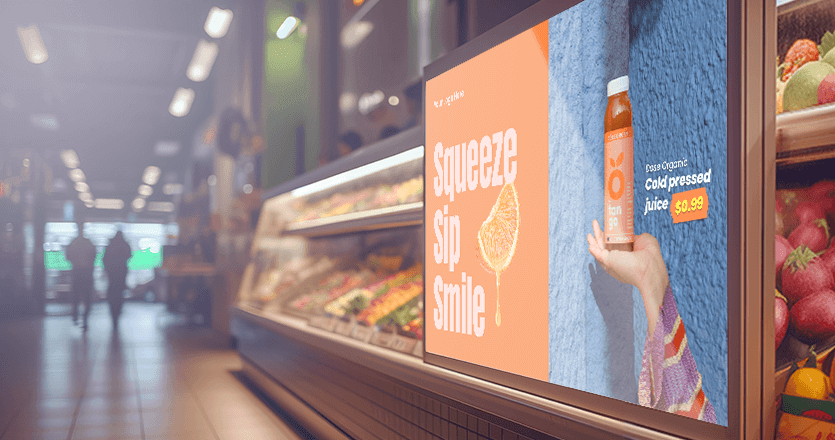
- Digital screens
- Suggested product pop-ups
- Seasonal displays and promotional islands
- Checkout counter units and screens
The list goes on. What matters is matching the right format to the right zone — as the six categories above show.
💡 Interesting insight: In FMCG retail, brands typically fund their own temporary and on-shelf POSM as part of a trade marketing agreement. The retailer provides the location; the brand provides the materials. Digital POSM is shifting that dynamic. Retailers who own their screens now control the inventory, and some are monetising it by selling screen time to brands as part of a retail media network.
What is the difference between POP and POS?
Both are subsets of POSM. Both live inside the store. But they target the shopper at different moments in the purchase journey, which means they use different formats, carry different messages, and have different goals.
POP (Point of Purchase)
POP refers to any location inside a store where a shopper makes a buying decision. That decision might happen at a shelf, at a product display stand, at the end of an aisle, or even at the store entrance. The defining feature of POP is that it engages the shopper while they are still evaluating their options.
POP materials are designed to interrupt browsing, provide information, and nudge the shopper toward a choice. An endcap displaying a “Buy two, get one free” offer is POP. A floor standee promoting a new product next to its shelf is POP. A screen playing a product demonstration video in the middle of a cosmetics aisle is POP.
The goal of POP is to influence a decision that has not yet been made. Shoppers at a POP touchpoint are still choosing: between products, between brands, between buying and walking away.
POS (Point of Sale)
POS refers specifically to the location where a sale is completed. In a physical retail store, that is the checkout counter, the self-service terminal, or the queue leading to it. Online, it is the checkout or payment screen.
POS displays and materials operate at a moment of high purchase intent. The shopper has already decided to buy something. POS tools aim to add to that transaction: last-minute upsells, cross-sells, loyalty programme sign-ups, or brand reinforcement that builds future visits.
A screen at the checkout counter showing a “coffee and pastry for £3.50” bundle offer is POS. A countertop display of travel adapters next to a hotel lobby payment desk is POS. Digital signage at the checkout area targets shoppers at their most commercially receptive moment in the entire store journey.
POP vs. POS: a side-by-side comparison
| Dimension | POP (Point of Purchase) | POS (Point of Sale) |
|---|---|---|
| Location | Throughout the store floor: aisles, endcaps, entrance, displays | Checkout counter, queue area, payment terminal |
| Shopper state | Evaluating; has not yet decided | Ready to buy; decision already made |
| Primary goal | Influence product choice, drive trial, increase basket size | Upsell, cross-sell, brand reinforce, loyalty conversion |
| Typical formats | Endcap displays, floor standees, shelf talkers, in-aisle screens | Countertop displays, checkout screens, queue-area signage |
| Digital equivalent | In-store digital signage, interactive kiosks | Checkout screens, queue management displays |
| Message type | Product-led, promotional, informational | Transactional, impulse, loyalty-focused |
Why does POSM matter? The business case
POSM matters because the majority of retail purchase decisions happen inside the store, not before it. The materials surrounding a shopper at that moment have a direct, measurable effect on what ends up in the basket.
According to Expert Market Research, 82% of purchase decisions are made in-store, underscoring the critical role POSM plays at the final stage of the buying process. For most categories, the battle for purchase is not won in a TV ad or a social media campaign. It is won or lost on the store floor.
Six types of POSM in marketing
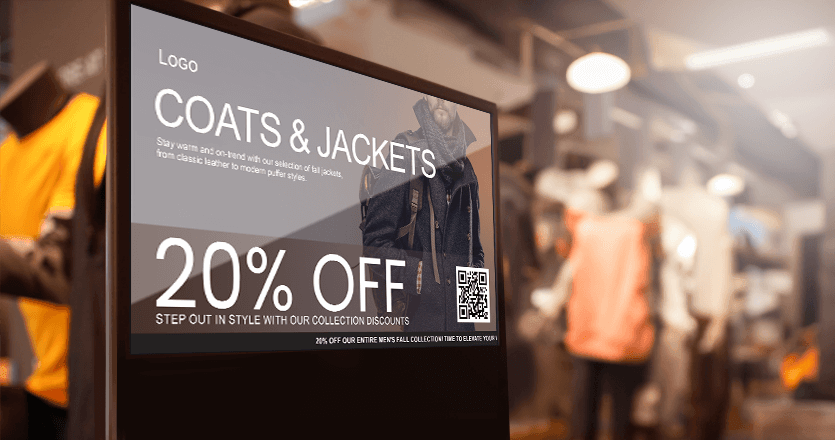
POSM in marketing spans six distinct categories, each designed for a specific zone, duration, or shopper moment inside the store. Understanding these categories helps marketers and retailers plan more precisely, allocate budget by zone, and avoid the common mistake of treating all in-store materials the same way.
1. Permanent POSM
Long-term fixtures that structure brand presence in-store: branded shelves, permanent displays, category signage, and lightboxes. Reserved for category leaders with long-term retail agreements.
2. Temporary POSM
Campaign-driven and short-lived: seasonal displays, promotional islands, endcap activations, and pallet stands. Brands with high promotional frequency are increasingly converting these to digital to cut print costs.
3. On-shelf POSM
Small-format materials at the moment of product evaluation: wobblers, shelf talkers, price strips, and branded shelf facings.
4. Floor and navigation POSM
Guides shoppers through the store: floor stickers, directional arrows, and zone markers for sections like “New Arrivals” or “Offers.”
5. Checkout and counter POSM
The highest purchase-intent zone: countertop units, cashier displays, and checkout screens showing bundle deals or loyalty prompts.
6. Digital POSM
The fastest-growing category: digital screens, interactive kiosks, QR codes, and motion-triggered displays. Replaces or supplements print across all store zones.
💡 Pro tip by Yodeck Team: Start by converting the highest-traffic zones (checkout and endcaps) to digital. Keep on-shelf POSM in print for now. The two formats work in parallel. Start for free with Yodeck and manage your first POSM screen today.
Digital POSM examples by store type
Here is how digital POSM maps to the most common retail environments:
- Grocery digital signage: Grocery stores use digital screens to promote daily deals, fresh arrivals, and own-brand products. Checkout screens drive impulse add-ons; aisle screens support category promotions.
- Supermarket digital signage: Larger supermarket formats add department wayfinding, bakery and deli menu boards, and multi-zone promotions managed from a central dashboard.
- Convenience store digital signage: Convenience stores use compact screens at the counter and entrance for bundle deals, hot food promotions, and loyalty sign-ups, where every second of the transaction matters.
- Liquor store digital signage: Liquor retailers promote weekly specials, cocktail recipes, and tasting events on rotating screen content updated by store staff without design support.
- Dispensary digital signage: Cannabis dispensaries face strict regulatory requirements. Digital screens display product menus, compliance information, and safe use guidance, all updateable in real time as regulations or inventory change.
- Automotive digital signage: Car showrooms and service centres use screens to showcase vehicle specs, service packages, and promotional finance offers. Waiting area screens reduce perceived wait time and upsell add-on services.
- Shopping mall digital signage: Malls use directories, event promotions, and tenant advertising across common areas. Central management lets mall operators push emergency messages or campaign takeovers across all screens simultaneously.
- Franchise digital signage: Franchise networks need brand consistency across hundreds of independently operated locations. Centralised digital signage platforms let HQ publish national campaigns while franchisees customise for local promotions within approved templates.
How technology is reshaping in-store marketing
According to Mordor Intelligence, the POP display market is estimated at USD 17.14 billion in 2026, growing to USD 22.23 billion by 2031 at a 5.35% CAGR. Heightened interest in retail media networks is driving the integration of sensors and digital screens into physical displays, allowing brands to measure engagement and optimize planograms in real time.
How digital signage works as POSM
Cloud-based digital signage gives retailers the ability to manage all in-store POSM screens from a single dashboard, scheduling content, updating promotions, and deploying changes across every location simultaneously. No print runs. No logistics. No installation teams.
Built for every role in the team:
✔ Head office and marketing teams push POSM campaigns, national promotions, and seasonal content across all locations simultaneously. One update. Every screen. Done.
✔ Store managers adjust POSM for their own location (a local offer, a store event, a product that needs moving) without touching anyone else’s screens and without waiting for approval from HQ.
✔ Content managers handle the day-to-day: building POSM playlists, scheduling content by time of day or day of week, and making sure every screen shows the right message at the right moment.
Whatever your role, Yodeck gives you the tools to run digital retail POSM at any scale.
Retailers who move their POSM strategy to digital screens gain real-time control over what every shopper sees. That control compounds in value as the number of locations grows.