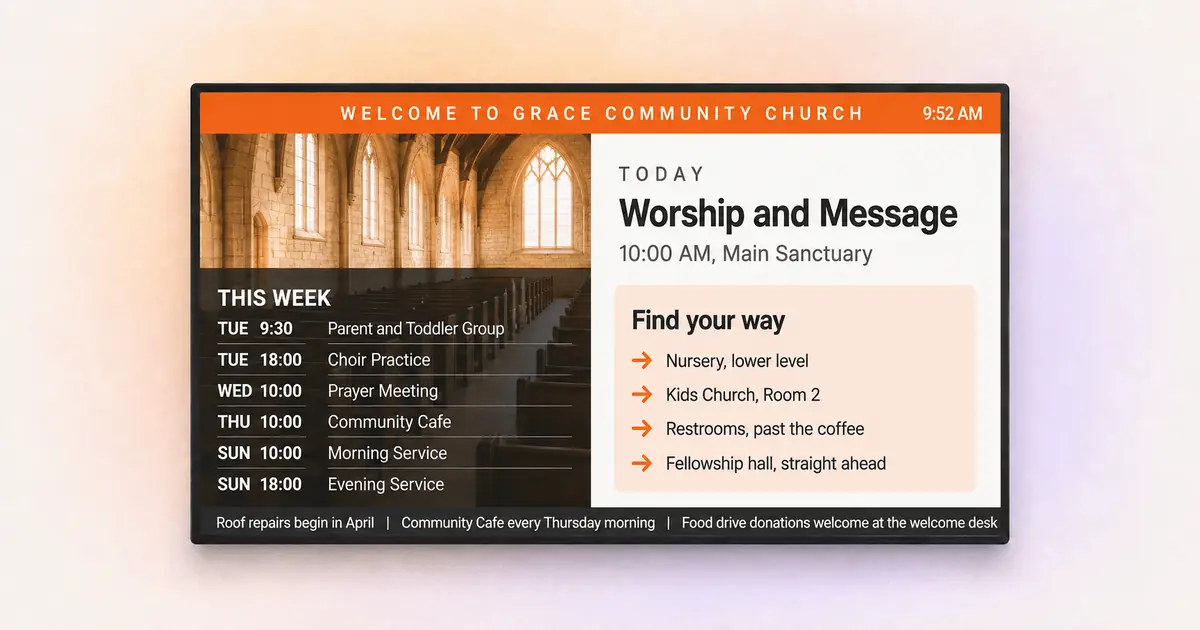
A practical guide to what churches display on their screens, where to place them and how volunteers keep everything current.
Key Takeaways
Match content to church areas: lobby, sanctuary, kids areas and fellowship spaces each need different content, not one looping playlist
Think in service moments: the most effective church screens change what they show before, during and after the service
Volunteers can run everything: folder-synced playlists and locked layouts keep screens current without a media team
Software and hardware are separate decisions: indoor screens run on a TV plus a media player, while outdoor LED signs are a different purchase entirely
Start with one screen: a single lobby display covers your highest-impact communication before you scale
Every Sunday, your church answers the same questions dozens of times. Where is the nursery? What time does the youth group meet? How do I sign up for the food drive? Church digital signage answers those questions on a screen, so your greeters and volunteers can focus on the conversations that actually matter.
This guide covers what churches display on their screens, real examples organized by area, how to choose and set up the software, and how to keep everything running when your entire media team is one volunteer with a laptop.
What churches use digital signage for
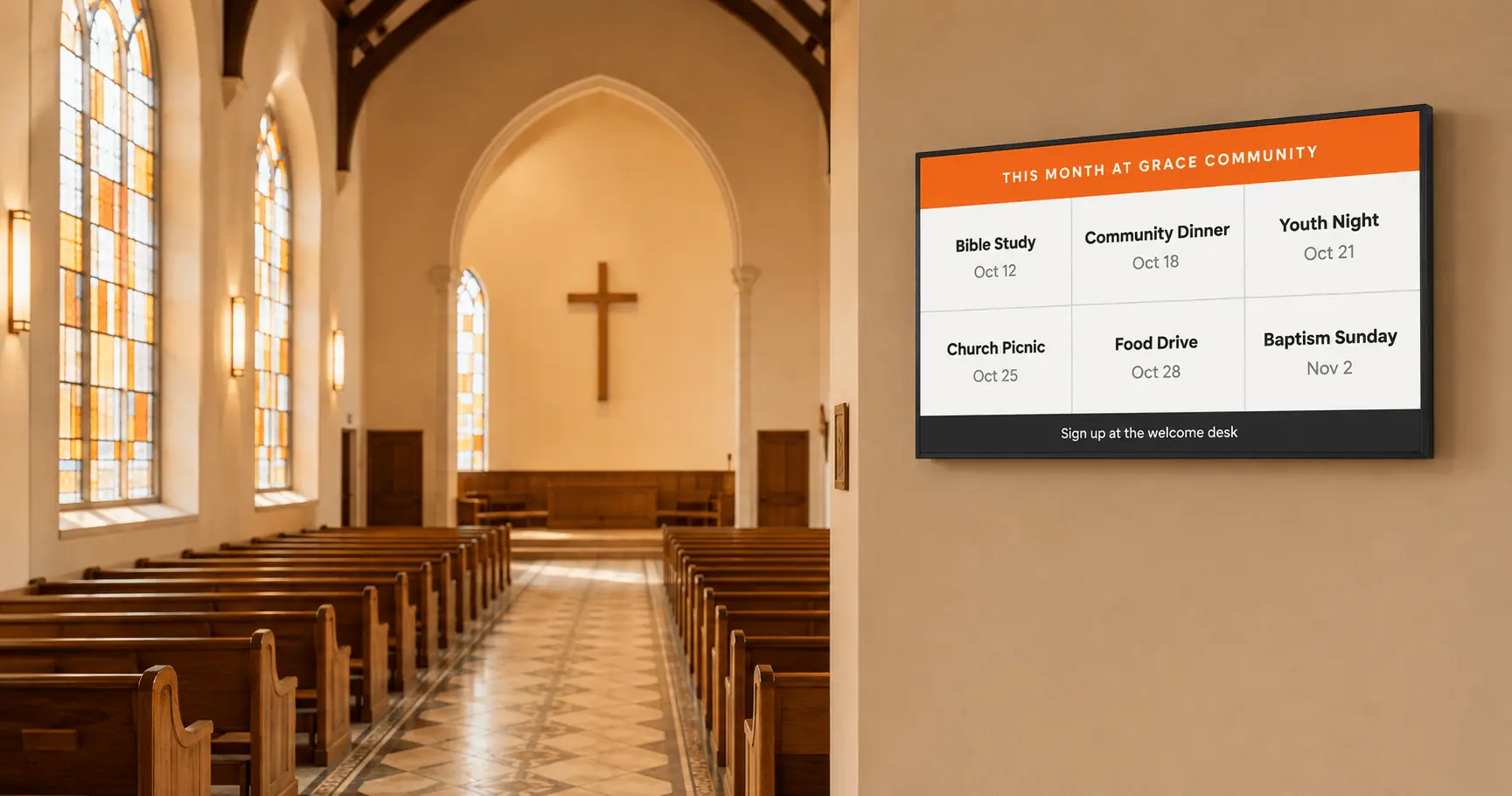
Churches use digital signage to welcome visitors, share announcements, support worship and guide people around the building, all from screens that update in seconds instead of printed signs that update whenever someone finds the time. Church digital signage is a screen, a small media player and software that controls what appears and when.
The timing matters more than it has in years. According to Lifeway Research, average church attendance is rising for the first time in decades, and most new faces are either switching congregations or returning after a long absence. These are people actively comparing churches. What a guest sees in the first ten minutes, from the parking lot to the pew, shapes whether that guest comes back. Clear, current communication is one of the few first impressions a church fully controls.
This article stays on the practical side: content ideas, screen placement, software selection, setup and day-to-day operations. If you are researching outdoor LED signs for your street front, that is a different purchase, and we cover the distinction in its own section below.
Church digital signage examples by area
The strongest church digital signage examples share one trait: the content matches the room. A screen in the kids wing has a different job than a screen behind the worship stage. Here is how churches typically use each space.
Welcome and lobby screens
The lobby screen is your digital greeter, and the lobby screen keeps working even when your human greeters are mid-conversation. Lifeway Research found the share of churches with a central location where guests can learn about the church dropped from 78% to 66% since 2017. That is a growing gap in exactly the moment first-time guests need orientation, and a well-placed lobby screen fills the gap without staffing a desk.
Content that works in the lobby:
service times and today’s order of service
a plain welcome message for first-time guests, with a QR code to a connect card
this week’s events with times and rooms
directions to the nursery, restrooms and coffee
Keep lobby slides short. People pass this screen in seconds, so one message per slide beats a crowded design every time.
Sanctuary and worship displays
Sanctuary screens carry lyrics, scripture passages and sermon support so everyone can participate without a hymnal or handout. Larger sanctuaries often pair a main projection surface with side screens, and some churches build a church video wall from multiple panels for a single large canvas behind the stage.
The sanctuary is also where restraint matters most. A screen that changes constantly during prayer pulls attention instead of supporting it. Many churches schedule a static, calm background during reflective moments and save motion for transitions between service segments.
Announcement and event screens
Hallway and entrance screens replace the cork board. A digital notice board rotates ministry announcements, volunteer sign-ups, small group openings and prayer requests without anyone printing or pinning anything.
Event content works best when it pulls from a calendar you already maintain. If your church schedule lives in Google Calendar, you can put a Google Calendar display on any screen and the display stays current on its own. Update the calendar once and every screen follows.
Kids areas, classrooms and hallways
Screens near children’s ministry areas answer the questions parents ask most: check-in steps, pickup codes and where each age group meets. In larger buildings, wayfinding digital signage guides people to classrooms, offices and overflow rooms so nobody wanders the halls feeling like an outsider.
First-time families judge quickly here. A parent who cannot find the nursery in two minutes is a parent who may not return, whatever they thought of the sermon.
Fellowship hall and community spaces
Fellowship spaces are where community becomes visible. A social media wall showing tagged photos from the retreat, youth event or mission trip gives people something to gather around, and the wall quietly invites newcomers into the life of the church. These screens also carry meal schedules, class listings and celebration slides for birthdays, baptisms and anniversaries.
What to display on a church screen: content ideas by service moment
The best answer to “what should we put on our screens” is a timeline, not a list. Church buildings run on a weekly rhythm, and your screens should follow it. Content that helps at 9.45AM is noise at 11.30AM.
Before the service
Screens do orientation work: countdown to service start, order of service, where to take the kids, where the restrooms are and a welcome slide written for someone who has never set foot in the building. This is the window where visitors decide whether your church feels organized and welcoming.
During the service
Screens support participation: lyrics, scripture references, sermon points and giving details during the offering. One clear slide per moment. Nothing on screen should compete with what is happening at the front.
After the service
Screens drive the next step: this week’s events, small group sign-ups, volunteer needs and a thank-you to first-time guests with a simple way to connect. People linger for coffee anyway, and post-service screens turn that lingering into engagement.
Between Sundays
Midweek, the same screens serve staff meetings, Bible studies, rehearsals and community groups renting your space. Scheduling different playlists for different days means the building communicates all week without anyone touching a screen.
Interesting insight: most churches over-invest in Sunday morning content and leave screens looping stale slides the other six days. A church building hosts far more midweek foot traffic than most teams assume, and a Tuesday visitor reads a screen dated three weeks ago as a sign nobody is paying attention.
What is the best digital signage software for churches?
The best digital signage software for churches is the one your least technical volunteer can update on a Sunday morning without calling anyone. Feature lists matter less than day-to-day usability, because church screens fail at the operational level, not the technical one.
When you compare digital signage solutions for churches, check for these things:
updates from anywhere, so the comms volunteer can fix a typo from home on Saturday night
ready-made templates, because most churches have no designer
scheduling by day and time, so Sunday content and midweek content run themselves
support for the screens you already own, from the sanctuary projector to a donated TV
pricing that respects a ministry budget, ideally with a free way to start
Digital signage software in this category is subscription-based and hardware-flexible, so a church is not locked into proprietary displays. Yodeck fits the checklist above and is built for exactly this kind of non-technical, multi-volunteer environment. Yodeck holds a 4.7 out of 5 rating across 2,852 verified reviews on G2, with ease of use as the single most mentioned strength in those reviews. For a team whose IT department is whoever shows up early, that matters more than any feature.
How to set up digital signage software for churches
Setting up digital signage software for churches takes three steps and less than an afternoon, even with zero technical background.
- Create an account. Sign up for Yodeck with a name and email. Your first screen is free, with no payment details required, which makes the pilot decision easy for a church board.
- Connect a media player to your TV. The Yodeck Player plugs into any screen with an HDMI port. Order the player, plug it in and the screen appears in your dashboard.
- Pick a template and publish. Choose from over 700 free digital signage templates, swap in your service times and logo and push the design to the screen.
From there, add screens as budget allows. Most churches start with one lobby display, prove the concept works and expand to hallways and kids areas over a few months. If you would rather see the whole flow live before deciding, you can book a demo and walk through the setup with a real person.
How volunteers can run church screens without a media team
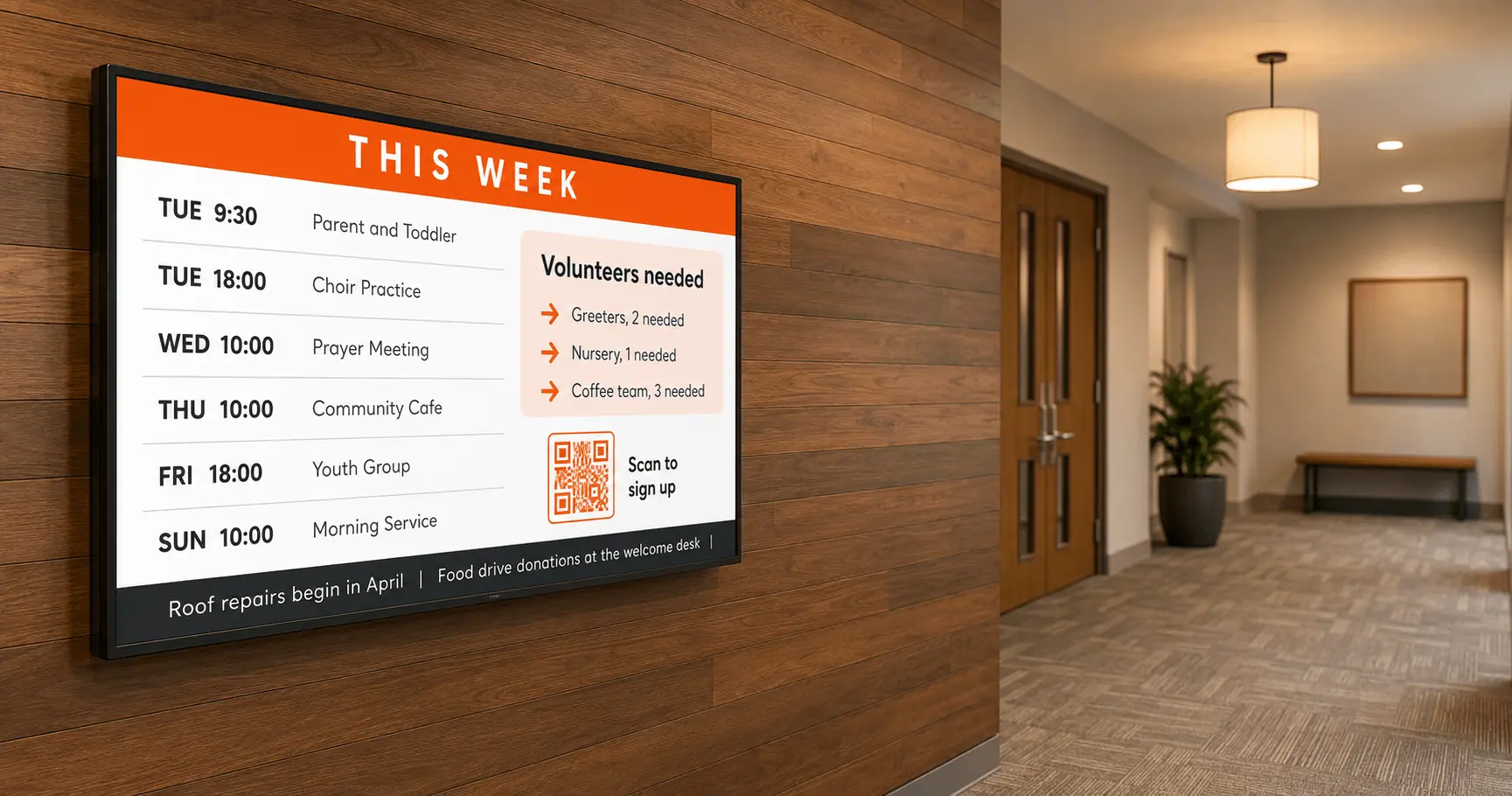
Volunteers can run every screen in the building if the workflow is built around folders and locks instead of logins and training sessions. This is the part most churches get wrong, and stale screens are the visible result.
The staffing math is real. Barna Group found 36% of pastors name declining or inconsistent volunteering as an issue facing their ministry today. Whatever system a church chooses has to survive volunteer turnover, because the person running screens this year may hand the job off next year.
Three practices make screens volunteer-proof:
Yodeck connects a Google Drive or SharePoint folder directly to a playlist, so anyone who can drop a file into a folder can update a screen. The youth pastor adds a slide to the youth folder and the youth hallway screen picks it up automatically, with no dashboard login and no training.
Lockable layouts let one designer protect the structure and branding while others swap text and images inside it. The screens stay on-brand even when six ministries feed them content.
User roles limit each volunteer to their own screens and playlists, so the missions coordinator cannot accidentally overwrite the sanctuary display mid-service.
Pro tip by Yodeck Team: create one shared folder per ministry and sync each to its own playlist. Screen updates then become a task anyone can do from a phone, and handing off the role to a new volunteer takes one sentence: “put your slides in the folder.”
G2 reviewers score Yodeck 9.3 out of 10 for both ease of use and ease of setup, and that usability is precisely what keeps a volunteer-run system alive after the enthusiastic launch month.
Indoor screens vs outdoor digital church signs: which do you need?
Indoor digital signage and outdoor digital church signs solve different problems with different technology and very different budgets. Confusing the two is the most expensive mistake churches make in this category.
Indoor signage is a software decision. You use TVs or projectors you may already own, add a small media player per screen and manage everything from one dashboard. Outdoor digital church signs, the LED reader boards facing the street, are a hardware purchase involving weatherproof LED panels, permits, installation and often a sign contractor.
| Indoor digital signage | Outdoor digital church signs | |
|---|---|---|
| Main job | communicate with people inside the building | attract attention from the road |
| Hardware | any TV or projector plus a media player | weatherproof LED panels, custom-built |
| Typical cost profile | low, mostly software subscription per screen | high upfront capital purchase |
| Installation | plug into HDMI, mount the TV | contractor, permits, foundation work |
| Content management | cloud software, update from anywhere | varies by sign manufacturer |
| Where to start | lobby, then hallways and kids areas | only after indoor communication works |
If your goal is engaging your congregation and welcoming guests, indoor signage delivers far more communication per dollar. The street-facing LED sign has its place, but the LED sign speaks to people driving past at 40 miles per hour, while your indoor screens speak to the people who already walked in.
Church digital signage FAQs
Should church signs be digital or manual?
Indoor church signs should be digital wherever the content changes weekly or faster, which covers announcements, events, schedules and welcome messages. Manual signs still make sense for permanent room labels and anything that never changes. The practical test is simple: if someone reprints or re-letters a sign more than a few times a year, a screen pays for itself in saved volunteer hours and eliminated printing, and a screen never displays last month’s event.
What is the 80% rule for churches?
The 80% rule says a worship space feels full once about 80% of seats are occupied, and growth typically stalls because newcomers who cannot find comfortable seating quietly stop coming. Digital signage is one of the practical responses: lobby and overflow-room screens let people participate outside the main sanctuary, and wayfinding displays route latecomers to open seating or a second service instead of leaving them hovering at the back. Screens will not solve a capacity problem, but screens keep a crowded Sunday from feeling chaotic.
What is the average cost of a digital church sign?
Outdoor LED church signs are a capital purchase that commonly runs from several thousand to tens of thousands of dollars depending on size, resolution and installation. Indoor church digital signage is far cheaper: a screen you already own, a media player and a monthly software subscription per screen. Churches starting out can run their first indoor screen on a free plan, which makes the indoor route the low-risk way to prove the value of screens before any large spend.
Screens will not preach the sermon or pour the coffee, but they carry the hundred small messages that make a church feel organized and welcoming all week. Yodeck gives you every feature on one screen for free, so the pilot costs nothing but a Saturday afternoon. Create your free account and put your first welcome message up before Sunday.
Start with Yodeck’s award-winning platform
Start for free