


Start Free. Unlock Everything. Decide Later.
30 Days Full Feature Access • Up to 5 screens • No credit card required
7,500+ reviews from


Prices in
$ USD € EUR £ GBP $ CAD $ AUD
Free
Best for running a single screen with essentials
$0€0£0CA$0AU$0
Basic
Best for managing signage across multiple screens
$8€8£7CA$12AU$13
Premium
Best for advanced integrations & automation
$12€11£10CA$18AU$18.5
Free Lifetime Warranty
Save
$12€12£9.6CA$18AU$19.2
/screen/year
Enterprise
Best for advanced security and control needs
$16€15£13CA$24AU$25
Free Player

Free
Best for running a single screen with essentials
$0€0£0CA$0AU$0
Basic
Best for managing signage across multiple screens
$8€8£7CA$12AU$13
Annual plan includes:
Premium
Best for advanced integrations & automation
$12€11£10CA$18AU$18.5
Annual plan includes:
Free Lifetime Warranty
Save
$12€12£9.6CA$18AU$19.2
/screen/year
Enterprise
Best for advanced security and control needs
$16€15£13CA$24AU$25
Annual plan includes:
Enterprise+
Best for large organizations with tailored onboarding, custom integrations, and priority support needs.









Enhance any plan with add-ons
Embeddable Feeds
Embed your Yodeck content on websites or send direct links. Reach remote teams, external partners, or wider audiences, without duplicating work.
Starting from
$6€6£5CA$9AU$9.5
screen/month
View DetailsYodeck Assurance
Get fast replacements and full coverage for your Yodeck hardware. Stay protected and keep screens running, without delays or extra costs.
$1€1£0.8CA$1.5AU$1.6
yodeck player/month
View DetailsCompare plans and features
Plans
Add Audio Files
If you have an audio streaming solution or any other kind of live streaming source (e.g.Internet radio streams), you can use it in Yodeck and playback the audio stream on your Players.
Upload any audio file you already have, without worrying about formats. Yodeck plays any kind of audio file without conversion, and outputs it to HDMI or to the audio jack.
Just paste in the link to a YouTube video or YouTube Live stream you want to use as audio only and Yodeck will play it for you.
Apps
Get your calendars on screen and use them outside meeting rooms or for planning your day.
Υou can now edit and update your Canva designs on your Yodeck account in real-time. With the Canva App, you can do your design work without switching back and forth between platforms. Just choose your templates and let them shine!
You can schedule in advance the change of the HDMI TV source of your screen e.g. between your Yodeck Player and the Cable TV
Use any App in our growing collection and make your screens more interesting and engaging, with more information for your audience.
Display the current weather and temperature, along with detailed forecasts on an hourly or daily basis. Use your location or any location in the world, and combine multiple forecasts on your screens.
Need to display a data dashboard on your screen? We already provide more than 20 integrations that are ready to use. And we can build new ones upon request!
Digital signage display is transformed into a self-service kiosk, enabling users to interact with the content or access specific applications or services
Create a curated list of content assets (playlists, apps, layouts, or media) that screen viewers can browse and interact with directly via the digital sign.
Our Premium Apps include: Power BI, Teams Channels, Viva Engage, Grafana, Tableau, SharePoint News, and more to come!
Integrate with top solutions like Trello, Asana, Jira, Microsoft Planner, Monday, Zenkit, and more.
Create scrolling news feeds, or create your own message on your screen. Have as many tickers as you want and all of them will scroll beautifully, without any stuttering.
Link a Sharepoint Team or Communication Site with Yodeck, displaying the latest news directly on the screen.
Add feeds from popular Social Media that get automatically updated.
Want to customize Yodeck? Build Custom Apps in an easy way and leverage the power of our platform for your needs.
Add Videos
You can use an extra HDMI-to-Ethernet video streaming device to include any HDMI feed on your Yodeck screens. Our suggested hardware is very affordable and works great.
You can display simultaneously live TV and Digital Signage content using a video capture device. Alternatively, check the TV Source app.
If you have an IPTV solution or any other kind of live streaming source (e.g. HLS, RTP, or MPEG-TS stream), you can use it in Yodeck and display the video on your screens.
Yodeck allows you to rotate and crop videos on the fly during playback. No need to prepare the file beforehand.
You can use an extra USB to HDMI capture device or a USB camera to display a video feed on your Yodeck screens.
Upload any video file from your computer, without worrying about resolutions or formats. Yodeck adapts your video to work flawlessly on your Player.
Have a YouTube video or YouTube Live stream you want to share on your screens? No problem. Just use the link and Yodeck will play it for you.
Add Documents
All Documents are displayed as slides, and you can define the display duration for all slides, or even set a specific display duration for specific slides.
Display Excel files, showing one page after the other. Just use page breaks to see how the spreadsheet will be displayed. We do the conversion for you.
Display PDF files and show one page after the other.
Show Powerpoint files, displaying one slide after the other. No need to convert, we do the conversion for you. In the Documents section, Powerpoint files are shown as static slides while importing them in the Video section retains all animations and transitions.
Use Word files, showing one page after the other. We do the conversion for you.
Display a PowerPoint file as a Yodeck Video and it gets converted on our servers to video with all the fancy moves included, retaining all transitions and animations contained in the file.
Add Images
You don’t need a separate image editor to make small modifications.
Don’t have images of your own? Need a nice background photo? Just search through thousands of 100% free stock images from Unsplash, Pexels and Pixabay to use on your screens.
Don’t worry about resolutions or formats. Yodeck adapts your image files to work flawlessly on your Player.
Add Web Pages
Set a Web Page to periodically refresh and make sure you get the latest data you need.
Some pages just don’t look right on a big screen. Yodeck allows you to set a page to zoom in or zoom out, so that it looks great.
Put any data dashboard, web chart or web page on your screens. Works with pages on the Internet or sites that only work inside your corporate network.
Automate authorization for websites.
Web pages might take a while to load. If you have a web page inside a Playlist, we preload the web page before showing it.
The Internet connection may go down and your Player will no longer be able to load the web page. Show a fallback image, so that screens do not go blank or look unprofessional.
Easily fill out fields or click on web pages with our Scripting Engine, so that you get the right information you need on your screens. You can even run custom code inside the page and do whatever you want!
Management & Monitoring
Yodeck Players are automatically updated over the Internet. No need to worry about firmware and such. Everything is handled by the Yodeck team.
Are you a Linux power user and need to access the internals of the Player? No problem. We provide you with SSH access!
Everything, including content and Players, is managed through an easy to use web dashboard. Our focus on a user-friendly experience means anyone can use it!
Managing Players installed in different timezones? Yodeck Players have individual timezone settings. Schedule your content at 9am and all Players start playback at 9am in their local timezones.
If a Player is offline, it will not be able to get the latest content, so an email notification is sent to the account administrators.
Get an overview of all your screens laid out on a map, making management easier and more Intuitive.
Users can secure layout elements, preventing inadvertent modifications by colleagues, either by fully locking items or semi-locking for selective editing.
Type in any useful information that helps you in your day-to-day screen management. Also, it’s fully searchable for ease of use.
Playback reports provide a detailed analysis on each item played on your Players. It is essential if you need to report back to 3rd parties for collecting ad fees or royalties.
View a screenshot of what each Player is showing right now, making sure that the right content is on the right screen and playing back properly.
Add any Tags you need to Players in order to group and easily manage them. Search for Players using combinations of Tags and apply bulk actions on matching Players.
Connect your software systems directly to the Yodeck portal, automating tasks that can only be performed through our user interface.
Media Management & Playlists
Schedule the availability of a media for specific hours and days per week.
Quickly create or update playlists by uploading a CSV file, making it easy to manage large amounts of content efficiently.
No more seeing that annoying black interval between videos. Enjoy instant transitions between videos or any type of Media.
Create dynamic playlists and interact with your content in real-time with Interactive Playlists. From meetings to presentations, navigate through content easily at your own pace, and play and pause multimedia, enhancing engagement and impact.
Preview Media and Playlists within the Yodeck dashboard, to help you check out the content and make sure you pick the right one.
Define the exact time period a Media file will be displayed. Inactive media will be skipped during Playback. This is especially useful for handling multiple events or campaigns. Combined with Schedules, it provides the maximum flexibility in managing playback.
Filter and customize content for each screen using media tags.
Categorize Media using Tags and use them for easy searches.
Create Playlists from your folders in Google Drive, Dropbox, SharePoint or OneDrive. Playlists update automatically when you add or remove files in these folders.
Add Media of any type, as well as Layouts, to Playlists, showing them one after the other. Playlists are managed through an easy to use Playlist editor where dragging items lets you add or reorder them.
Organize your content in smaller Playlists and add these ‘sub-Playlists’ as items in other, larger Playlists. This way, you can structure your Playlists to easily manage hundreds of Media, or allow access to specific Playlists only to specific people.
Synchronize players, so multiple side-by-side screens show Playlist content at the same time. Also, you can sync two Playlists, that don’t include videos, in the same layout, so they change in sync.
If you use Media Tags, you can create dynamic Playlists by selecting Media based on their assigned Tags. This way, when you add a Tag to a new or existing Media, it is automatically included in the right Tag-based Playlists.
Networking
If you need mobile connectivity, Yodeck supports SIM-powered USB dongles that provide access through cellular networks.
Corporate networks that deploy web filtering may need custom digital certificates to be installed in all devices. Yodeck makes it easy to upload certificates that are considered safe.
No need to use a keyboard or configure the device. Just do the configuration in the portal and your Yodeck Players come preconfigured, ready to be used.
Set a secondary WiFi as a fallback WiFi.
Have an NTP server in your corporate network? You can use that to make sure your Players always have their clocks set right.
DHCP and static IP configuration is supported for WiFi and Ethernet.
Yodeck Players support the use of HTTP Proxies. Standard Proxy Authentication is supported too.
Yodeck Players have a Gigabit Ethernet port to connect to the Internet using a simple network cable.
WiFi is supported out of the box with Yodeck Players. It works with all networks and supports passphrase encryption (WPA/WPA2) as well as Enterprise WiFi (EAP). An external USB WiFi adapter is also supported.
Playback & Safety
In emergency situations, users can override the standard content and easily broadcast Emergency Alerts to designated screens.
Campuses and large facilities use CAP-enabled systems to unify management of emergency broadcasts. Yodeck can be integrated using the CAP protocol so that emergency alerts are also broadcasted on your screens.
You can assign Media, Playlists or simple Layouts you create directly to Players, and they will be played fullscreen.
For Android tablets/phones, lock your screen to the Yodeck app to prevent misuses from people who have physical access to it.
Yodeck supports screens mounted either normally or in portrait orientation. Everything is managed easily, while keeping playback performance superb.
Yodeck Players support all standard resolutions, like Full-HD (1080p) or 4K/UHD (3160p), or even older 4:3 ratio resolutions.
Yodeck Players support virtually any kind of resolution, even custom ones using direct-view LED panels and billboards. As long as there is an HDMI or DVI input, Yodeck Players can drive almost any kind of screen.
You can setup 2×2, 3×1, or any matrix-like video wall made of any number of screens. You can even use landscape or portrait screens and combine them into asymmetric video walls to get that wow effect. Video walls made with Yodeck require as many Players as the number of screens, plus an affordable IP video streamer.
Scheduling
Schedule Repeating Events (Daily, Weekly, Monthly, etc)
Is your Internet bandwidth limited? You can set up your Yodeck Players to only download new content during off-peak hours.
Create recurring entries that schedule content every X days, weeks or months. Easily plan ahead for as long as you need.
Yodeck supports CEC, which means you can turn off your screens over the same HDMI cable used for the video signal. Save power and extend your screen’s life. Please note: your screens must support CEC.
Instantly override your screen’s default or scheduled content with just a few clicks!
Use a simple calendar to plan out your Schedules. You can view your Schedule on a daily, weekly, or monthly basis, and easily add or change content.
Public venues, like malls and stadiums, can be very noisy. If you use sound, you can set up schedules to change the volume level of your screens during different days and hours, to make sure your message is heard.
Set specific time periods for your screens to power on and off automatically, helping you save energy and display content only during your preferred hours.
Screen Layouts & Templates
Drag & drop Layouts into our Playlist editor. Also, you can create a Playlist that includes a combination of both Layouts and other media.
Each region in a Layout can be changed in-feature, to easily modify an existing Layout and add your latest content. You can even add Playlists inside Layouts to show a sequence of different Media.
You or your design team can easily create a completely custom Layout and use that instead of a Layout Template.
Use free, professionally designed templates that you can use immediately. Just change an image you don’t like, or modify texts, and you’re good to go.
Anything you add to a Layout can be overlaid on top of other content, so you get layers of media, just like the TV network logos you see in the corner of your screen.
Get a preview of your screen layout inside the browser, making layout management easier.
Create screen layouts that combine different Media and Apps on the same screen, to provide more information at the same time.
Security
Secure user accounts with Two-Factor Authentication, using their smartphones. Requiring both a password and a code generated by the authenticator app you’re using, you keep your account safe from hijackers.
The audit log provides a detailed recording of what happens in your Account, allowing for accountability and security reviews.
Define your own password policy, including selecting the password rules and strength, when passwords expire and need to be updated, and more.
Standard roles don’t fit your case? Create Custom Roles and assign specific Permissions to your Users, to allow access to the exact areas required.
Transfer your company’s structure into your digital signage solution effortlessly. Workspace hierarchies support multi-site organizations to easily organize and control content at multiple screens, simplifying user management.
Add an unlimited number of users to your Yodeck Account. Each has their own password which allows them to do whatever you need.
Encrypt your Player’s Storage partition, so no one will be able to access any of your Media or information outside your network. That includes media files, passwords, and usernames.
Secure your Players by preventing any tampering that could potentially be used to attack your network.
Users set a specific inactivity period, after which the user is logged out from the Yodeck platform, while users are restricted to a single active session at a time, preventing simultaneous access across multiple devices or browsers.
Use SAML to centralize your User Management and provide SSO using SAML identity providers like Active Directory FS, Onelogin, Okta and others.
All accounts come with a set of standard User Roles that you can assign your Users to grant them access to different areas of your Yodeck account.
Invite your team members to help with managing and updating screens.
Restrict your Users to only connect to your Account from the designated IP addresses. The IP address restrictions can be set on both a global and a per user level.
Service Limits
All Media files are stored locally on the Player. Player storage is managed automatically.
Players can work offline with locally stored content for at least one month, and up to 35 days, in case the Internet is down.
All Yodeck accounts can support an unlimited number of Players without scaling issues. Note that you will need to upgrade your account to a subscription limit that will match your Player count.
All Yodeck accounts get unlimited bandwidth. Unlimited storage and bandwidth is subject to a fair use policy.
All Yodeck accounts get unlimited storage for uploading Media. Unlimited storage and bandwidth is subject to a fair use policy.
All Yodeck accounts are allowed an unlimited number of Users.
Supported Media Players
Pair your Amazon FireOS devices with Yodeck.
Integrate Yodeck seamlessly with your Amazon Signage Stick.
Manage your BrightSign players using Yodeck.
Manage your LG/WebOS screens using Yodeck.
Manage your Raspberry Pi 5 players using Yodeck.
Manage your Samsung/Tizen screens using Yodeck.
Turn latest-generation devices, such as smart TVs or Tablet PCs, into digital signage displays with chrome-based browsers.
Manage your Windows devices using Yodeck.
Yodeck Player Hardware
16GB Flash Storage, about 12GB available (~12 hours of 1080p video)
For the tech-savvy only.
Select an Annual subscription to Basic Plan and get FREE Yodeck Player per screen!
Select an Annual subscription to Premium or Enterprise Plan and get FREE Yodeck Player Plus per screen!
Power over Ethernet (PoE) add-on, Media Storage upgrade
Yodeck Player, 16GB SD Card, Power Supply, HDMI 2.0 cable (micro-HDMI to HDMI, 3ft/1m)
Turn latest-generation devices, such as smart TVs or tablets with Chrome-based browsers, into digital signage screens.
1 Year Limited Worldwide Warranty, shipping globally
Trusted by global leaders
Easy to use, reliable, and built to make digital signage simple at any scale.
Get started for Free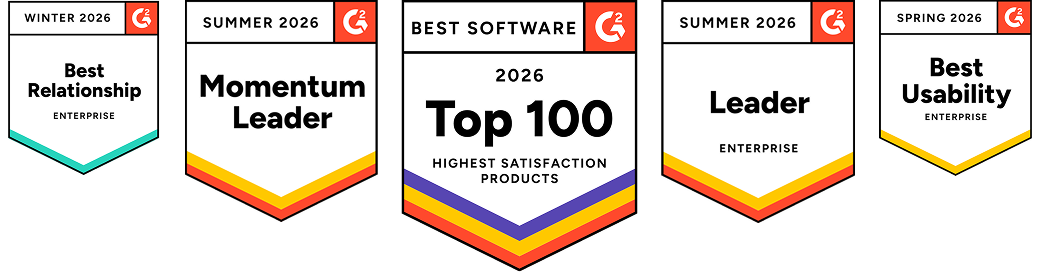
Jennifer Manning
Communication Manager at Norsk Hydro
The value that Yodeck has for Hydro is the global reach. We can reach any employee around the world with a push of a button, fast and reliably.

April 9, 2025
Steve Williams
Senior Platform Administrator at ÖSSUR
“We chose Yodeck because we didn’t have a good system that was centrally managed, so there was a lot of labor for people like me. Yodeck gave an alternative using low-cost commodity hardware and made our lives infinitely simpler!”
April 9, 2025
Paul Levinsen
Team Lead of the AV Department at University of British Columbia
Pricing is one of the biggest things we like about Yodeck. For this price – which is very good – it has a lot of robust features that we were able to implement and utilize.
April 9, 2025
Frequently asked questions
Change the way you communicate with your customers or employees by using free digital signage apps and templates.
Is Yodeck Free?
Yodeck is absolutely free if you only use 1 screen. If you plan on using more than 1 screen, you will need to get a paid Yodeck subscription for all of your screens.
Remember: We provide all the Yodeck Players you need for free with our Annual Plans.
How is Yodeck priced?
Yodeck is priced based on the maximum number of monitors you can have under your account.
How much does Yodeck cost?
Yodeck is completely free to use for a single screen. After which, Yodeck offers 3 pricing plans + free players. The Basic Plan, ideal for multi-screen installations, for $8€8£7CA$12AU$13/month. Premium Plan, recommended for managing large volumes of content, for $12€11£10CA$18AU$18.5/month. Enterprise Plan, with pro-grade security, for $16€15£13CA$24AU$25/month.
What payment methods do you accept?
We accept credit cards for all subscriptions. For Annual subscriptions, we also accept wire transfers.
We can provide you with an invoice that you can then pay through a wire transfer to our US bank account. Let us know if you need such an arrangement.
Unfortunately, we do not support Paypal.
Do I have to pay extra for support?
No. Online support service is included in your Plan.
Actually, even accounts on the Free Plan get support for free, we just respond to paid account requests first before handling requests from free accounts.
If you have a large project that requires on-site presence or deployment services, contact us. We have a Partner Network that might accommodate your requirements.
What will happen if I cancel my subscription?
First of all, we hope we can help you resolve any issues you have been having.
To cancel your subscription, you can go to the subscription panel and set the number of monitors to 1, deleting all other monitors from your Yodeck account. If you want us to completely remove your account and media, email us and we will do so.
How many monitors does Yodeck support per account?
You can have as many monitors as you need.
Yodeck uses scalable technologies that can support tens of thousands of monitors under a single Yodeck account. We provide mass management of multiple monitors, along with tag-based searches, thus making Yodeck an easy solution for handling thousands of units.

